Softbox Size vs Soft Light

One of the primary uses of a softbox is to give soft lighting, but with so many sizes available, which one should you use?

The answer in part comes from the classic rule with soft lighting which is this. The bigger the light source (relative to the subject) the softer the light produced. In other words bigger softboxes give softer light and as long as your softbox is close to your subject that holds true. To test it out I got my 28″ Parapop softbox from Adorama, a medium sized softbox and borrowed a giant 7′ Westcott umbrella softbox.

soft-1

You can see this in action in the three photos above. In each shot the distance from light to the model was 1 meter and the light was metered at f/8. Notice how the shadows blend in with the highlights as the softbox size increases and that’s soft light in action.

Now remember I said the softness of light is also relative to the subject size. Well here’s what happens if you zoom out and shoot a larger, full length portrait. Once again the distance and settings are the same in all shots.soft-2
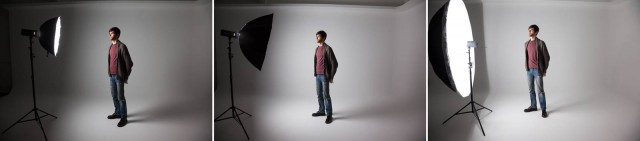
Look at the shadow behind the model. With the small and medium sized softboxes you’ll see a sharper, harder edge to the shadow then the big softbox. You’ll also see that the smaller softbox gives a smaller spread of light compared to the more even illumination of the large softbox.

So if you want to shoot full length portraits with soft light then an oversized softbox is one answer but it has another use to. Unless you want to spend time in Photoshop cloning out the light you’ll need to back it up. Moving the light away from the subject makes it that much smaller and therefore harder. Oversized softboxes allow you to get soft light without the source being in the scene.

Take a look at this video where I cover all of this and more.
[youtube]https://www.youtube.com/watch?v=a-rAnxVX9kE[/youtube]
Of course there are a few downsizes to large softboxes, one of which is the lack of directional control. In the video above I add some control using Photoshop but in the next video I’ll add it to the light.

Gear used in this video

Flashpoint RoveLight 600 http://www.adorama.com/FPLFRL600.html?KBID=67338
Glow ParaPop 28″ R Softbox http://www.adorama.com/GLSBSM28PPFP.html?KBID=67338
Westcott 7′ Silver Parabolic Umbrella http://www.adorama.com/WEUSLP7.html?KBID=67338
Westcott diffusing cover for 7′ Umbrella http://www.adorama.com/WE4631D.html?KBID=67338
Canon 5D Mark 2 http://www.adorama.com/ICA5DM3.html?KBID=67338
Canon 24-105L http://www.adorama.com/CA24105AFU.html?KBID=67338
Black rapid RS-7 Strap http://www.adorama.com/BRRS7.html?KBID=67338
Sekonic L-308S Flashmate http://www.adorama.com/SKL308S.html?KBID=67338
Tips for buying a camera

With the January sales either looming or already here, you might be considering buying a new camera. Now I’m not going to tell you which brand and model of camera you should choose as there are countless options out there and not one of them is right for everyone. However here are some things to consider when buying a camera

[youtube]https://www.youtube.com/watch?v=_P_3lgXYkpM[/youtube]

The two most important questions are…
What sort of photography will you be mostly shooting?            
How much do you want to spend?

Answer those and your search can begin in earnest.

camera-type

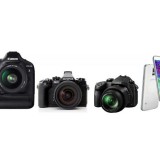
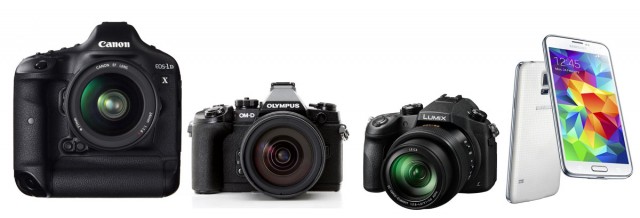
There are basically four types of digital camera. DSLR, Compact System camera (CSC), Bridge Camera and Mobile phone. All types have their pro’s and cons

If you’re want the best quality images then DSLR is probably the way to go. If you’re after great quality but with less bulk the CSC is the answer for you. Need portability and flexibility? Then a Bridge camera could be the answer. If you just want a point and shoot then the mobile phone ticks that box.

Don’t forget the lens. If you’re buying a DSLR or CSC then you’ll need to budget for a lens or two. When it comes to image quality the lens you use can make a bigger difference then the camera it’s attached to.

Bridge cameras are famed for their super long zoom lenses but often that comes at the expense of a true wide angle. The lens is built into the camera so make sure it can do what you want before you buy one.

Mobile phones can get a hard life inside pockets and bags. Before you take a photo check the lenses is clean and scratch free.

Whatever style of camera you choose and whatever name is printed on the front, remember it’s the person behind the camera that makes truly great photos happen.

Bokeh Background – Friday Freebie

At this time of year there’s the potential for bokeh shots all over the place. With the right lens, twinkling Christmas lights can make great bokeh photos and that’s exactly what I used to create this Friday Freebie background / texture.

Bokeh-SNOWQUEEN-SAMPLE

Full download instructions are below but you can also
Download the Bokeh Background Here

Once downloaded just open the bokeh image and your photo. Copy and paste the bokeh onto your photo and use Free Transform (CTRL+T) to make the bokeh fill the image. Next you’ll need to blend the two images together. For this shot I changed the Layer Blending Mode from Normal to Screen but as all the blending modes create a different look try them all.

The bokeh will most likely need masking or erasing away to reveal your main subject. Another thing to try is duplicating the bokeh layer to deepen the effect.


Bokeh-SNOWQUEEN-B4

If you create a photo using the Friday Freebie then let me (and everyone else) know by leaving the link in the comments below.

Usage rules
The image is copyright Gavin Hoey 2014. Use is limited to any personal but non-commercial purposes. Please share the Friday Freebie by linking back to this page. Do not redistribute the original image without my permission.

Download instructions
1. Click on the correct download link below (no sign up is needed)
https://drive.google.com/open?id=0B_Mmmm3K1utNZHVCSldJS2REMzQ&authuser=0

2. Click the Download button download_icon

3. The download should start automatically

4. No support is provided with the Friday Freebies. If you need help Google or YouTube the question and you’ll almost certainly find the answer :-)

Red Riding Hood Photo Shoots

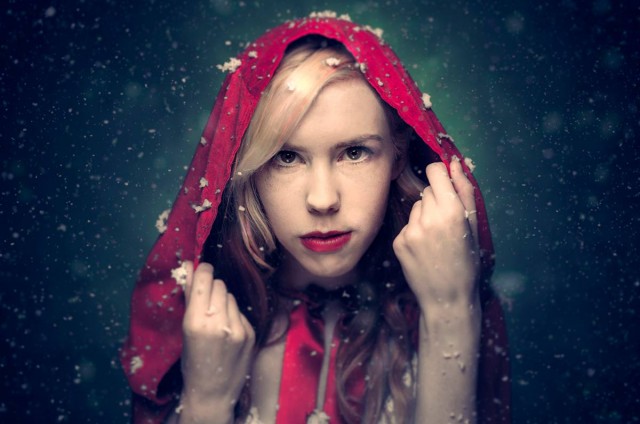
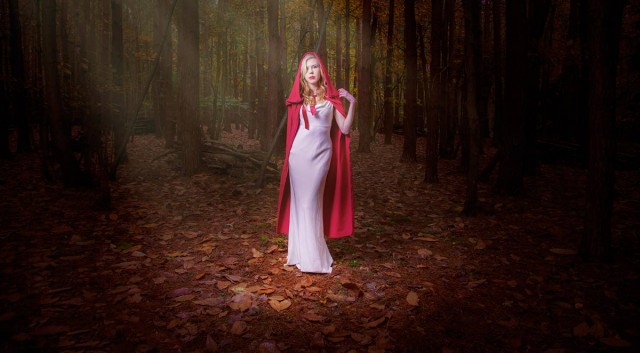
You probably already know the story of Red Riding Hood, it’s a timeless fairy tale about a girl and a big bad wolf. It’s also a popular subject for photography and something I wanted to take on too.

Traditionally the Red Riding Hood story takes place in the woods but I’m lucky enough to have access to my own studio space and that’s where I started. I also had a can of fake falling snow, which is actually foam and a home made red velvet cape.

For my Red Riding Hood I called upon the services of local model Fern Meave who was amazingly talented and suited the role perfectly. For the lighting I went with my two Streaklights, a small beauty dish and some coloured gels.

[youtube]https://www.youtube.com/watch?v=8t29AbUGJJg&list=PL821B7D720DEA39FA[/youtube]

Fun as the studio shoot is it’s never going to be the same as shooting on location in the woods. So for the second video that’s exactly what we did.

Weeks of planning went into the shoot but the weather was out of our control and sure enough on the day of the shoot the sky was grey and it was freezing cold. None the less we pressed on with the shoot and in the video I also pass on plenty of tips for balancing flash with low levels of ambient light.

Fern was my model once again but this time I swapped my Streaklights for a more powerful Rovelight which I reviewed a few weeks back. As it turned out I didn’t need the extra power of the Rovelight but that’s the weather for you

[youtube]https://www.youtube.com/watch?v=ywShIOcqLBU[/youtube]

Below a few photos from the shoots which you can see in more detail by clicking.

Adorama-Red_final

RRH-PT2-Sample

Home Studio Essentials Episodes 1-10

If you’ve been watching my recent videos over on Adorama TV you’ll have noticed a pattern forming. Over the past months the majority of the videos have focused on shooting with flash in a small, home studio and judging by the feedback it seems to have gone down very well indeed. I think part of the reason for their popularity is the way each video builds on the previous skills learned, at least that was the idea I had when I originally planned them.

HSE-MontageGear is always a big part of photography but none of the videos need a specific brand of equipment to complete. I used my trusty Canon 5D2 and 24-105mm lens. My flash gear is supplied by Adorama and is their amazing Streaklight flashes. If you want to know more then you can read my review.

To save you digging through my blog / YouTube to find them all I’ve added them all here.

Episode1: One bare flash
[youtube]http://youtu.be/hR4DW7dXOsk[/youtube]

Episode 2: One flash with an umbrella
[youtube]https://www.youtube.com/watch?v=ur58XNQwMXA&list=PL821B7D720DEA39FA&index=11[/youtube]
Episode 3:One flash and a softbox
[youtube]https://www.youtube.com/watch?v=z0MTQFYnvQA&list=PL821B7D720DEA39FA&index=10[/youtube] 
Episode 4: One flash and a reflector
[youtube]https://www.youtube.com/watch?v=TYQh9MNC3Is&list=PL821B7D720DEA39FA&index=9[/youtube] 
Episode 5: Adding a second light
[youtube]https://www.youtube.com/watch?v=FcQg0cBncHs&list=PL821B7D720DEA39FA&index=7[/youtube] 
Episode 6: Using honeycomb grids
[youtube]https://www.youtube.com/watch?v=K-C9xgTCLfM&list=PL821B7D720DEA39FA&index=6[/youtube] 
Episode 7: Using coloured gels
[youtube]https://www.youtube.com/watch?v=sR0wu9Sy6GM&list=PL821B7D720DEA39FA&index=5[/youtube] 
Episode 8: Getting a white background
[youtube]https://www.youtube.com/watch?v=RP4IixDOP5M&list=PL821B7D720DEA39FA&index=4[/youtube] 
Episode 9: Softbox as a white background
[youtube]https://www.youtube.com/watch?v=wy0VZEhwtSU&list=PL821B7D720DEA39FA&index=3[/youtube] 
Episode 10: Hair / seperation light
[youtube]https://www.youtube.com/watch?v=PaDUIqdQpPM&list=PL821B7D720DEA39FA&index=2[/youtube] 

Using light to your advantage

Recently I recorded a series of short videos as part of the “Lovers of light” photography competition. In this clip I have a few words to say about the different types of light.

[youtube]https://www.youtube.com/watch?v=z4uhpvMzN6g&list=PLtSaDsQ1Szx1KSX5cJ7b1BdAnK8fiZsca[/youtube]

There are three types of light in photography. Good light, bad light and no light. Being able to tell the first from the second isn’t as simple as you might think.

Good light:
What is classed as good light will vary depending on what you’re photographing. Great landscapes often come from strong directional light which casts long shadows. Portraits are best taken in soft, overcast light where shadows are few and far between.

Bad light:
Just like good light, what one photographer considers bad light might be perfect for another. Knowing what you shoot and when to shoot it is a skill that can be learned just like any other.

No Light:
Without light we don’t have any photos but with today’s digital cameras able to shot in extreme low light, it’s very rare to be left with no light at all. It’s all too easy to confuse the quantity of light with the quality of light, night time shots can be just as magical as day time photos.

goodvsbad-light

Direction of light:
Where the sun is in relation to your camera can have a dramatic impact on the scene. The lower it is in the sky, the longer the shadows it casts.
Keeping the sun over your shoulder will make colours richer and shadows more pronounced.

Closing the lens aperture down to a big number (e.g. f/22) will give the sun a natural star burst effect.

Looking directly into the sun is dangerous for your eyes but with very careful use of your camera it can yield amazing results.NOTE: DSLR users should avoid looking at the sun through their viewfinders as it can damage your sight. Using “live view” is the way to go

Into-the-light-1

Halloween Shoot

Last Friday was Halloween and I spent the evening taking some suitably spooky portraits. The location for the shoot was the recently opened Square 1 Studio near Dorking, an amazing place and one of the best studios I’ve used.

The evening was a free form event rather than a workshop with photographers popping in and out, sharing ideas and learning from each other. To that end I have to say a huge thank you to Andrew Dobell from Creative Edge who arranged for three models, a make-up artist and hairdresser to be on hand as well as a raft of props, all we had to do was supply the ideas

With around ten photographers moving between two shooting areas, there was lots of sharing of thoughts, tips and creative ideas. I also shared my Adorama Streaklights which once again proved their worth doing the whole three hour shoot and still having 2/3rd battery power left.

Below are a small selection of the photos. Click to enlarge… if you dare!

Halloween (5) Halloween (4) Halloween (3) Halloween (2) Halloween (1)


Pentax 645Z Hands On Experience

The last time I got to play with a medium format camera was a few years back at Hasselblad. Back then I loved the quality of the photos but found the experience of using the camera cumbersome compared to a DSLR.

Jump forward to late 2014, switch brands to Pentax and things have really changed for the better.

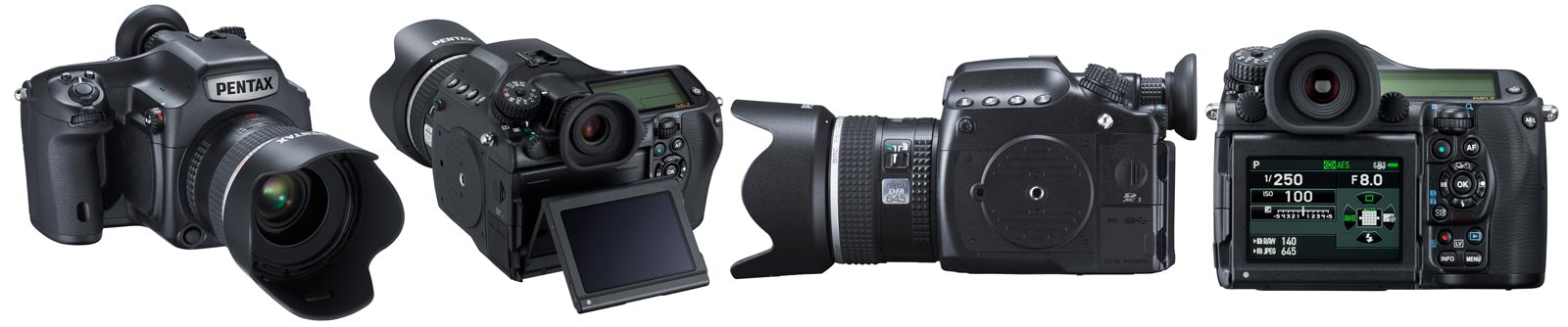
I got some hands on time with the Pentax 645Z thanks to a Park Cameras and Pentax/Ricoh offering a two hour group try-out session. Shooting time was limited and the style was a studio shoot run by my good friend Will Cheung. With that in mind please remember this isn’t a full on camera review.

Untitled-2

First impressions
Coming from a Canon 5D2, the Pentax 645Z feels big and heavy but I’d expect nothing less.  Once you get past the size it’s a great camera to hold and feels very DSLR in design.

The viewfinder was big, bright and brilliant to use and same could be said for the LCD screen on the back. In fact I swear some of the buttons and controls have been lifted from the Pentax DSLR range, they looked so familiar.

The first big surprise came when I popped my 32GB SD card into one of the two slots. Even though the card was empty I had just 219 available (RAW+JPG) photos before it was full. The Pentax packs a whopping 51.4 million pixel sensor with RAW files averaging out at around 65MB and JPG’s at 18MB each.

IMGP9994

In Use
Using the Pentax 645Z was real pleasure, the shutter fired with a satisfying clunk and the photos appeared almost instantly on the LCD. Pentax made a big thing about the focusing system, with its 27 AF points 25 of which are cross type and so on. However in practice I found the focus slightly sluggish. Not sloooow but certainly not as fast as I’m used to. To be honest I can’t say if that’s just how it is with this camera or if it’s down to the 90mm lens I was using.

Those big files take time to write to the card. Fortunately I packed one of my fast SD cards that I use for capturing video but I noticed a couple of the other photographers were using standard SD cards. At the end of their session they needed to wait some time before the files had been written to the card and they could safely remove it.

Features
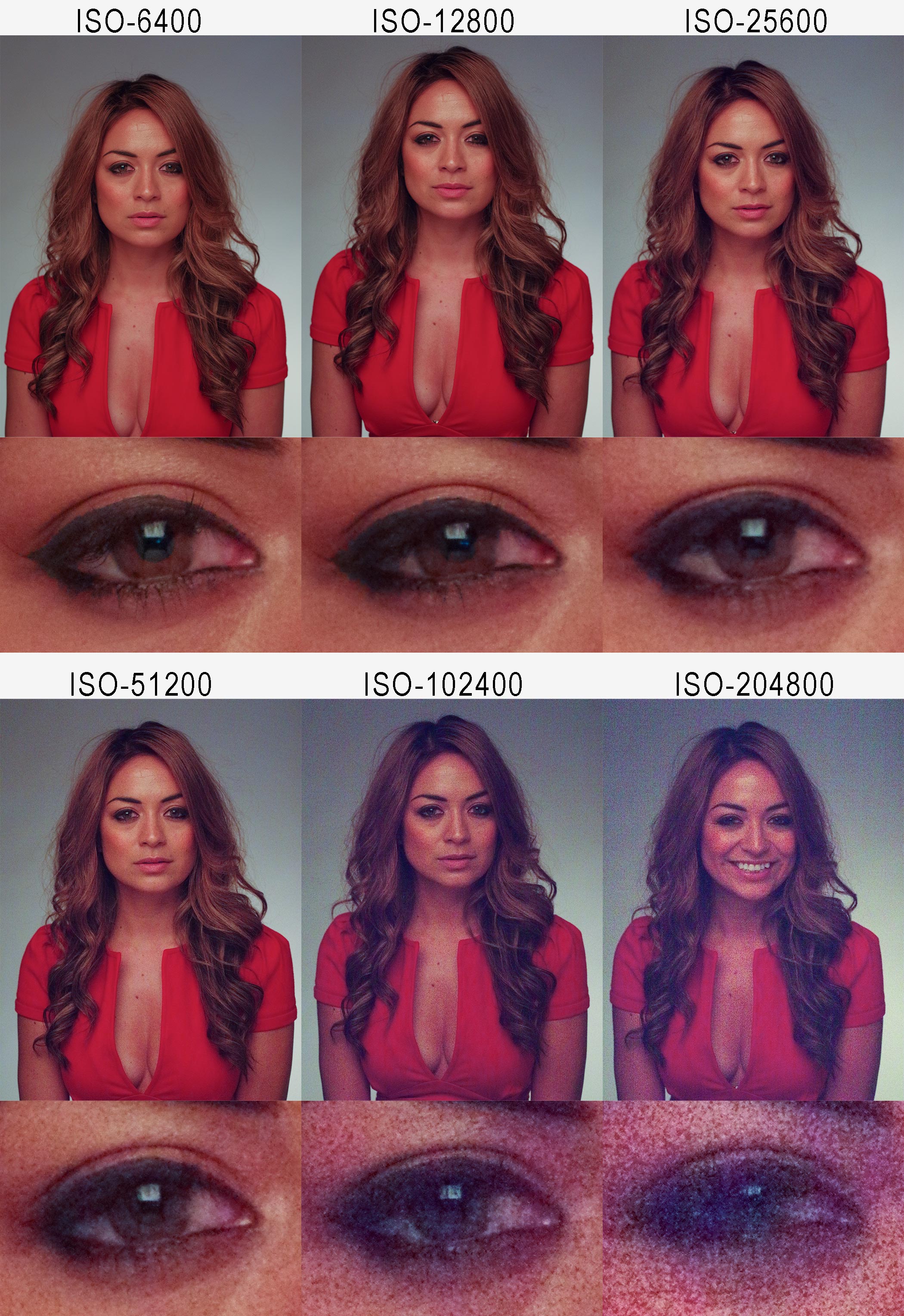
Pentax were really keen to talk up a few of the features that make the 645Z different from other medium format cameras. For example it can shoot at 3 frames per second, it’s weather sealed, it shoots video and it shoots at high ISO. I really wanted to test the last one so here’s a series of (JPG) photos starting at ISO6400 (Where my Canon 5D2 stops) right up to a jaw dropping and utterly useless ISO204800

Pentax645-HiRes

It’s hardly a definitive test but from what I can see that’s probably one of the best high ISO performances I’ve ever seen.

Reviewing the photos
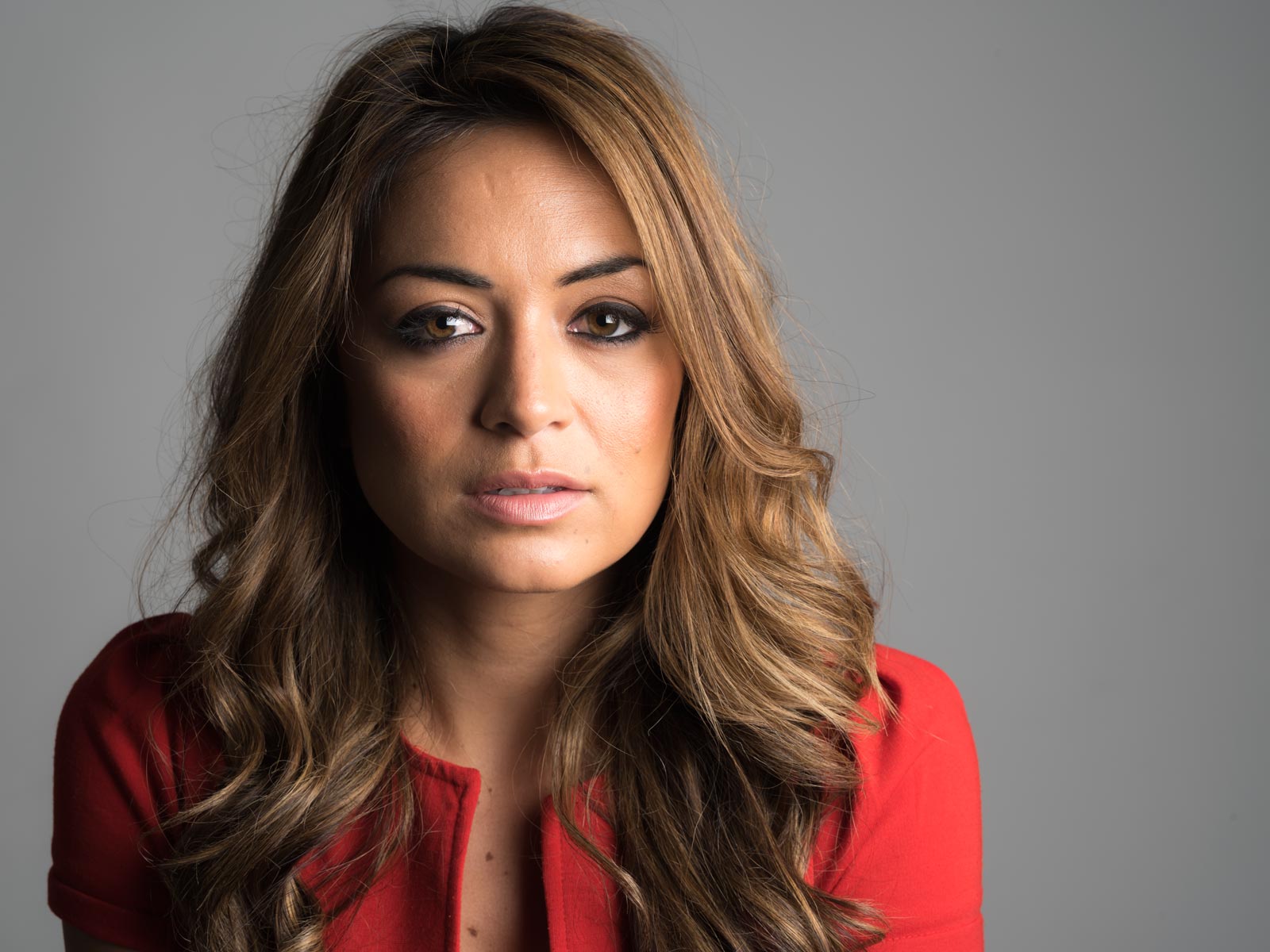
So the big question is how did the photos look? In a word they were… detailed!

We only got the chance to shoot portraits but when I viewed at 1 to 1 in Lightroom every little blemish, imperfection and detail could be seen. That level of detail is perfect for many photographers needs but for my portraits it would mean a little more retouching might be required!

Yes the sensor has lots of pixels but it’s also big in size at 43.8mmx32.8mm. The bigger the physical size of the sensor the shallower the depth of field and when reviewing my photos I could see that my usual f/8 was giving me a noticeable reduction in depth of field.

IMGP0097

Final thoughts
With a price point of £6800 body only and limited selection of lens to choose from, the Pentax 645Z isn’t on my real world shopping list but part of me wishes it was.

The price may seem high but compared to its competitors at Hasselblad and PhaseOne it a bargain. And when you consider the Pentax uses exactly the same sensor as it’s medium format competitors, it’s not surprising that the Pentax 645Z is constantly on back order at retailers.

20141022_150908

I’d like to thank Mark and Luke from Pentax/Ricoh for letting me get my hands on the camera, Park cameras for providing the venue and Will Cheung for being a brilliant teacher/assistant and for continuing his tradition of wearing truly terrible shirts 😉

My Adorama Streaklight Bundles

After a bit of arm twisting Adorama has just released the “Gavin Hoey Recommends…” Streaklight Essentials Bundle and the Streaklight Twin Kit Bundle.

If you’ve been watching any of my recent videos you’ll have seen me shooting with one or two Streaklight flashes.You can checkout my review of the Streaklight 360ws here but if you just want the headline reasons I use the streaklights it’s the amazing power (equivalent to six speedlights), battery powered and incredibly small. In fact I loved it so much I ordered a second Streaklight, the lower powered 180ws. It’s a bit less powerful but also a bit cheaper, perfect for someone like me who’s outside the US and has to factor in shipping & tax.

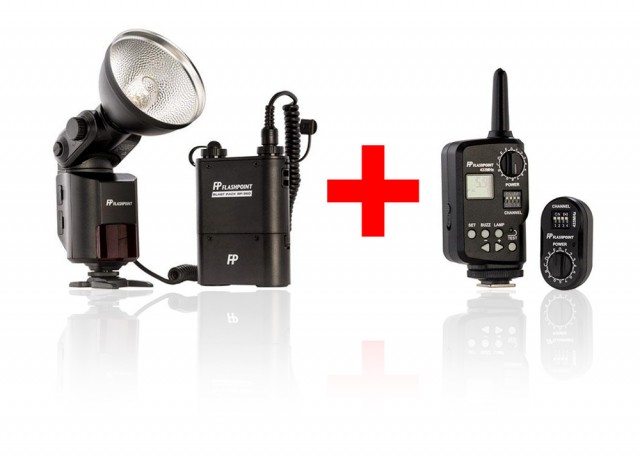
Streaklight-1My essentials bundle contains the Streaklight 360ws, blastpack battery and a remote trigger that doubles up as a full remote control and you’ll save $20 USD along the way.

Streaklight-2

My twin light kit consists of a Streaklight 360ws, Streaklight 180ws, two blastpack batteries, a Remote control and a second remote receiver. It’s everything I use day to day in my small home studio and bags you a saving of $100USD off the list price.

If you’re looking for the power of a studio light but with the wireless convenience of a speedlight the Streaklights are hard to beat in my book.