Magazine Page Action ~ Friday Freebie

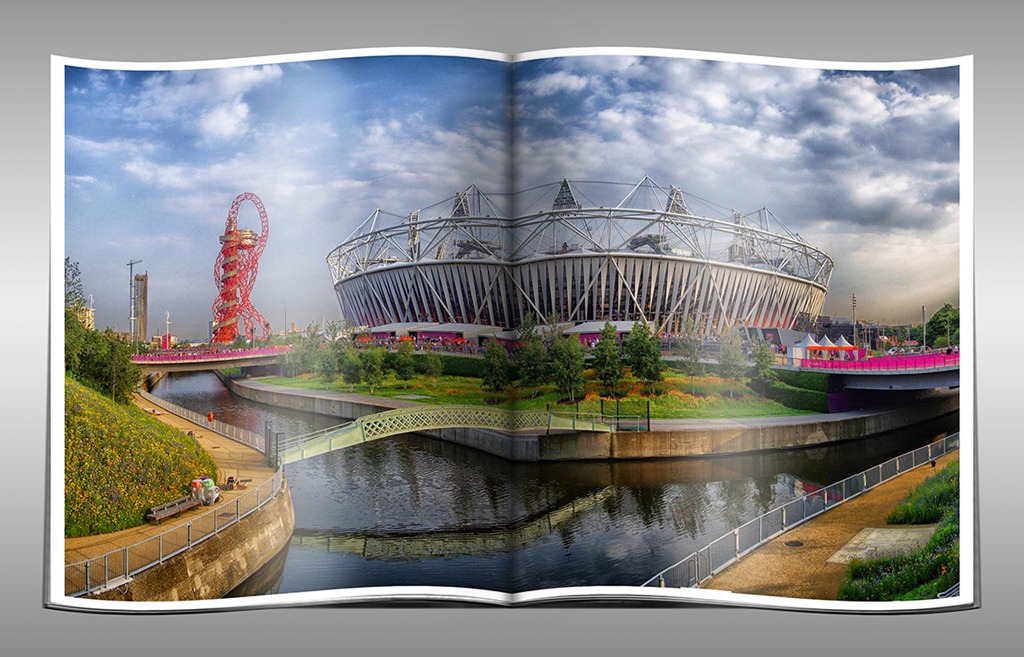
Ever fancied seeing your work featured in a magazine? Silly question. Every photographer I know would be flattered, honoured or excited to see their photos in print. Well sadly I can’t make that happen for you but here’s the next best thing.

Magazine-PageAs with all actions the strength of the effect will vary according to the number of pixels in the image but this one gives great results with pretty much any sized photo. You’ll need a copy of Photoshop (CS3 or later). This action makes use of warping in Free Transform. It’s a powerful tool but sadly it’s not part of Elements and as a result this action will not work for Elements users.

The action is fully self contained which means you don’t need to do anything other then click the play button. It also makes a copy of your photo (called Magazine Page) so your original image will remain untouched.

You can download the action from here www.gavtrain.com/free/magazine-effect.zip

Usual rules apply. The action is copyright Gavin Hoey 2012. You may use it for personal, non-commercial purposes only and please do not redistribute without permission. Thank you and enjoy Smile

Shooting textures in the landscape

What do you do when the thing you wanted to photograph has disappeared under water? Well that was the dilemma I faced a few weeks back when I went to the beach.

Adorama PebblesTo make matters worse it wasn’t a stunningly beautiful beach and the lighting was pretty flat and lifeless. However I wasn’t going to go away empty handed so I created a photo from nothing.

First I did something I do a lot when I’m on a pebble beach, I grab some stones and started stacking. Photographing the pebbles was a simple enough affair but it needed something more and I thought the best thing to do was to add a background texture.

The beach may not have been a good spot for shooting amazing seascapes but with its collection of beach huts, it was the perfect place to bag a great selection of textures. In five minutes I had photographed textures from wood, paint, rusty metal and concrete.

All I had to do then was combine the photo together to create the final photo you see here. You can watch both the shoot and the post processing on the video below.

If you can’t see the video click here

Gear used in the video (links back to Adorama, who sponsor all my videos)
Canon 60D
Canon 24-105mm L f/4 USM
Carry Speed Strap
Adobe Photoshop CS6

Your Comfort Zone

What’s your style of photography? Are you a landscape photographer, someone who thinks nothing about walking miles over hills or along the coast in order to get your perfect photo. Perhaps you’re a studio based photographer who loves to be in total control of everything from the lighting to the subject or your photo.

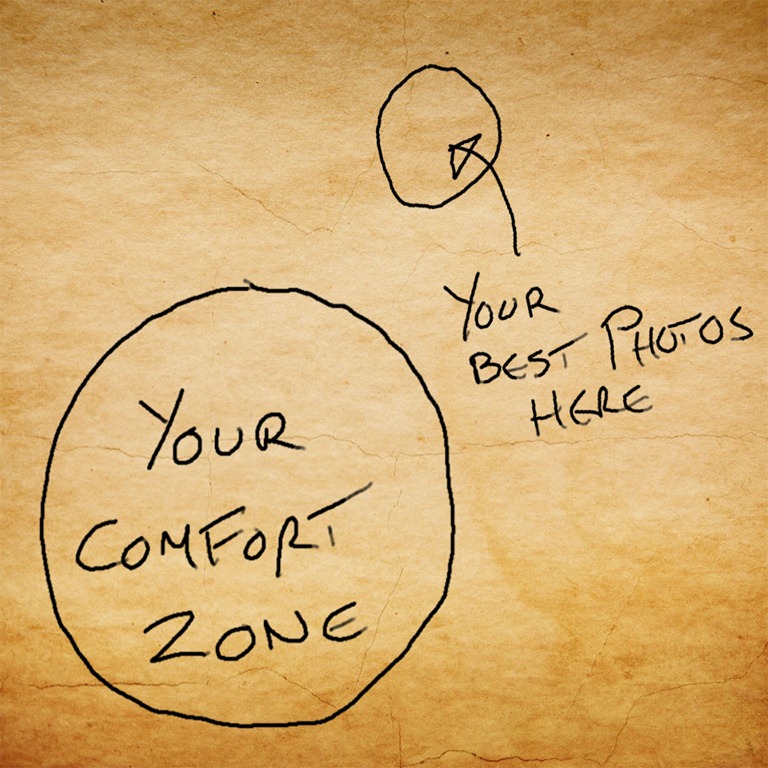
confort-zoneWhatever your photography passion it’s very easy to get stuck in a rut and for your photography to stagnate. You may be the best sports photographer on the planet but if you lose your creativity your work will suffer. Every now and then you need to move outside your comfort zone, try something that challenges your photography and in doing so you’ll give your creativity a boost

This year I’ve been outside my comfort zone on several occasions. For example earlier this year I visited Norway to teach Photoshop to a large group of Photographers who don’t speak English as their first language (I don’t speak Norwegian either). After my presentation there was a wonderful talk by a Norwegian photographer. Although I didn’t understand what he was saying, he showed this image (or something like it) and it really stuck a chord.

One of the areas of Photography I usually shy away from is street photography. It’s not that I don’t enjoy that kind of photo, far from it, it’s more the feeling of being self conscious photographing strangers. So last Sunday I took myself out of my comfort zone by visiting London’s Speakers corner. There were plenty of people to photograph but it was a challenge. Most people were too wrapped up in their heated debates to notice me taking photos but a few people were less happy to be photographed which is all part of the experience of course. You can see a few of the photos below

So what are you going to photograph that’s outside your comfort zone? The best advice I can give you is if and when you venture outside of your comfort zone go with a friend or a group of photographers. The more of you that share the experience the more fun it is. Alternatively you can do what I did and join a photographic workshop. This one was organised by Welshot Imaging.

Speakers Corner

Camera: Canon 60D

Lens: Canon 70-300mm IS

Aperture: f/5.6   ISO:800  Shutter Speed: Various

Christmas Template ~ Friday Freebie

It’s that time of year when people all round the world are sending out Christmas cards to their friends and family. If you’re looking to make your own festive card for the holiday season then this weeks Friday freebie is right up your street.

FF-xmas-finalAs you can see from the example here, the template is a festive border into which you’ll need to add your own Christmas or winter scene. Download instructions are below and once again I’m sharing the full PSD file through my creative cloud page. No sign up is required to get a copy of the template so you’re free to jump in and make your own Christmas card.

Download the Christmas card template by clicking this link 

The photo that goes in the middle I’m leaving down to you.

It’s sized to print at A4, just remember to increase the canvas size by 100% so the card has a back side too. Alternatively you can save the final image as a JPG and turn it into an eCard instead.

Download instructions
Click the link https://drive.google.com/file/d/0B_Mmmm3K1utNd2VLbzZSNzdKMUk/view?usp=sharing

1. Click the Download button download_icon

2. The download should start automatically

How to use the template
To add your own photo, first select and copy the photo you want to add. Then jump over to the template, Click inside the grey square with the magic wand tool and choose Edit – Paste Into (Edit – Paste Special – Paste Into in Photoshop CS5 & CS6)

You can then resize the photo before pressing enter to committing to the change.

If you’d rather not have the two stars that cut into the edge of your photo you can simply switch off the top layer.

Usage rules
Usual rules apply. The action is copyright Gavin Hoey 2012. You may use it for personal, non-commercial purposes only and please do not redistribute without permission. Thank you and enjoy Smile

SplashArt Kit 2 ~ Review

I love photographing drips and over the years I’ve made one or two videos about how it’s done. However the SplashArt kit 2 offers to take drip photography to a professional level.
spashart-1
Verdict: The SplashArt 2 Kit is well designed and simple to use but best of all the photos it helps to create are just amazing. If you’re serious about photographing splashes then this is a must have accessory.
   
Overall Rating

5-Star

Design / Features 4-Star
Performance

5-Star

Price

5-Star

+ Plus Points
    + Everything you need in one kit
    + Repeatable splash photos
    + Choice of single or double drops
Minus Points
    No markings on controller
    Getting perfect splash can be frustrating

Price (at time of review) £179.00
Suppliers Website: http://www.phototrigger.co.uk/

Purchase from here

Getting good photos of water drips isn’t that hard to do, in fact one of my most watched videos covers how to get great photos of basic drips. However the one thing I’ve always wanted to capture is a collision and always failed to do so. The SplashArt kit promises to do exactly that with precise control.
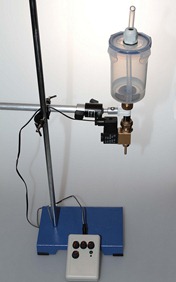
8024524670_38ed353bcf_cWhat’s in the kit
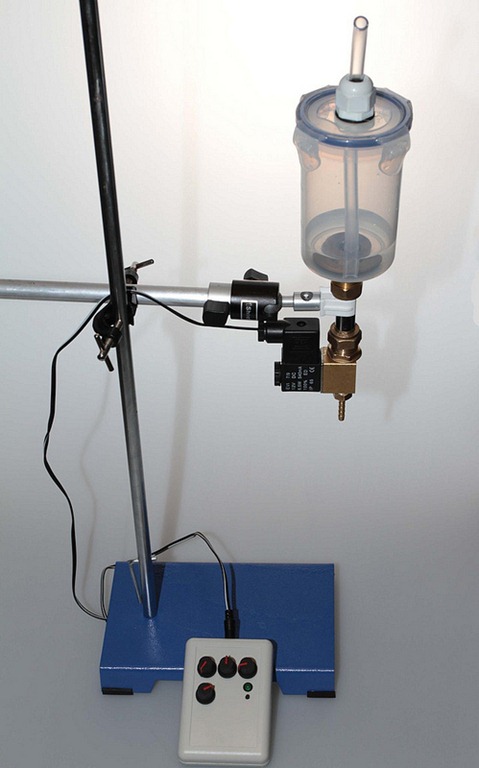
The good news is the kit contains everything you need, all you need to do is add water and a camera of course. The heart of the splashArt kit is the controller which is used to trigger the camera and release the drips. The other vital part of the kit is the solenoid which is basically an electronic tap but you also get all the cables you need including the trigger cable that’s compatible with your camera model.

If you’re a UK buyer you can also buy the kit with a metal retort stand and arm. The retort stand took me straight back to my days in the chemistry lab at school and the arm does look like something out of a plumbers merchants but it works perfectly.

In use
Setting up the SplashArt kit was very simple with some nice touches. For example there are three cables to be connected but each cable has a different connector, so there’s no chance of accidently wiring your camera to the mains!
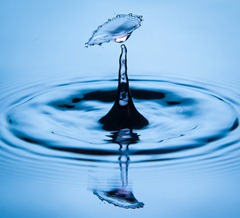
splashart-2My only complaint is that none of the four dials on the controller are labelled or have scale markings. That made getting up to speed with the unit a little more tricky for the first time user like me.

Of course the big question is how did it perform? Well, after an initially frustrating 10 minutes of missing the magic collision I managed to find the perfect combination of settings for the dials and I was off.

20 minutes later I had dozens and dozens of amazing collision shots in the bag.

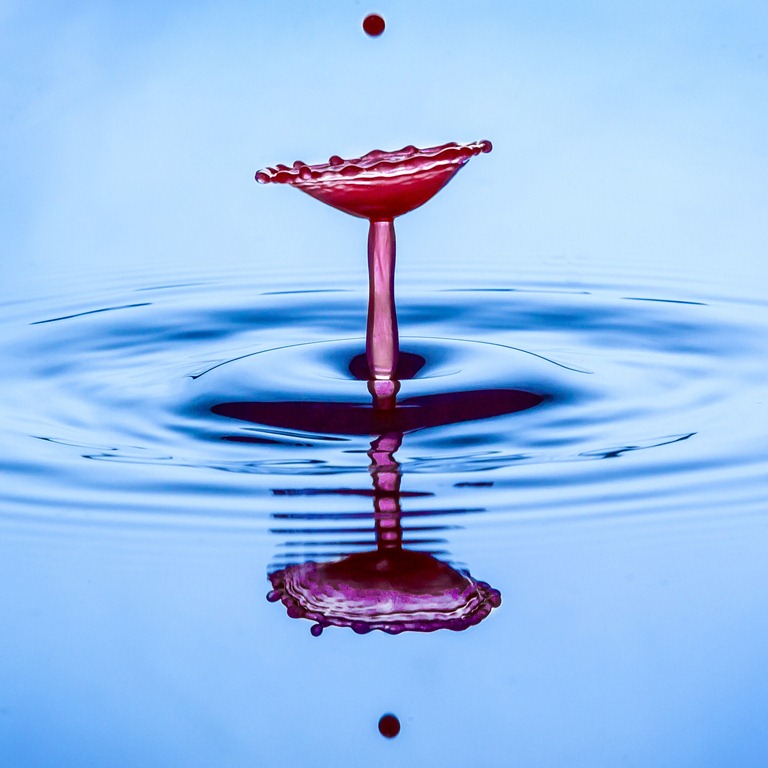
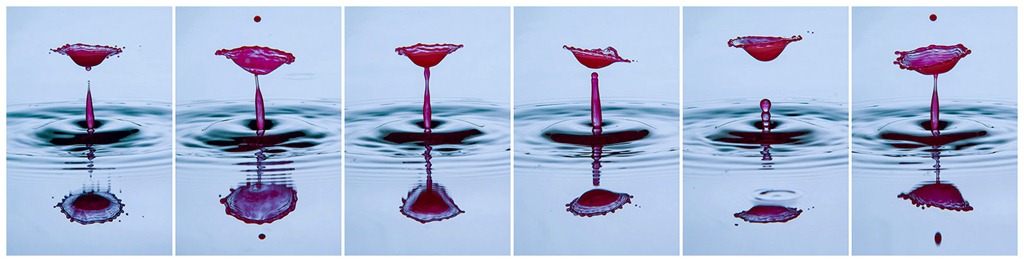
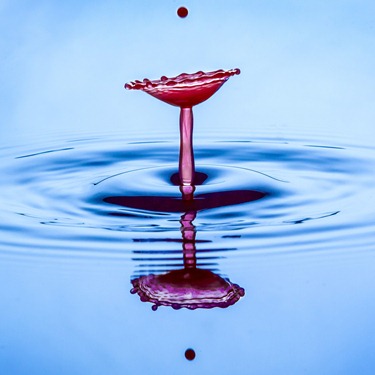
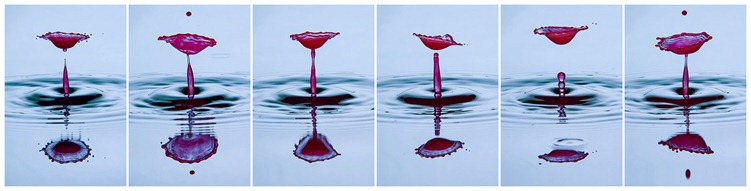
Part of the allure of a kit like this is the predictability of the system and the SplashArt kit excelled here. Take a look at the six photos below. They were taken one after the other and although each is different the timing was perfect shot after shot. Just don’t change anything once you have the look you want!
SplashArt-3Click to enlarge

Who’s it for
At nearly £180 this kit is great value but it’s not for everyone. You’ll need to be fairly serious about your splash photography in order to warrant the money. Moreover, once you’ve mastered the art of capturing splash collisions you’ll need to be resourceful in the creativity department to come up with more uses.

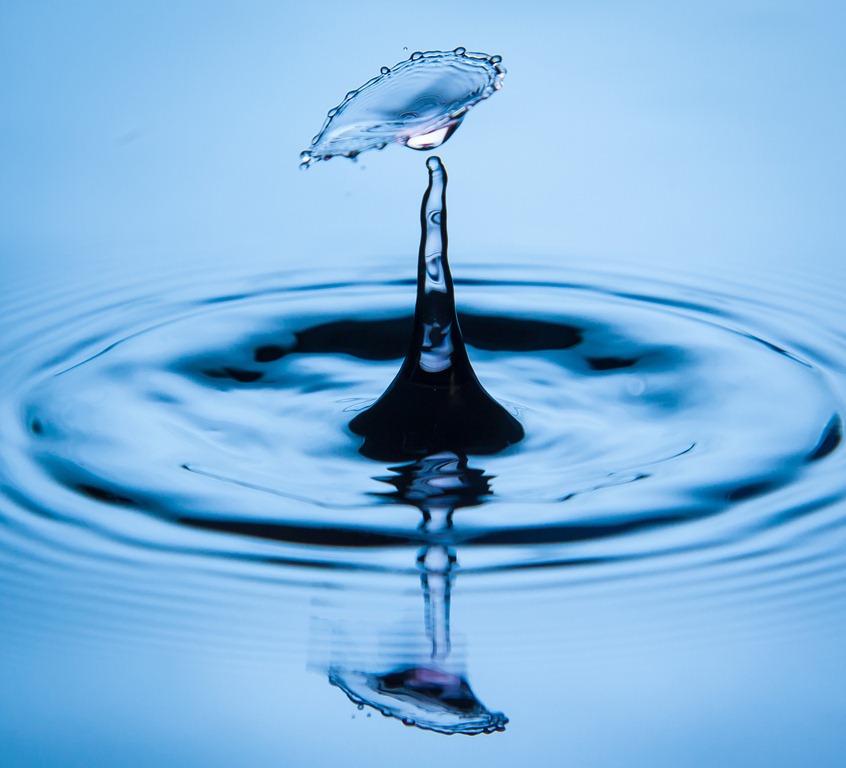
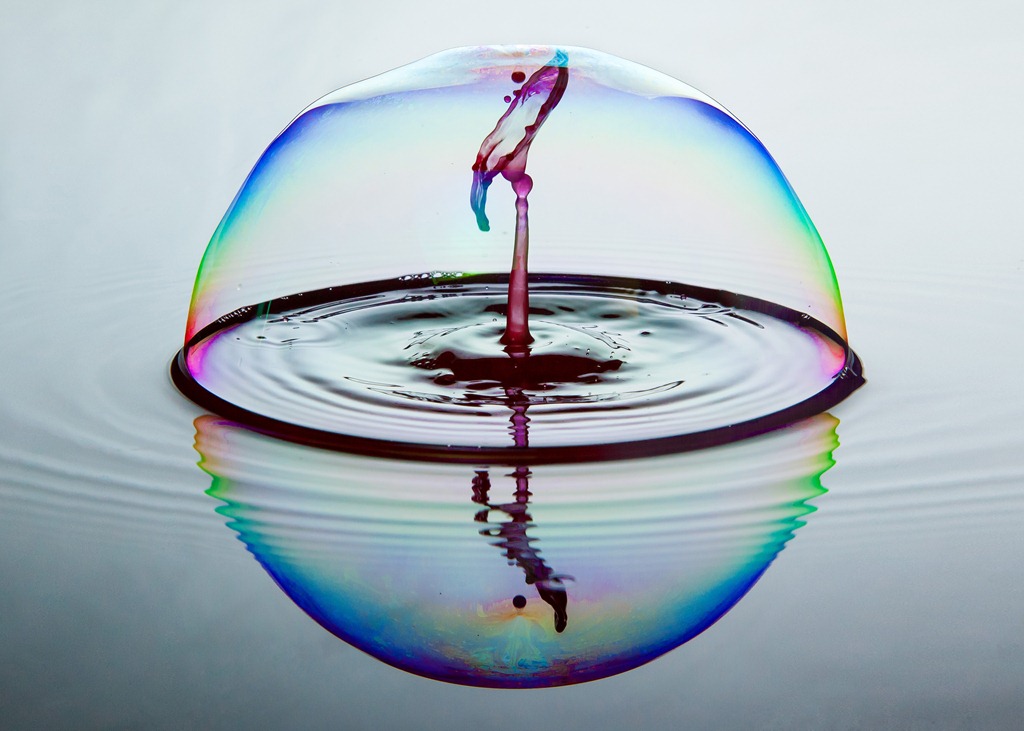
That said there are plenty of alternatives for you to explore. Water can be replaced with milk, paint or any coloured liquid you can get your hands on. Each has it’s own style of splash.
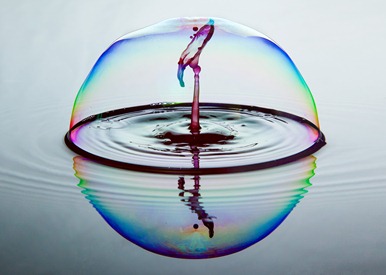
SplashArt-4I can imagine the SlashArt kit would be a brilliant investment for a small group of photographers who can share the skills and the price amongst themselves.

Conclusion
I loved using the SplashArt 2 kit and it’s a keeper for me. At £180 it’s not cheap but it’s hardly expensive either. OK so there’s no markings on the dials and from time to time it would miss a drop but in the space of 30 minutes I went from never having captured a splash collision to having dozens of them… and they were all brilliant!
Adobe “Create Now” Live

Are you around today (11th Dec 2012) at 6pm UK time? Do you want to find out what’s coming to Photoshop? Do you have a creative cloud subscription? If the answer to one or more of these questions is yes, then read on.

imageWhen Adobe launched their Creative Cloud subscription service they promised that they would release any updates to Photoshop (and other Adobe software) to creative cloud members first. Well it would appear that they’re about to come good on that promise.

What will be announced is still under wraps but they’ve lined up some guest speakers to talk us through them. Chief amongst them is Photoshop guru, Scott Kelby.

To watch live you’ll need to first register here: http://www.adobeeventsonline.com/createevent

The start time is 6pm UK time, 10am PST, 1pm EST.

Know Your Camera Quiz

Gavtrain-quiz-2It’s time for another quiz and this time it’s all about camera’s and lenses. There are 10 questions that will put your Photography knowledge to the test.
They range from quite easy to very tricky and all the answers are multiple choice.

Getting the answer to a question right first time will increase your percentage score, so choose wisely. Click the arrow to move to the next question.

REMEMBER… Google-ing the question isn’t in the spirit of the quiz.

Good Luck

[mtouchquiz 3]

15 Affordable Christmas gifts for photographers

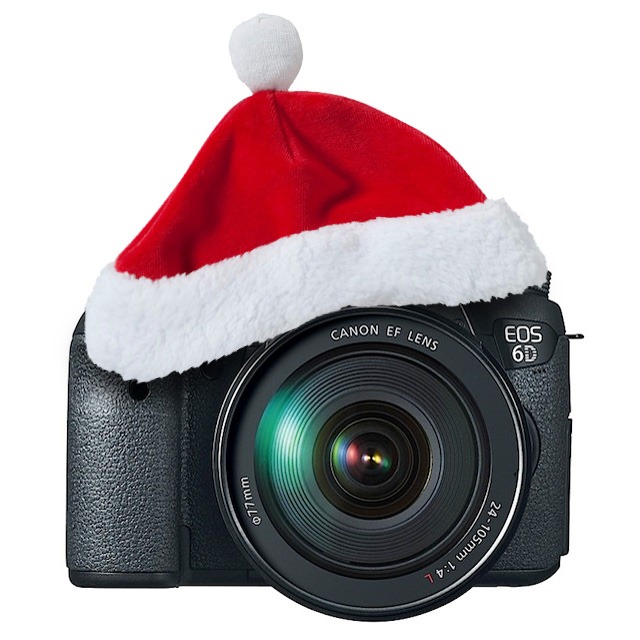
Photo-xmasWith the Christmas shopping season now in full swing you’re either reading this page because you need some inspiration on what to buy the photographer in your life or because you are photographer and you’ve been asked to suggest a reasonably priced gift.

With photography being a notoriously expensive hobby I wanted to choose accessories that are affordable and useful. So for this gift guide I’ve chosen things I own or have used that all cost less then £20 GBP or $25 USD. None of them are specific to one make or model of camera so if you’re not a photographer you don’t have to fret that it won’t work.

Battery Storage Box
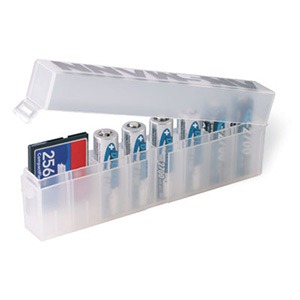
There’s nothing worse then finding three AA batteries in your camera bag when you need four batteries in your speedlight flash. The Ansmann storage box is a brilliantly simple solution for storing 8 AA batteries in one box. It even has a handy diagram printed on the side to show you how which way up to put charged and flat batteries.

If that’s not enough, it’s cleverly designed so you can also use it to store memory cards instead of batteries.
UK Price £ 3.99 From Warehouse Express
US Price
$ 3.99 From Adorama

Untitled-1

3″ Spring Clamp
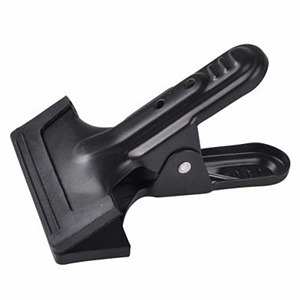
You don’t need me to tell you what these do. Let’s just say they may not be the most sexy piece of camera gear going but they’re probably the most useful.

I’ve used mine for everything from holding up background cloth to holding broken bags closed whilst in the field.
UK Price £3.99 From Smick
US  Price
$2.59 From Adorama

Untitled-2

Op/Tech 18″ SLR Rainsleeve
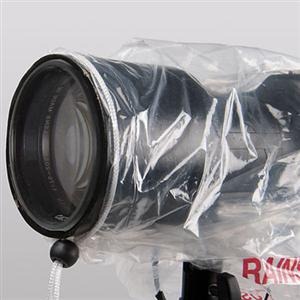
This one should be top of every outdoor photographers list. The rainsleeve is basically a long clear bag with a draw string at the end. You can see one in use in this video.

Once attached it will keep the rain, snow and if used with care even the sand off your precious equipment.

With a price tag that matches it’s no frills design, it’s a bargain but doubly so when you realise each pack contains two of them!
UK Price £ 5.99 From Warehouse Express
US Price
$ 6.00 From Adorama

otrsl

Alpine Innovations Spudz
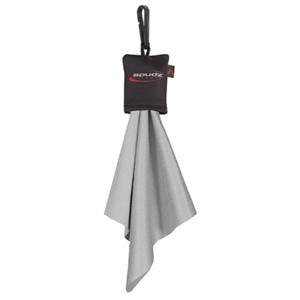
I love these Spudz lens cloths for a couple of reasons. First they do a great job of cleaning my lenses but more then that they keep themselves clean by being stored in their own tiny pouch which is attached to the cloth.

As they’re so cheap, I clip a Spudz cloth in every camera bag so I’ve always got one to hand.
UK Price £ 6.99 From Warehouse Express
US Price
$ 4.95 From Adorama

cpsmfcb

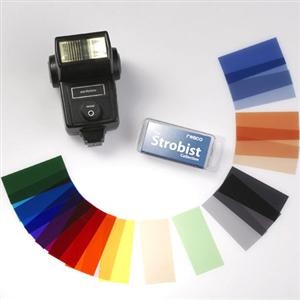
Rosco The Strobist Collection
This one is perfect for all those strobists out there. These are small rectangular coloured gels that fit perfectly in front of a speedlite.

I use two tiny blobs of BluTak to hold them in place and once attached you can change the colour of the light coming from the flash.

This allows you to add a splash of colour to a studio background, or warm up/cool down the flash light on your model.
UK Price £7.99 From Crooked Imaging
USPrice
$7.95 From Adorama

ROSK

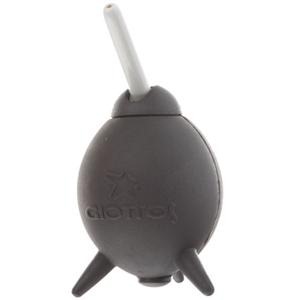
Giottos Q-Ball rocket
Keeping the outside of your camera clean is an important and sometimes overlooked job. OK that might be just me that overlooks it.

The Q-Ball is a powerful blower with a very handy tiltable nozzle. It’s perfect for blowing away dust and dirt from hard to clean parts of the camera and is also my first line of sensor cleaning.
UK Price £7.99 From Warehouse Express
US Price
$10.50 From Adorama

GTRABT

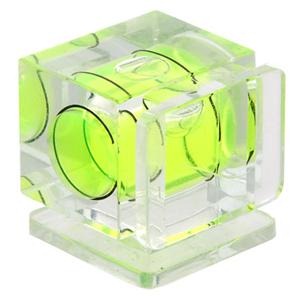
Bubble Level
Is that horizon really straight? Is a question you’ll never need to ask yourself if you pop one of these on the hot shoe of your camera.

Small enough to throw into you camera bag, no landscape photographer should be without one or two of these.
UK Price £8.16 from Crooked Imaging
US  Price
$5.95 From Adorama

TPBLS

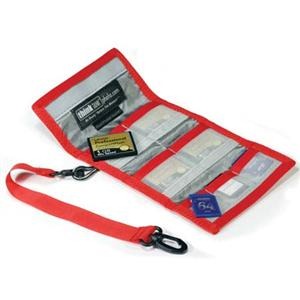
Think Tank Pee Wee Pixel Pocket Rocket
Just like batteries, memory cards have a habit of disappearing so this little gadget is ideal to help you keep everything in one place.

It holds both SD and compact flash sized cards and to stop you losing all your cards in one go, it comes with a security leash so you can clip it to your camera bag.
UK Price £8.99 From Morris Photographic
US Price
$15.75 From Adorama

ttpwppr

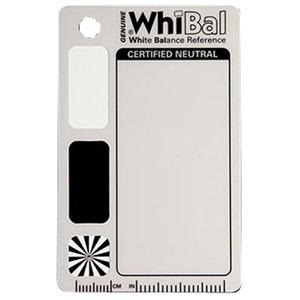
White Balance Pocket Card
If you want perfect colour in your images you’ll need a to start with a true grey reference image taken in the same lighting as the final photo. I reviewed the Whibal card some time back and it’s now a permanent fixture in my studio and I also have a tiny version in my camera bag.

The Whibal is a US import so if you’re buying from the UK I’ve linked to the nearest equivalent I could find.
UK Price £9.98 From Calumet
US  Price
$19.95 From Adorama

WBWB7PC

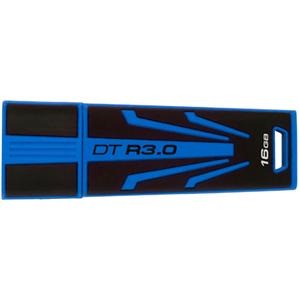
Kingston Technology 16GB DataTraveller
A thumb drive is an essential piece of kit for temporarily storing photos and transferring files. Now you might think that all thumb drives are the same but if you’ve ever tried to read or write large amounts of data to one of these things then you’ll know they can be SLOW!

The DataTraveller is a USB3 device which means if you plug into a USB 3 port you’ll get super fast data transfer. It’s USB 2 compatible as well although the speeds will be slower.
UK Price £12.73 From Scan Computers
US Price
$ 17.95 From Adorama

KGDTR3016GB

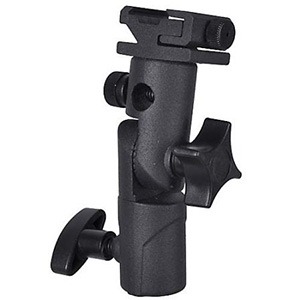
Adjustable Flash Mount
If you’re into off camera flash or strobist work then these things are essential and if like me you have a habit of losing things, you can never have too many.

Basically this little device will attach your flash gun to a lighting stand and allow you to adjust the angle or even attach an umbrella.
UK Price £13.99 From Smick
US Price
$15.25 From Adorama

Untitled-2a

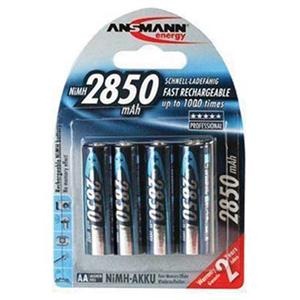
Ansmann Digital NiMh 2850mAh AA Batteries
AA sized batteries seem to disappear in my house and from time to time I’ll have a round up, usually starting in the remote controls for various TV’s and games consoles. That’s why it’s impossible to have to many AA batteries and these are some of the more powerful ones around. If you use them in your Speedlight’s then more power means more flashes and that’s got to be good.
UK Price £13.99 From Warehouse Express
US Price
$16.40 From Adorama

ANAA28504

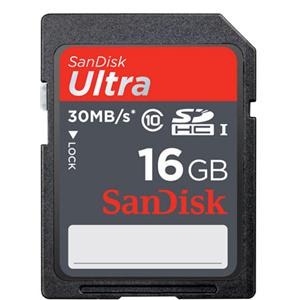
SanDisk 16GB Ultra SDHC
Almost every new digital camera seems to shoot SD format today and with pixel counts going up you’ll need more storage. For most photographers the 16GB size is an ideal balance between price and storage size.

This from SanDisk has a pretty fast 30MB/s write speed which will keep up with all but the biggest cameras shooting in burst mode and is perfect for DSLR video work too.
UK Price £14.00 From Warehouse Express
US Price
$14.95 From Adorama

IDSDUIC1016

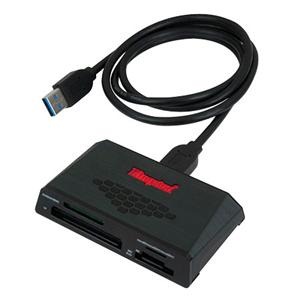
USB 3.0 Universal Memory Card Reader
USB 3 is the new high speed way of moving data onto your computer. Well I say new, in fact USB 3 has been around a while but now prices of compatible devices are falling.

This USB 3 card reader will allow you to move your images from the memory card to the computer at lightening speeds, as long as it’s plugged into a USB 3 port of course.
UK Price £16.13 Amazon UK
US Price
$23.95 From Adorama

kgu3crhs3

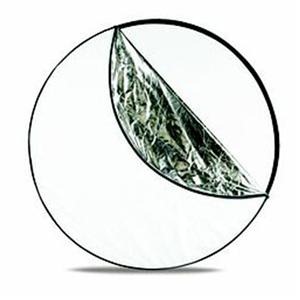
Westcott 20-inch 5-in-1 Reflector
A 5 in 1 reflector is one of those “must have” gadgets that has a million uses… OK maybe not a million.

I use mine as a bounce reflector (white/silver/gold sides), A light blocking flag (black side) and as a shoot through diffuser for both flash and sunlight.

This one will fold up small enough to fit in a camera bag and from my experience small is good as if it’s big and bulky I leave it at home.
UK Price £19.99 From Premier Inks
US Price
$19.90 From Adorama

we5i1r20_3

Disclaimer: the prices listed above are correct at time of publishing. They are for guidance only and may not be the best buy. You are advised to shop around to find the best price for each item.

Photo Director 4 ~ Review

In the world of photo editing Adobe have had very little in the way of serious competition. Photo Director 4 from Cyber link would love to change that so let’s find out if it’s got what it takes.

PD4-1
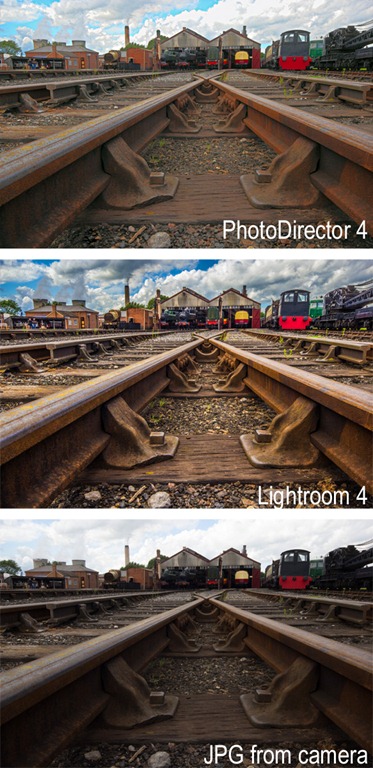
Verdict: PhotoDirector 4 is surprisingly good at what it does. It borrows heavily from the design and interface of Adobe Lightroom 4 and it even throws in some neat tricks of its own. It’s just a shame that PhotoDirector can’t match the image quality gained from using Lightroom 4 that it mimics so closely.
   
Overall Rating

4-Star

Design / Features 4-Star (2)
Performance

3-Star

Price 4-Star (2)
+ Plus Points
    + Fully featured photo editor
    + Wide range of editing tools
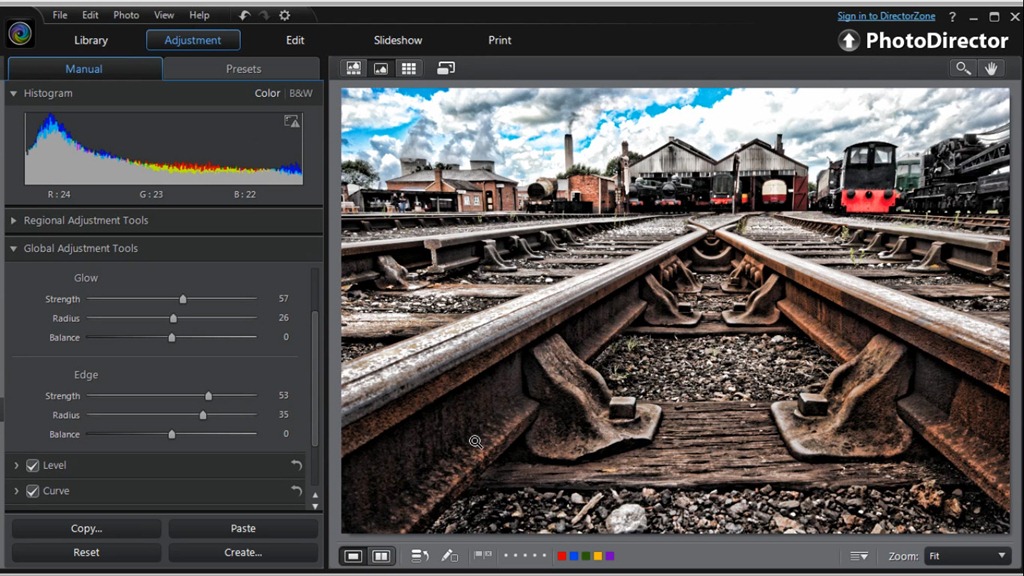
    + Excellent pseudo HDR effect
Minus Points
    Image quality could be better
    Controls can be sluggish
Price (at time of review) £72.00
Suppliers Website: http://www.cyberlink.com

As a die hard fan of Photoshop it seems very strange using a bit of software that doesn’t come from Adobe but PhotoDirector 4 has a uncanny familiarity about it. In fact if someone had told me that this was a beta version of “Lightroom Elements” I’d have totally believed them.

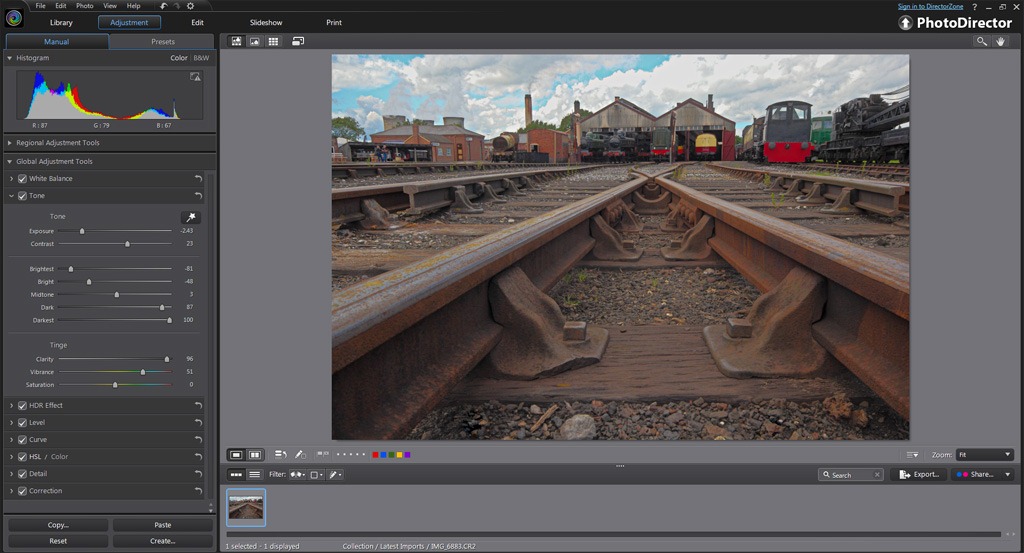
At its core PhotoDirector 4 is a photo organiser and photo editor that can handle pretty much any photo format you can throw at it, including RAW files. The program is split in to five modules which are the Library, Adjustment, Edit, Slideshow and Print sections. You move from one section to another making changes as you go.

You can see Photo Director 4 in action by watching my overview video below.

In use
Editing your photos is PhotoDirector 4 is a pleasant experience. There’s lots of controls at your disposal and adjustments are applied live to the image on screen. The changes appear almost instantly, although there is a momentary delay before the full resolution effect is seen on screen. I did find one annoyance however, the interface had a habit of regularly not moving the slider I was dragging.

PD4-2In the Adjustment section there’s a great selection of preset effects on offer with the option to create your own too. Sadly you can’t make presets for other sections, such as Print, which is a shame.

Unique features
It’s impossible to use PhotoDirector without comparing it to Lightroom but there’s also a bit of Photoshop Elements in there too. There’s a Liquify brush, a skin smoothing brush and a teeth whitening brush. There’s also a brilliant Pseudo HDR effect which was possibly my most favourite feature and not something you’d find in either Photoshop Elements or Lightroom.

Conclusion
PD4-3If you’ve no wish to use an Adobe product then I can whole heartedly recommend Photo Director. If you’ve tried Lightroom and found it lacking in features, I can honestly say Photo Director is well worth a go.

It’s the image quality that really matters of course and here PhotoDirector 4 held it’s head high on most adjustments. Processing RAW files gave some great results with noise free images with good sharpness and colour.

It all sounds and looks great… until you compare it to the image quality obtained in Lightroom or Photoshop. Sadly much as I liked PhotoDirector, I can pull far more out detail from the shadows and highlights in Adobe Camera RAW. I can also add much more clarity and the experience of doing so is far more fluid. That said Adobe need to watch their back as the gap between them and the competition is closing.

Art Paper Action ~ Friday Freebie

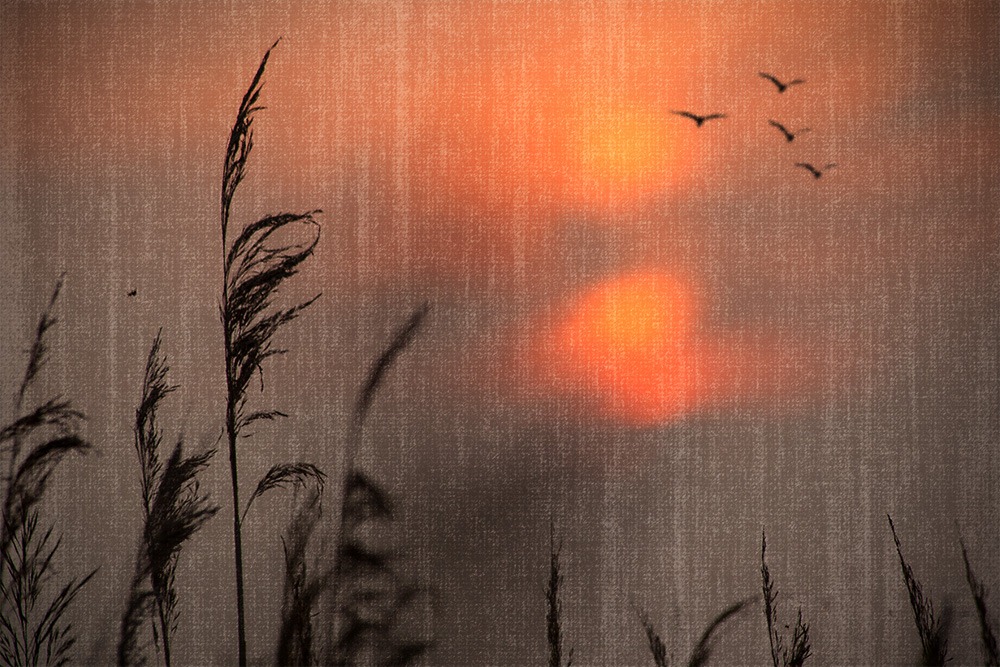
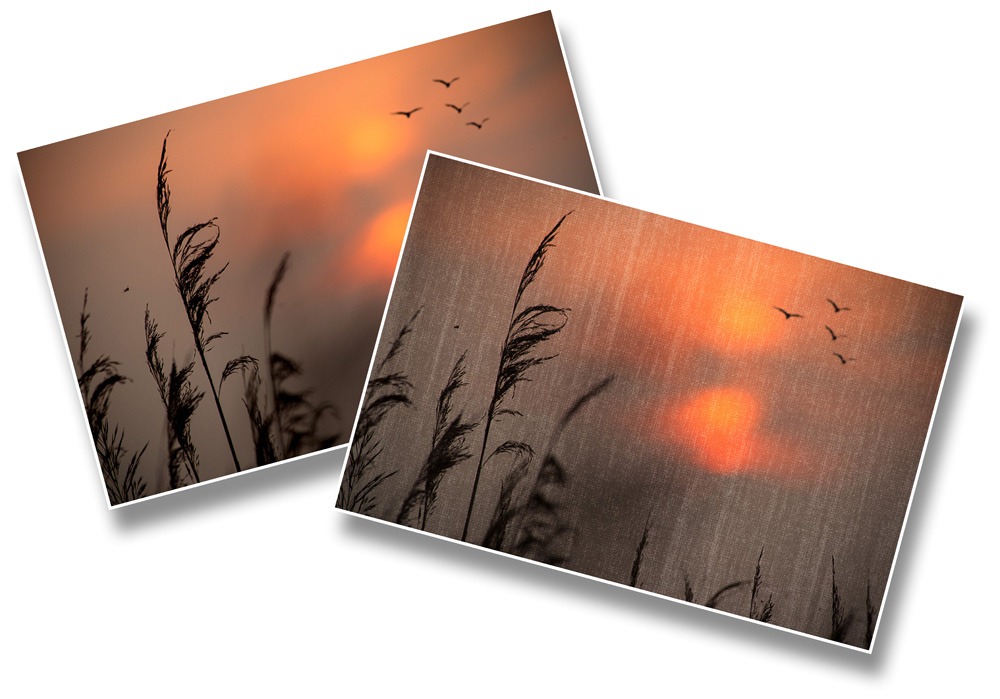
Last week I made a Photoshop tutorial that showed you a simple way of making an art paper type of texture. If you missed the video you can catch it here.

Art PaperIt was pointed out to me that the technique could be turned into a brilliant action. So here it is.

You can download the action here: https://www.gavtrain.com/free/artpaper.zip

This is a one click action, so once you’ve installed it you only need to hit the play button. The first thing the action will do is to make a copy of your photo and it’s the copy that gets the effect, leaving your original photo untouched.

I’ve designed the action so the texture effect is left as a layer that’s independent of the image. So after you’ve run the action, try adjusting the layer blending mode, opacity or adding some colour effects to fine tune the texture.

Artpaper

Usual rules apply. The action is copyright Gavin Hoey 2012. You may use it for personal, non-commercial purposes only and please do not redistribute without permission. Thank you and enjoy Smile