Click here to… Download the Beta version of Photoshop CS6 Beta from Adobe Labs
 Photoshop CS6 has some impressive new features which are grabbing the headlines and quite rightly so. However once you’ve used Photoshop CS6 for a while and dig a little deeper, you’ll discover some very handy improvements which in the fullness of time may well be more useful then things like the new blur filters (not that there’s anything wrong with those of course).
One such thing for me is a little enhancement to Actions called Allow Tool Recording. Actions have always been great, but I’ve always been frustrated that I can’t record any brush actions. That means I’ve always had to find imaginative ways to work round things like cloning, painting and erasing, that is until now.
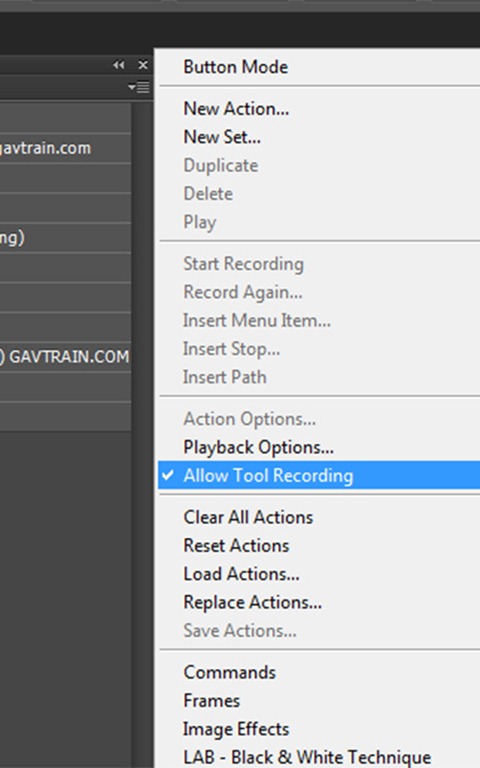
Allow tool recording is turned off by default, so if you want to try it in your actions head over to the actions flyout menu and turn it on.
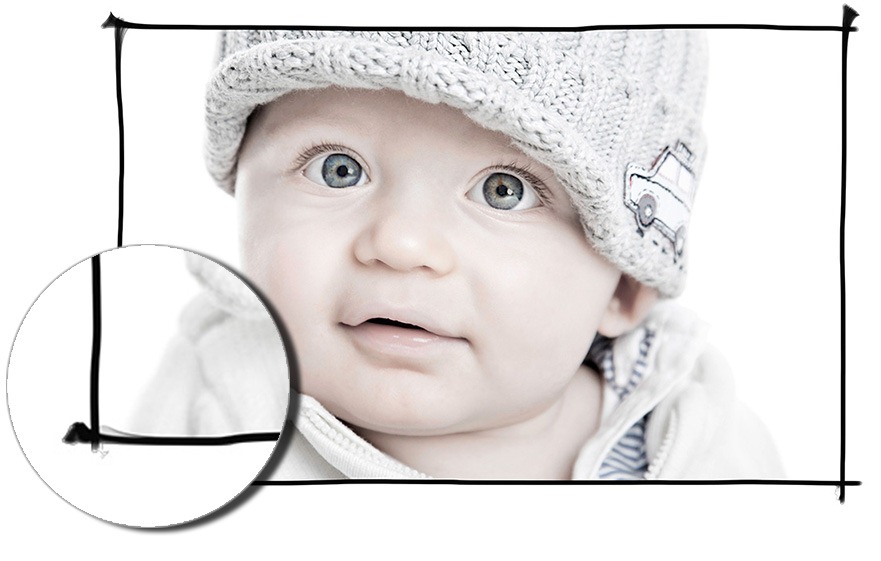
To give you a very quick idea of what it can do, I’m sharing one of my new hand drawn border actions for you to use on your own images. It’s a very simple keyline black border that I drew using a Wacom tablet and uses one of the excellent presets for the mixer brush.
To download the free sample action CLICK HERE www.gavtrain.com/free/CS6-Demo-Border-1.zip
NOTE: This action will ONLY work with Photoshop CS6
Grat act. Very usefull!
Tks Gavin
Thanks Gavin !
I would like to tell you how much I appreciate your work and your sharing. Thank you for all I’ve learnt from you ! Best regards
Thanks Gav!
Looks great. Automated txt or Logo stamping would be awesome for studio © of images. Is this possible?
I need Photoshop CS6
Hey Gav I would like to thank you for those border actions. They really helped out on a picture I was doing for xmas present and do to time constraints the border looked good on a picture 33″X60″ I even added a drop shadow and a bevel to it and it added more punch to the picture. Due to the hectic month of Nov, and Dec. It just made my work flow that much easier.
Thanks a heck of a lot
much appreciated
Rob M
Thank you that’s an awesome set of Photoshop actions. By the way, if anyone is stuck on how to install Photoshop actions, check out this guide: How to Use Photoshop Actions
Cheers and happy Photoshopping!
Looks cool! This actions is awesome.
Thanks for sharing. – Dan
Super!
Thanks Gavin!
Can I put this action on my blog with tutorials (www.studionastole.pl)?
You’re welcome to link back to this page from your site but you please don’t share the action directly from another site.
Gavin,
here (http://studionastole.pl/ramka-akcja-photoshopa/) is the info about your actions.
Thanks!