
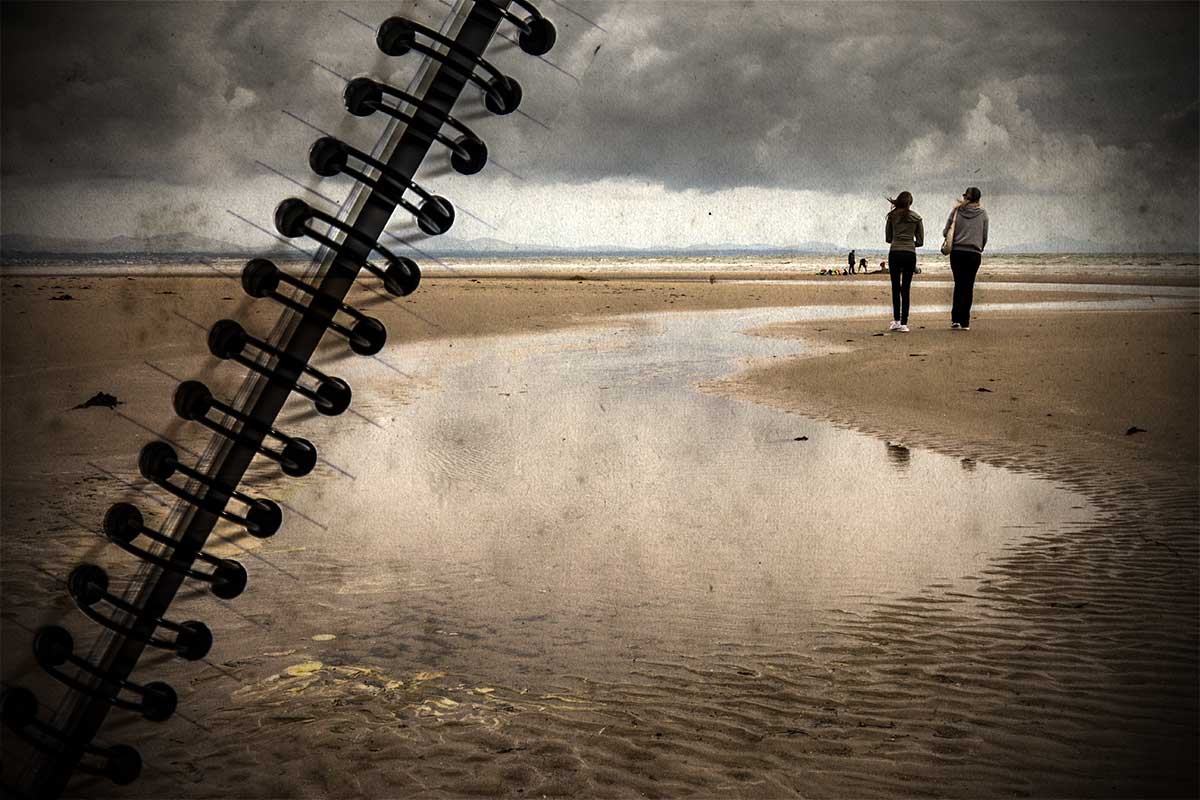
 Why is it that the photos that look easy to shoot actually take the most time? This Friday freebie image is a perfect example. It looks like it should have been a quick thing to do but in reality it took the best part of half a day to shoot, and edit… You see, the things I do for you 🙂
I’m really happy with the end result, which of course makes all the effort worthwhile.
Full download instructions are below but you can also
Click Here To Download the Spiral Bound Template
Using the template is as simple as pasting your own photo over the template and changing the layer blending mode to Multiply. Other layer blending modes may well work too so it’s well worth experimenting. You can also try lowering the layer opacity for the photo layer and skipping through some blending mode, you’ll get a different set of results that way.
One thing to note. The Multiply blending mode will always makes your image darker, so I’d suggest adding a Levels adjustment layer above the photo (top of the layers stack) and tweaking the brightness accordingly, if you want to get an final image that matches the original photo.
Usage rules
The image is copyright Gavin Hoey 2013. Use is limited to any personal but non-commercial purposes. Please share the Friday Freebie by linking back to this page. Do not redistribute the original image without my permission.
Download instructions
Download instructions
Click the link https://drive.google.com/file/d/0B_Mmmm3K1utNLTNKNGhEWXhFTm8/view?usp=sharing
1. Click the Download button 
2. The download should start automatically
Hi Gavin, Thanks all your efforts are appreciated!
Great Template. You’re the best.
Thanks Dan 🙂
As always, such beautiful photography – if only I even could make a start with understanding all the technical side! I just love seeing the images…
Beautiful.
Trixie
http://www.lovinglymadeltd.co.uk
Thanks Trixie, great to hear from you. I hope all is well at Lovingly made 🙂
Cheers Gavin.
No problem Iain, thankls for commenting 🙂
Thank you Gavin.
You’re welcome
This looks like it will be really fun to use, can’t wait to try it and as always, really appreciate all you do!
Thanks Robert, have fun!
That is a great looking binder. I love it. Thanks Gavin!
Kind of you to say so Mike
Thanks for the freebie! Our trip picture looks great with your help.
http://carloantonio25.deviantart.com/art/UES-Copan-2013-415635123?ga_submit_new=10%253A1385308765&ga_type=edit&ga_changes=1&ga_recent=1
Great use Carlo 🙂
Fridays are the best day of the week, keep them coming Gavin! your work and skill Is amazing.
I could not resist a play tho hehe.
http://www.flickr.com/photos/chris-rice/11090367123/
Chris
Nice photo Chris 🙂
Thanks for the texture, been following you for awhile, don’t know why, but this was my first download from your site.
Here’s a link to what I’ve done with it.
https://www.facebook.com/tonylockephotography
and here… http://www.flickr.com/photos/masterofmadness/11163186066/in/photostream/
Seems to be working ok at the moment. Give it another try.
Thanks a lot Gavin. Really great stuffs….God bless.
I love the template and I couldn’t help it and used it for one of my collages. I also used some of your other freebies (brushes mostly). Well, let’s see if others like it as much as I do. In any case, thank you so much for such inspiring posts and freebies. You’re simply the best!
http://efka-m.tumblr.com/post/71410623116/my-favourite-lines-from-the-moment-by
Thank you so much, for all your input to help in allowing to myself to understand what I need to do to make my photography more interesting. I just love getting out there then come home and edit , Brill, even my better half is beginning to take snaps too, the future looks great,
Thanks again Gav.
Hi Gavin
I loved this template so much I used it for one of my collages. I am doing a 365 photo project and spent March 2014 doing a numbers theme. Your template worked perfectly for pulling it all together. I also used your tutorial for making the globe! Thanks so much. You can see the result here: http://365project.org/dibzgreasley/my-stuff/2014-03-31
Thanks Gavin for the template. I am having a problem with it being way too big in Photoshop. WHat is the best way to resize it ? I have tried a few ways but it doesn’t help at all ??
Hi Gavin, loving these freebie friday things, though I’ve only just found them, getting a file not found error on this one, I notice you’ve others that say they’re going to adobe, but really go to google drive, could be one got missed?
Cheers
Here is my version: https://flic.kr/p/uAaZMG
Thanks for sharing the template, once again!
oops, wrong link above. Here is the right one: https://flic.kr/p/vwEzY5