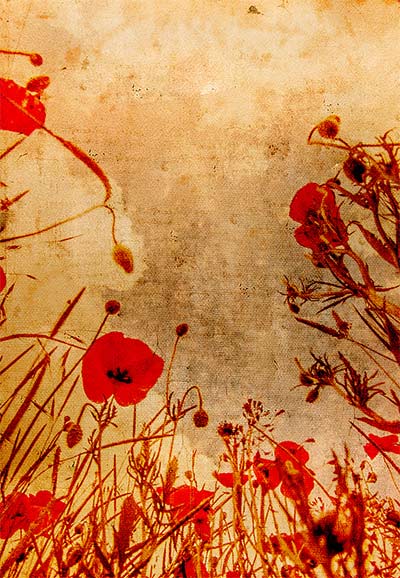
 This weeks Friday Freebie is a vintage texture which is simple to use and gives amazing results. It’s a warm tone texture that combines patchy tones, a light weave texture and a hint of writing.
Full download instructions are below but you can also
Click Here To Download the vintage texture
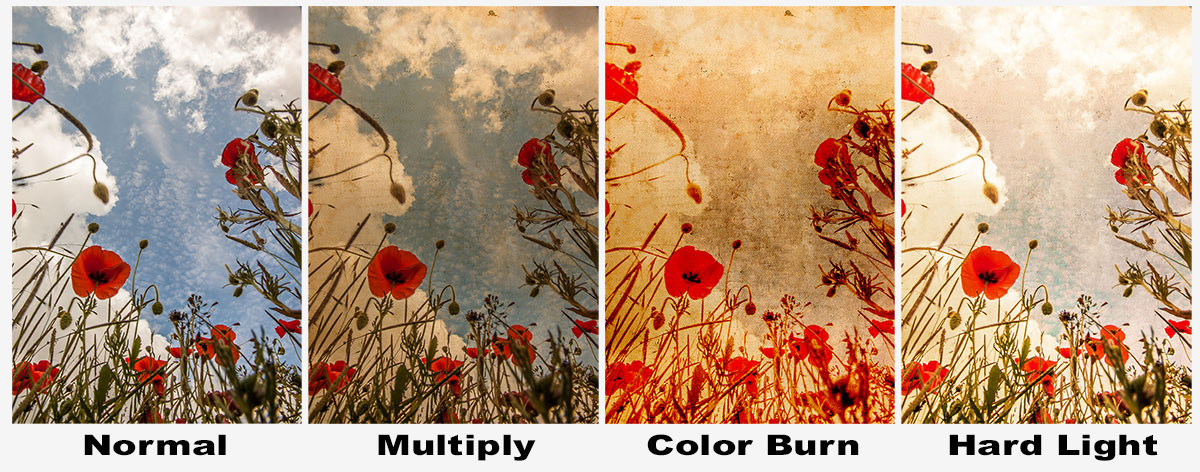
As with all textures it works best with photos that have large areas of bright tones such as this one which has loads of bright sky. All you need to do is paste your photo above the texture and set the blending mode. There are loads of different layer blending modes and they’ll all give a different look, some you’ll like and others less so but experimentation is the key to success.
Jump down to the end of this post to see three different looks for the same image.
If you create a photo using the Friday Freebie then let me (and everyone else) know by leaving the link in the comments below.
Usage rules
The image is copyright Gavin Hoey 2013. Use is limited to any personal, non-commercial purposes. Please share the Friday Freebie by linking back to this page. Do not redistribute the original image without my permission.
Download instructions
Click the link https://drive.google.com/file/d/0B_Mmmm3K1utNRHZqZzdYMmFrODg/view?usp=sharing
1. Click the Download button 
2. The download should start automatically
Great texture…. I can really get a creepy look on your photos 🙂
Keep up the good work Gavin.
Thanks Gavin, great Job!
Thanks Gavin hope i get to book in a class or two with you next june when we head over from Oz C U B 4 my relatives. 🙂 Love your work always
Fabulous, thanks Gavin, great for my scrapbooking!!
Thank you so much for sharing and for all you share. Here is HDR image of a field of corn taken this morning in the rain at sunrise in rural Florida, USA. First time I’ve ever tried to do anything with a texture, not sure if this is a correct application or not. http://www.jhowdy.com/photos/i-rDtPFrQ/0/X3/i-rDtPFrQ-X3.jpg
Thanks Galvin. This was fun to work with. Keep up the good work.
https://sphotos-b.xx.fbcdn.net/hphotos-ash4/1044709_10201058146288257_1121938812_n.jpg
Thank you for sharing this texture with us. It has come at the right time for me and I will use it with some of the photographs I have set aside for such an effect. Your freebies are an inspiration to us all and help us to explore and create. Thanks again.
Barry Champion
http://www.flickr.com/photos/51202671@N08/9208766220/
Thank you for sharing this texture with us. I think it goes well with this Highland cow.
http://www.flickr.com/photos/jan-pax-andersen/9235950599/
My try, with something different 🙂
When I try to download from cc I only get an error message.