
If you caught my post yesterday then you’ll know that I recently built a textured background in my studio. Well it seems there are quite a few people out there that would love to do the same but don’t have the space, time or need for a similar permanent structure. So for today’s Friday freebie I’m giving away my studio background… OK so I’m not giving away the real thing but I am sharing a photo of it
Full download instructions are below but you can also
Click Here To download my studio background.
 There are a couple of ways you could use it. You could do exactly what it’s designed for and use it as a background for your studio shots. All you’d need to do is shoot on a clean background (light grey works best) and then simply extract the model and paste them in. I made an in depth video tutorial with Mark Wallace on how that’s done last year. If you missed it take a look here.
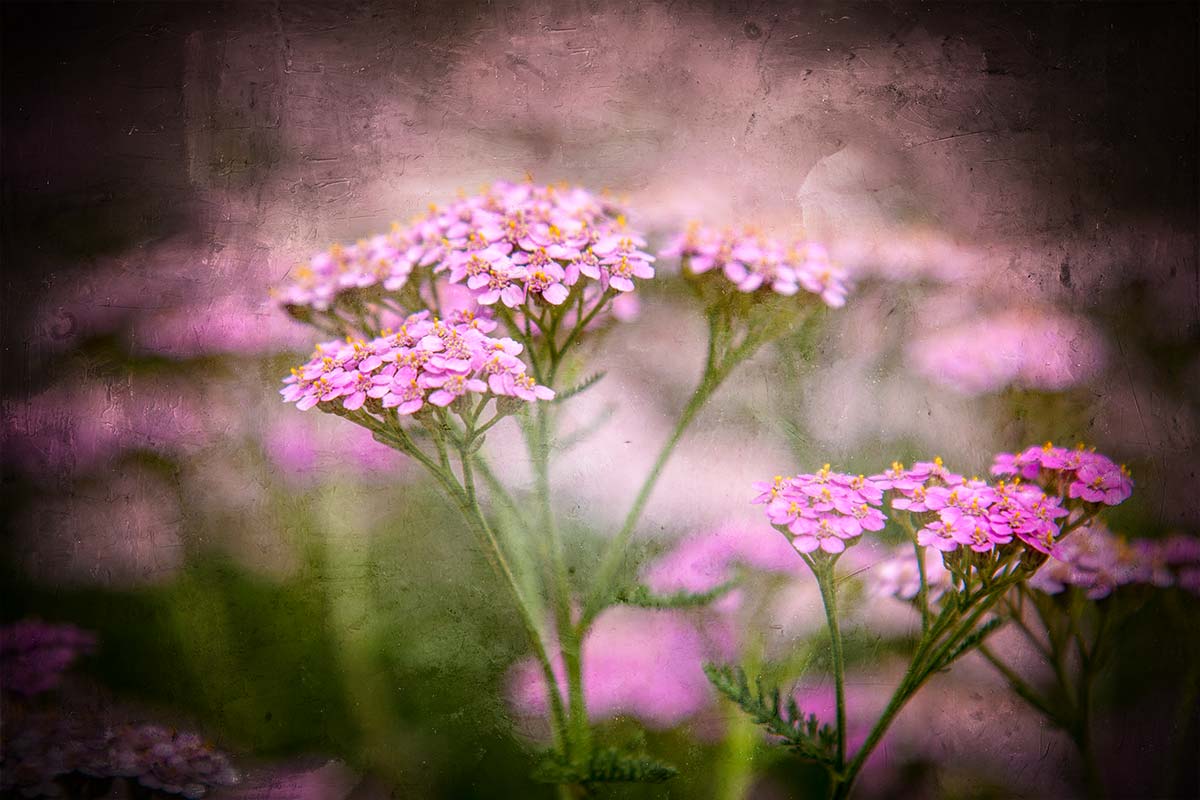 Of course you can also use the texture as… well, a texture! Simply paste it over your photo, use a spot of Free Transofrm to make it fit and change the layer blending mode. Multiply, Overlay and Hard Light (as used here) are three to try but don’t stop there.
As always, if you create a photo using the Friday Freebie then let me (and everyone else) know by leaving the link in the comments below.
Usage rules
The image is copyright Gavin Hoey 2014. Use is limited to any personal but non-commercial purposes. Please share the Friday Freebie by linking back to this page. Do not redistribute the original image without my permission.
Download instructions
Click the link https://drive.google.com/file/d/0B_Mmmm3K1utNYW53T3RUbDk0LVE/view?usp=sharing
1. Click the Download button 
2. The download should start automatically
Hey Gavin, I think there is some problem with the link to the texture. It goes straight to “Page not found”. Just wanted to let you know. And thank you for all the friday freebie stuff, they are awesome!
Cheers.
Seems to be OK at the moment George.
yeah Gavin the link isnt working. I get a black background
http://500px.com/photo/81103561/textured-by-javin-singh
Thank you so much!
http://500px.com/photo/110655539/sunflowers-on-blue-by-dawn-demeo
Hey Gavin, this is a wonderful texture and I’m starting to experiment with it. One thing I have noticed is that when I paste my subject onto it, the subject’s colors changes. It almost makes them look sick. Is there any way to correct this?
Depends on what blending mode you use, some will alter colours other less so.
I which layer should have the blending mode changed?
I actually found the solution to my problem, Gavin. The problem was that the color profile of the image I’m using did not match the profile of your texture. To fix this, I went edit>assign profile, to find the color profile of my image. After finding that, I went to the document containing the background image (your texture) and went edit>convert to profile, and selected the profile of my image that was to be placed onto the background image in the next document. Thanks for the help and all the awesome things I’ve learned from you.
Could you please make a short tutorial or just tell me how you made your background in your studio? It seems grey seems to be a perfect middle between white and black and i want to make some sort of wall at home like that
You mean a blog post like this? https://www.gavtrain.com/?p=3824 BTW that link is actually in the very first line of this post 😉