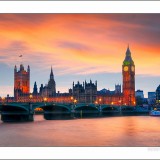
January Photo Winner

Back at the beginning of January I set a photo challenge. All you had to do was take or make a picture of something new and upload it to the Flickr Group page. What constituted “new” I left up to you and there were many interpretations of that theme.

I was blown away by the number of excellent entries and I’d like to thank everyone who got into the spirit of the competition. If you went out and took a photo just for this challenge then you should be proud of your achievement.

Choosing a winner was really, really hard, so I started by narrowing the entries down by selecting the photos that made me think ”… I wished I’d taken that”. From that list I narrowed it down even further to images that were “new” in my opinion. That left me with a short list of 10 amazing photos.

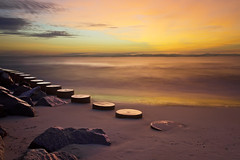
So the winner is… Westminster Sunset by Paul Smith

Paul will be getting a copy of his print made by my good friends over at Print Yours.
I really loved the colours in this shot. It’s taken at the perfect time of day and cropped to perfection. By the way the “new” bit in this photo is a new ND grad filter Paul used to darken the sky. Well done Paul.

Near Misses…
The runners up in no particular order are below. Click on an image to view it large on Flickr. If you didn’t win this time there’s a new challenge running until the end of February. Details are here

Glenoe Waterfall
Glenoe Waterfall by David.Bladon
Happy New Year
Happy New Year by Lucy Davey75
new toy
New Toy by .e.mage
ISO Check on New Camera
by D.J.Flynn
New Years Day Sunrise 2012
New Years Day Sun Rise
by rsjdad
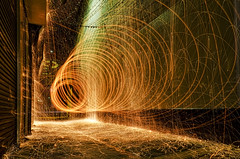
First attempt in Steel Wool Photography
First attempt in Steel Wool Photography by teddybearwithatowel
DSC_0075 copy
Untitled by Joyina
The Birds
The Birds by Tigermoth
Ft Fisher Sunrise
Ft Fisher Sunrise by Kevin James54

Next Photoshop Evangelist 2012

You probably don’t remember what you were doing on 30th March 2011, but I do.

That was the first day of Photoshop World Florida 2011 and I had front row seats to the keynote speech. After that it was off for a private lunch with the Photoshop product managers including Bryan O’Neil Hughes and Zorana Gee. In the afternoon I was giving a Photoshop presentation on the Adobe expo stand along side some of my heros like Russell Preston Brown. Then in the evening I was relaxing with members of the Photoshop team at BB Kings blues club enjoying live music from Scott Kelby’s band.

That’s what happens when you win Adobe’s Next Photoshop Evangelist competition and the fantastic news is they’re doing it all over again.

The rules are simple. All you have to do is record a video tutorial using Photoshop CS5 that demonstrates a hidden gem feature and has you saying the words “Hidden Gem”. Upload it the the Next Photoshop Evangelist Facebook page and cross your fingers.

So what’s a hidden gem? It’s a feature that’s brand new to Photoshop CS5 that you’ve found a new, unusual or original way of using.

This time round I’m not allowed to enter, but if I could I would. There are other restrictions as well so please read the terms of entry

Let me know if you enter and if you win remember to say hi to the Photoshop World team from me.

February Photo Challenge

Element-LARGEThe theme for February is ELEMENTS and all you need to do is take or make a photo that fits with that theme. How you interpret the theme is up to you. It could be a close up shot of the detail within an object or it could be a shot of water or one of the other three elements (be careful with fire) Use a bit of imagination and make it eye catching. Click on the hand image for more ideas.

Once you have your photo you’ll then need to upload it to the
Elements Flickr page.

At the end of the month I’ll review all the images and pick my favourite.

I’m very happy to report that the Photo Challenge is once again being sponsored by Print Yours. They are an independent print lab who specialise is creating small run, high quality prints. Check out their web site for more information http://www.printyours.co.uk/

So what will the winner receive? Well Print Yours have generously offered to print the winning entry on their 270gsm Photo Satin paper up to a whopping 24”x16”. That’s an £18 print for FREE! If you’re the lucky winner then all you need to do is send a high res version to Print Yours (via email) and they’ll do the rest.

RULES
One entry per person
Entries must be uploaded to the correct Flickr group by 29th Feb 2012
The images (including any elements or manipulation with in the image) must be the sole work of the entrant
The winner will be selected by Gavin Hoey
No alternative prizes are available and only the winning picture will be printed
The winner will be required to email a high res (printable) version of the winning image to Print Yours
The winner will be announced on my Facebook Page during March 2012

Good Luck

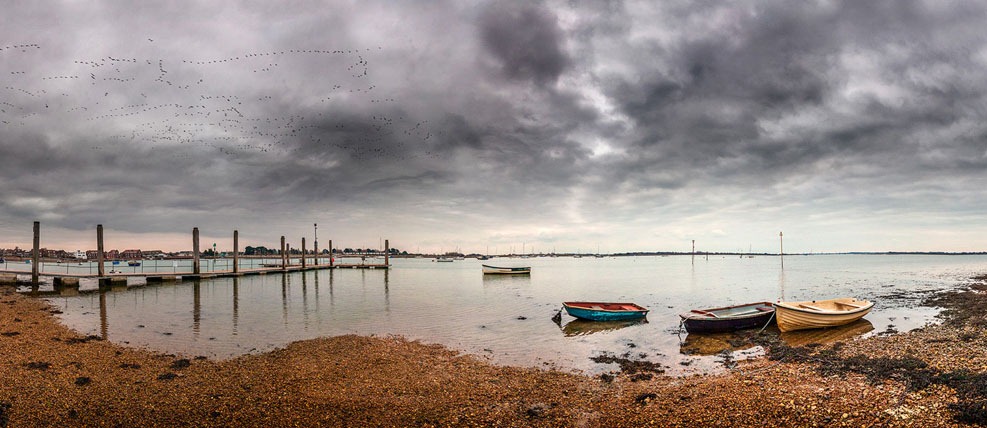
Emsworth Panoramics

A few days back I was booked to give a talk to Hayling Island Camera club on England’s south coast. On the way I stopped off to meet up with fellow photographer Will from Whole Life Photography who had arranged to record a podcast whilst we were on a short photo shoot.
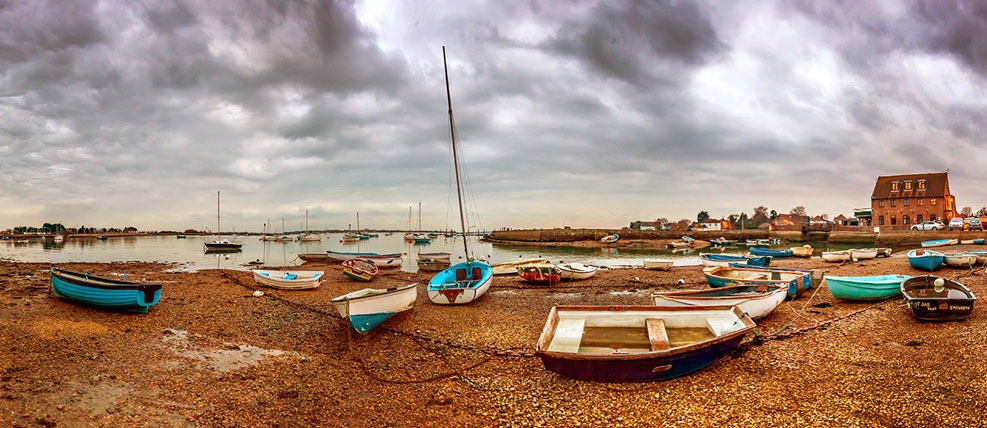
Emsworth-pano1

By the time we arrived at the village of Emsworth in Hampshire the sun had set or to be more specific it had disappeared from view. But I wasn’t going to let a little thing like that stop the photography.

Both of these images were taken with my Canon 5D Mark2 without the use of a tripod. To be honest a tripod would have been a good idea, but one of the things that never ceases to amaze me is just how good DSLR’s are at shooting quality images as high ISO.
Emsworth-pano2
Each pano is made up of 7 overlapping images. In their full resolution each image has just over 99 million pixels which means they could be printed 1.7 meters long without any Photoshop resampling,

Photoshop Sneak Peek video

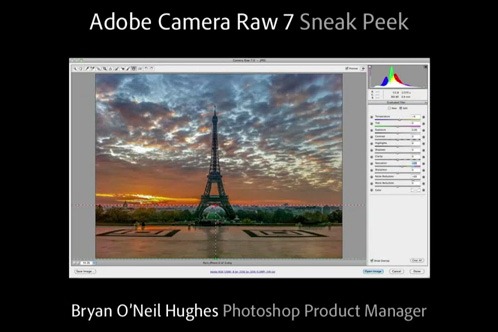
The next version of CS6-sneak-1Photoshop isn’t here just yet, but the first “official” sneak peek video is now on YouTube. Senior Product Manager, Bryan O’Neil Hughes, gives us a tiny glimpse at what’s new in Photoshop. Before you get to excited, let me tell you you’re not going to see any impressive new tools in this video. That’s partly because much of the video is dedicated to Adobe Camera RAW (which is the same as to the LR4 public beta), but mostly because it lasts less then 3 minutes.

Aside from RAW, what you will see is Photoshop’s new darker interface and some useful new cursor info. As it’s title suggests, I’m sure we’ll being seeing a few more of these videos as time goes on.

January Photo Challenge ~ Update

A few weeks back I set a Photo Challenge for the month of January. The theme was “Something New” and all you had to do was upload a photo to the Flickr group before the end of the month.

Upload here: http://www.flickr.com/groups/1869499@N21/

Well the response has be amazing with over 90 photos added already. But there’s still plenty of time to enter and now there’s a very good reason to do so.

We have a sponsor! Yes you read that right, the Photo Challenge is being sponsored by Print Yours an independent print lab who specialise is creating small run, high quality prints. Check out their web site for more information http://www.printyours.co.uk/ 

So what will the winner receive? Well Print Yours have generously offered to print the winning entry on their 270gsm Photo Satin paper up to a whopping 24”x16”. That’s an £18 print for FREE! If you’re the lucky winner then all you need to do is send a high res version to Print Yours (via email) and they’ll do the rest.

The rules of entry haven’t changed and you can change your entered picture up to the closing date if you wish.

Good Luck.

RULES
One entry per person
Entry must be uploaded to the correct Flickr group by 31st Jan 2012
Winner will be selected by Gavin Hoey
No alternative prizes are available
Winner will be announced on my Facebook Page during Feb 2012

Photoshop Action (with Color Efex Pro 4)

If you have Color Efex Pro 4 from Nik Software installed on Photoshop, you’ll know it has some pretty amazing features. Of the many filters and recipes that are in Color Efex Pro, I really love the Image Borders. In fact I like them so much I’ve incorporated them into a special set of actions.

Web Ready 960px-test

You can download the action set here: https://www.gavtrain.com/swpp/nik.zip

Once you unzip the download and install the action set in Photoshop you’ll find there’s not one, but four actions to choose from. Each action will create a duplicate of your current (on screen) photo, resize it to the perfect size for Facebook and add a border from Nik Color Efex Pro 4 (assuming you have it installed). Then the best bit. It will also and the words Photography By Your Name. Just double click the “Your Name” layer to change it.

The last action allows you to choose your own border style. With 14 border types and 9999 variations of each to try,  that’s a lot of choice.

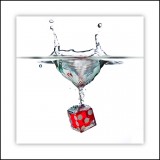
More splash photo tips

January in the UK usually means cold days, long nights and a lack of enthusiasm to go out and find new things to photograph. If that sounds familiar then you’re going to love this idea as it involves staying inside where it’s warm and dry.
Did I say dry? OK that might not be strictly accurate as when you’re dropping objects into tanks of water things are going to get wet.

For this photo I filled a small glass fish tank with clean water and set about finding things from around the house to drop in the drink and photograph. It wasn’t long before I’d lined up an eclectic mix of candidates including, bottles of bath gel, items of fruit and even a piggy bank! But it was the red dice that really worked for me.

In the video I start by going over the strobist speedlight adaptor. I used the adaptor to attach a beauty dish which spreads and softens the light a little. It’s a very useful gadget, but not essential for the shot. If you don’t have a beauty dish, a small softbox will work just as well or even the bare flash if all else fails.

Wireless Flora Lightbank ~ Review

Back in September 2011 I reviewed the Flora Light Bank from Linco and found them to be excellent for video work and not so bad for photography too. Now the people at Linco have come up with a new wireless version. So lets find out if the addition of a remote control is a revolution or just a gimmick.

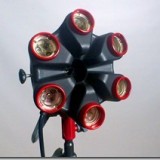
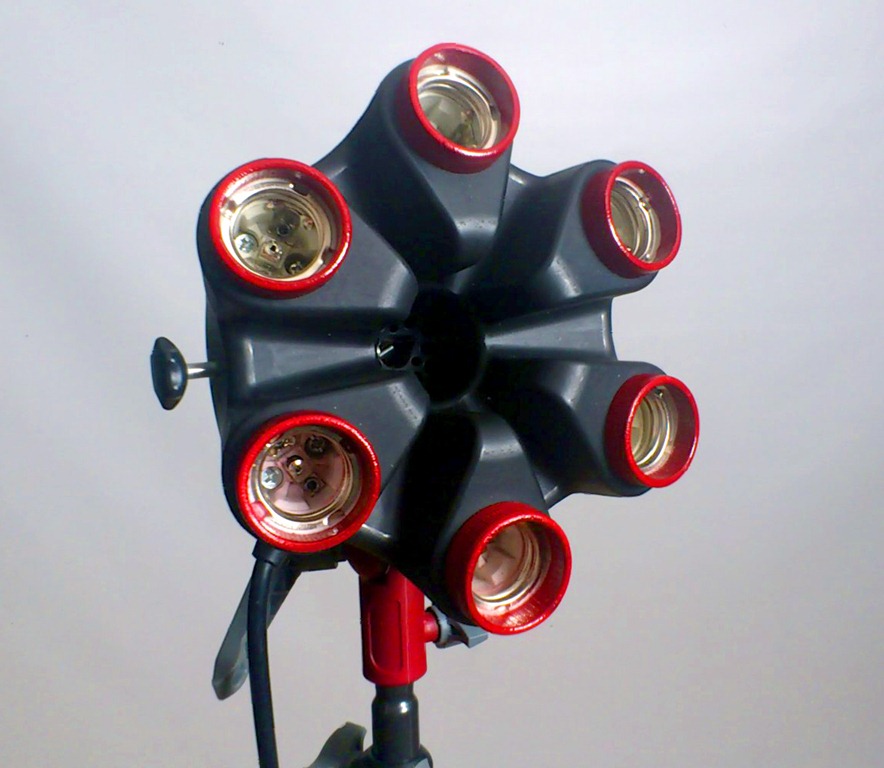
Flora1The most obvious change from the old Flora to the new is snappy new colour scheme. White and green have been replaced by black and red, which looks very smart indeed. The colour may have changed but the design has not. The Flora was and still is a well designed and well built piece of equipment. The main body is made from flame proof heavy duty plastic and the lamp holders are ceramic.

In fact the only significant improvement that I could find was the addition of a foam handle that doesn’t fall off, a marked improvement from the original

So if you’re in the market for a Flora Light then the question must be do I need the wireless feature?

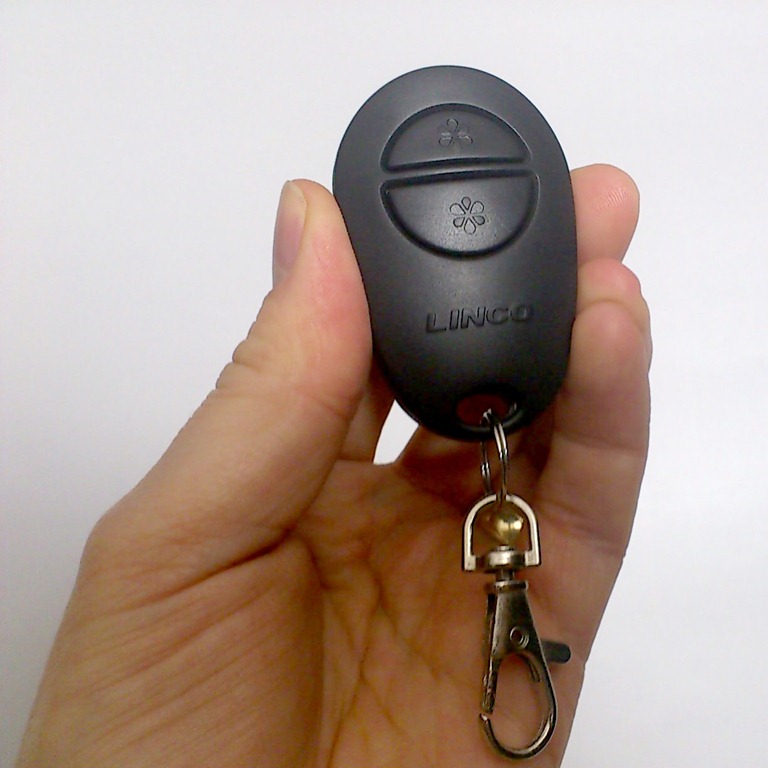
You get two remote controls with each light bank. Each remote has the same two buttons and each button switches three of the six bulbs on or off. They work even if the main switch on the back of the Flora is turned off.

Linco 2Personally I would have liked to have seen the ability to switch on the bulbs one at a time, via the remote. This would give a lot more control over the lighting for us photographers and I dare say for videographers as well.

Perhaps the biggest issue you might have with the remotes is that they’re tied to the light bank they came with. The idea being that you can separately control multiple light banks. However if you lose or break the remotes then you’re stuck. Also if you have multiple lights you’ll need to carry around multiple remotes which all look the same, but only operate one light bank.

So which would I recommend, wireless or original? For me in my little studio with just one or two lights the original light bank is best suited. However if you have a video setup with the lights in less accessible heights, then I can see the sense in going wireless.

Flora Light Banks are available from www.lincostores.com Linco ship to US addresses only.

January Photo Challenge

New-cloudJanuary here in the UK is often cold and wet so to make sure my photography doesn’t dry up I’ll often set myself a photographic challenge. So now it’s your chance to get involved and take up my January Photo Challenge.

The theme for January is Something New and all you need to do is take or make a photo that fits with that theme. How you interpret the theme is up to you. It could be a photo of something new that you got for Christmas or a new place you visited this month or even a new Photoshop technique you’ve come up with… Use a bit of imagination and make it eye catching.

Once you have your photo you’ll then need to upload it to the Something New Flickr page.

At the end of the month I’ll review all the images and pick my favourite. There’s no prizes, but by undertaking the challenge your photography is bound to benefit.

There’s really only one rule… only one entry per person.

Best of luck!