Adorama TV ~ Season 3

AdoramaTVIf you’ve been thinking that there’s been a distinct lack of new videos from me over the past few months, you’re were not wrong. Well now I can tell you the reason for the video hiatus.

Earlier this year, I teamed up with ‘>Adorama to create lots of new Photography and Photoshop videos. These will be freely available right here on my blog, on my Youtube channel and also on Adorama TV.

This is a really exciting new venture for me as I’ll now be able to create more videos more often and Adorama have given me plenty of freedom to create the style of videos you all enjoy.

Take a look at the trailer video

So who are Adorama? Well, they’re a well respected photography store. Based in New York they’re just as passionate about helping photographers as I am. To that end they’ve been running Adorama TV for the past few years with regular contributions from such photography luminaries are Mark Wallace, Bryan Peterson and Tamara Lackey.

For Season 3 of Adorama TV they’ve added a few new presenters including myself, Rich Harrington and the legend that is Joe McNally.

The new videos should start appearing later this month.

Adobe UK Creative Week

238-Adobe-Creative-Week_306x180Starting next Monday (July 9th – 13th) Adobe UK are having a week of free education, discussion and entertainment of all things Creative Suite 6.

Each day of the week is dedicated to a specific theme and you can watch as little or as much as you like.

  • Monday 9th July – Creative Industry Overview
  • Tuesday 10th July – Design & Publishing
  • Wednesday 11th July – Film & Video
  • Thursday 12th July – Web & Mobile
  • Friday 13th July – Photography & Imaging

You can get an idea of what’s happening in the short teaser video below.

Obviously Friday 13th (I’m not superstitious, touch wood) is the big one for me and I’ll be there all day to soak up the creative goings on which will include.

Registration for the event is totally FREE, just sign up here: http://www.adobecreate.co.uk/creativeweek

Photoshop PC to Premiere PC

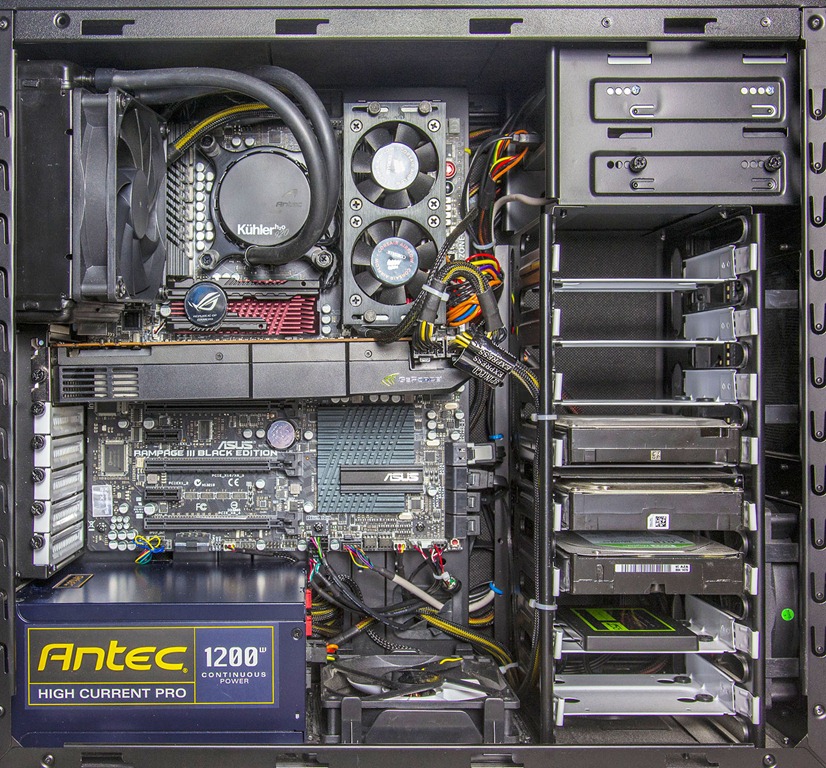
New PC-1-1600Less then 8 months ago I wrote a series of blog posts about my DIY power PC build. If you missed it you can read it from the links below:
Building a Photoshop power PC – Part 1
Building a Photoshop power PC – Part 2
Building a Photoshop power PC – Part 3

For a Photoshop power PC the specification is excellent even for Photoshop CS6 and I’d still recommend the original component list to anyone who wishes to build there own PC today. The only change I’d make for Photoshop CS6.is to add a 1GB graphics card.

So if it’s such a great PC why am I updating it so soon? The short answer is Video Editing.

Over the past few months I’ve been shooting more and more videos on my DSLR and editing them in Premiere Pro CS6. Before you ask, yes some of those are new photography tutorials which you’ll be able to see later this year. If you think still images takes a lot of computing power you’d be right but that’s peanuts compared to 1080p HD video editing. So with that in mind I’ve upgraded some of the core parts of my computer to make it a video power PC.

New PC-1600

First up this is an upgrade not a complete new build so I am able to recycle the case, card reader, DVD drive and hard drives. With that in mind lets go through what changed and why.
(All red text is a hyperlink to Scan computers who supplied many of the parts)

CPU
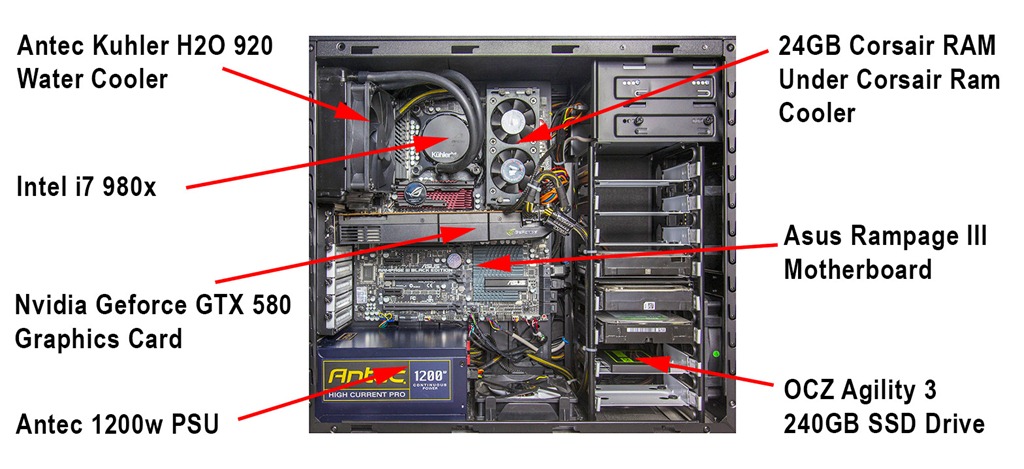
This is the brains of the machine so it makes sense to get one that’s smarter, bigger and faster then before. Mine is a 980 model which isn’t cutting edge but a solid performer with 6 cores and 12 threads. It’s also overclocked to 4.3GHZ

CPU Cooler
A big, fast processor is going to get hot and overheating is the biggest cause of system instability so CPU cooling is a priority. The Antec Kuhler H20 is a self contained water cooling system which should keep the heat away from the CPU.

Motherboard
A new CPU means a new motherboard for me. With a slightly older CPU I can also use a slightly older motherboard so it’s an Asus Rampage 3 black edition which ties in perfectly with the i7 980 cpu.

RAM
As with Photoshop, Adobe Premiere will happily take all the ram you can throw at it. Even if it doesn’t use all the ram  having more gives the system plenty of breathing space. I took my existing 16GB and added another 8GB bringing the total to 24GB in 6 slots. A lot of ram means yet more heat so I also have a Corsair ram cooler sitting above the sticks.

SSD drive
The best decision I made in my Photoshop Power PC build was adding an SSD drive. This thing makes your PC fly. Unfortunately the original 120GB drive is just to small for my needs so I doubled it to a 240GB SSD from OCZ. Interestingly the new 240GB SSD cost the same as the 120GB SSD I bought 8 months ago.

Graphics GPU
Finally we come to the Graphics card. In Photoshop almost any graphics card will do but not so with Premiere. To truly unlock the power of Premiere you need to choose your graphics card wisely. Adobe Premiere Pro works great with a good graphics card but it preforms miracles when paired with a select bunch of Cuda enabled Nvidia cards. There’s a full list of supported cards here and I went with the Geforce GTX 580

Running some quick stress tests showed the new build to be roughly double the speed of the original build. However rending speeds in Premiere Pro were in the region of four times faster then before, which is all thanks to the cuda power in the GTX 580 graphics card.

Five avoidable photography traps

From time to time every photographer I’ve ever met has fallen into one or more of these traps. I know that I’ve done all of these at one time or another and if you’re honest, so have you. In fact you’re probably stuck in one of these traps right now.

Any one of the things on this list could be preventing you from becoming the photographer you aspire to be and the more of these you identify with, the more you’re holding yourself back.

Here comes the good news… Once you’re aware of the traps it’s incredibly easy to amend your ways, bypass the problem and improve your enjoyment of photography. By the way, a happy photographer is a better photographer in my book.

Trap 1 – Not reading the manual
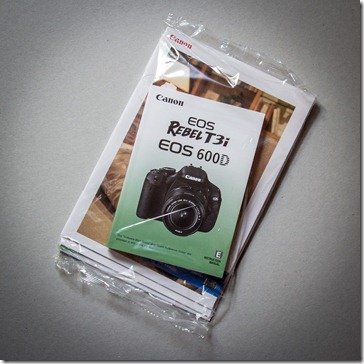
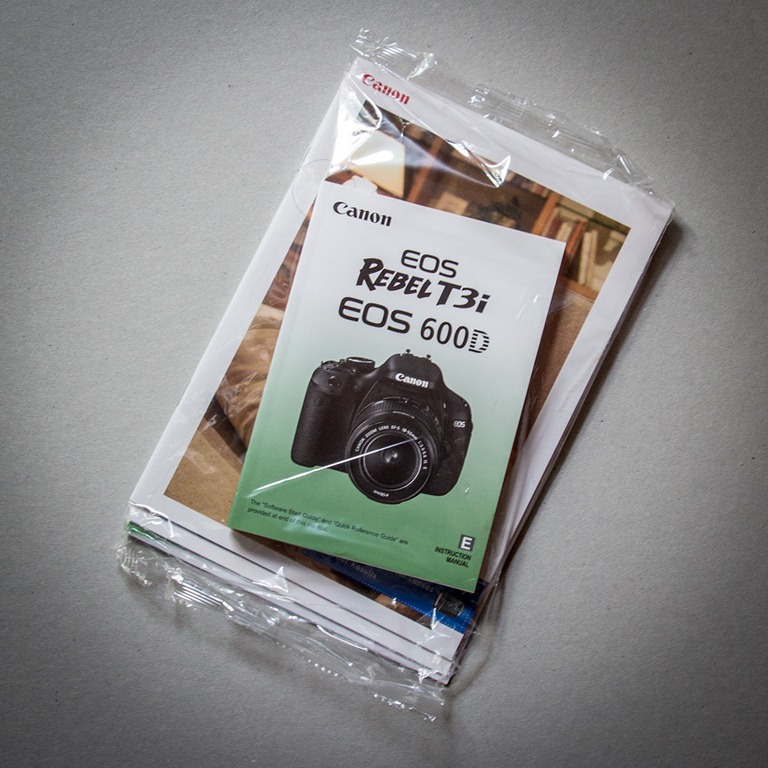
5-1Like most men it’s in my DNA to avoid reading anything that has the words “User Manual” on the front cover. I might flick through the “Quick start guide” if something looks very complex but lets face it, who has time to read a whole book? However I make an exception to that rule when it comes to cameras.

Digital SLR cameras are super complex things and although controlling them usually becomes easier with each new model the menus can hide a wealth of advanced features which could help you get more from your camera.

Things like mirror lockup for shake free tripod shots, flash exposure compensation and setting up custom menus for your favourite features could be just the ticket to taking your photography to the next level. Even if you don’t use those features now, by reading the manual at least you’ll know that a feature is there, so when the time comes that you really need something like second curtain flash, you can do what I do, hunt around in the menu muttering “I know it’s here somewhere”.

Trap 2 – Not filling the frame
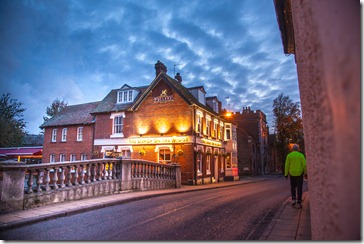
5-2There will always be a time when you can’t zoom the lens anymore and moving closer isn’t possible. That’s not what I’m talking about here. No, what I mean are the times you see something that has the potential to be a great photo and then photograph the thing that caught your eye AND everything that’s around it.

When you’re taking the photo try and think about the story it will tell to someone else. A magnificent sweeping landscape needs lots of space, a photo of a flower does not.

Of course there are always exceptions to every rule but on the whole filling the frame will add impact, drama and interest to your subject. Remember, if it’s not part of the story you want your photo to tell, leave it out.

Trap 3 – Shooing at eye height
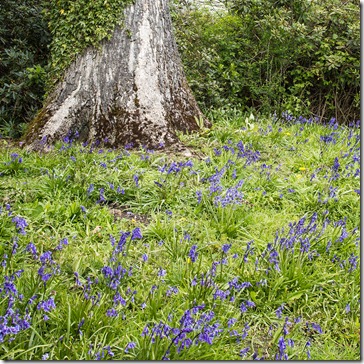
5-3Here’s what happens. You see something you really want to photograph so you grab your camera, frame up the shot and take the image. But when you look at other peoples photos of the same subject, they always seem to look different. Why?

One of the fastest and most effective ways to create a photo that looks different is to shoot from a high or low angle. Going lower is the easiest of the two and something as simple as dropping down to one knee is often all it takes to transform a humdrum image into something a little special.

Think about it. You always see the world at eye height so looking at photos taken at the same height really isn’t that different. Looking at the world from the height of a child is always more fun, as is getting a birds eye view.

Trap 4 – Going Stale
Writers get writers block and so photographers must get photographers block. At some time we all run out of creative enthusiasm and when it happens it can be crippling. The only way I’ve found to reverse the feeling is to force yourself to go and photograph something, anything!

Things that can make you go stale include…
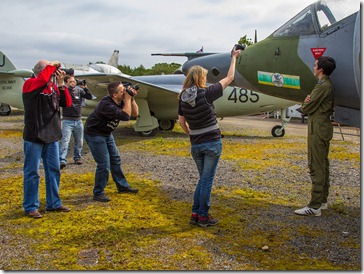
5-4Visiting the same locations time and time again. The world is a big old place, go somewhere new for once and see what you can find to photograph.

Shooting on your own can be great but taking along a photo buddy will often make the experience far more enjoyable and what did I say about happy photographers?

Sticking to what you know is generally a good idea. You can become an expert landscape photographer or wildlife photographer. But every now and then venture outside your comfort zone and photograph something you’ve never done before. Sports, portraits, night shoots or whatever takes you fancy.

Still feeling stale? Book onto a workshop that will allow you to try something new, whilst meeting new photographers and visiting new locations.

Trap 5 – Being a virtual photographer
5-5I love the internet, it’s changed my world forever. I could spend all day on Facebook, Twitter and YouTube just following other photographers and learning new skills. Well that’s what I tell myself I’m doing but good as the internet is, you can’t beat a bit of real, hands on photography.

So grab your camera and go and take a photo of anything right now (no not a photo of your keyboard). Learning the theory is important but so is putting it into practice.

Putting your photos online is a great way of sharing your passion, but don’t get caught up in reading every comment, answering every question and passing judgement on every other photographers work you see. Step away from the computer every once in a while and watch your photography soar.


May Photo Challenge – The Results

The theme for the May photo competition was “Something beginning with B” which, when it comes to themes, is just about as open as you can get.

First up I’d like to thank everyone who got into the spirit of the competition. There was another strong entry with 127 photo being entered and I although the quantity was slightly lower then last month the number of top quality entries was much higher. You can view all the entries by going to the Flickr group page.

As always I looked at all 127 entries very carefully and over the course of a few days I whittled down the number. First I rejected anything that, in my opinion, didn’t start with B. The only problem with that idea was almost all of the entries were bang on theme. So once again it came down to personal taste (mine in this case), so I selected my favourite photos. Even though I was being quite tough with my selection I was still left with 29 photos!
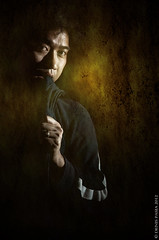
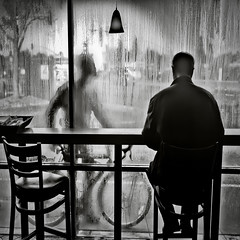
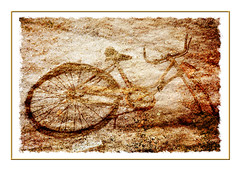
To be honest there were several photos which could have easily taken the top spot as I think they’re outstanding. However there can only be one winner and this month the winner is…B for Bike By martin tyson
B for bike

Martin will be getting a copy of his print made by my good friends over at Print Yours.

Near Misses…
I really agonised over the top 10 but I’m very happy with the choice.The runners up in no particular order are below. Click on an image to view it large on Flickr. If you didn’t win this time there will be a new challenge. Details are coming very soon.

Band3
Band4 by mleepeak
B for Blossom... 
B for Blossom by Ajay Shrestha 
Blind - Gav Train : May 2012 Photo Challenge Blind by AdrienPerinot
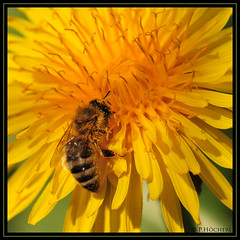
Busy Bee
Busy Bee By P.Höcherl
Bugatti
Bugatti By Jellymoon Photography
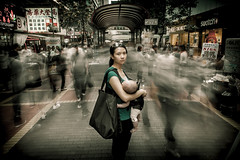
Are you talking to me?
Are you talking to me? By ♔Siroker♔
B for Butterfly - an insect that was not camera shy for once.
B for Butterfly
By Oh no he has a camera
Bewildered and Confused
By SiuSiu.com
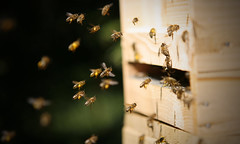
Something Beginning With Bee
Something Beginning with Bee
By _David Thomas

Free Nik Software Webinar No2

Nik PSLast months webinar with Nik Software was a massive success, so much so that not everyone was able to get in the room to watch it live. So, I’m very excited to announce that I’ll be running another brand new webinar hosted by Nik Software.

Thursday 7th June 2012
7.00pm UK time

The Webinar should run for around an hour with a Q&A session at the end.

The best news is it’s totally FREE! All you have to do is register for the event on the Nik website and you’re ready to go.

I don’t know what the maximum number of live viewers will be but I recommend registering as that’s the only way you’ll get the chance to download the recording.

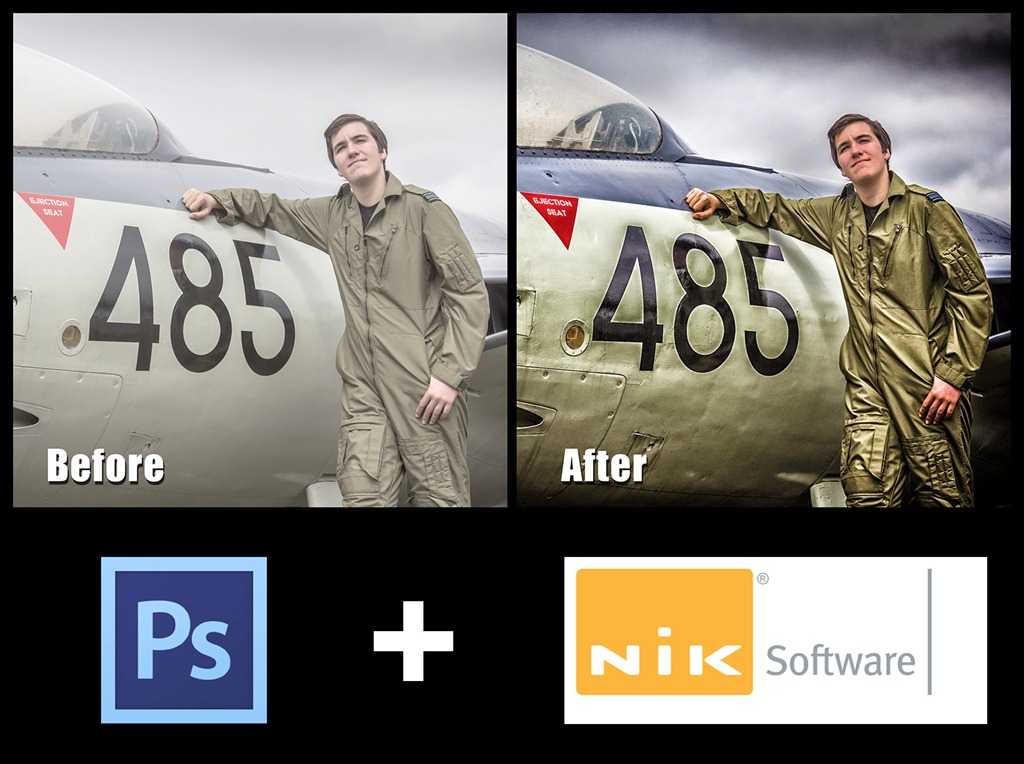
So what will I be covering? Well, I’ll be starting the webinar in Photoshop and demonstrating how I use it in combination with the Nik Software plug ins. Don’t worry if you’re new to Nik Software as I’ll explaining everything as I go along. Nik have kindly left the subject matter for this webinar totally open, so I’ll be running through some of my favourite images, showing you exactly how I made them and passing on as many hints, tips and techniques as I can fit into an hour.

Although I’ll be using Adobe Camera RAW and Photoshop CS6 as my host program I’ll be spending lots of time inside my favourite Nik Plugins. Nik Color Efex Pro 4 and Nik Silver Efex 2

You can find out more information about those plugins and even download a 15 day free trial from the Nik Website or you can buy them outright from many retailers like here at Adorama.

See you there!

Sun or Shade, which is best?

What’s the best lighting conditions for taking photos? OK, so that’s a rhetorical question as there is no ideal light for every occasion but light does have the power to influence your enthusiasm for photography.

Be honest, when you look out the window on a grey overcast day where the chances of rain is fairly high, the last thing that’s on your mind is grabbing your camera and taking some photos. Of course the flip side is as soon as the sun comes out, everyone’s up for a bit of photo fun.

If that sounds like you then think carefully before taking photos of people or objects in direct sun as the contrast can often be to much for most cameras to capture.

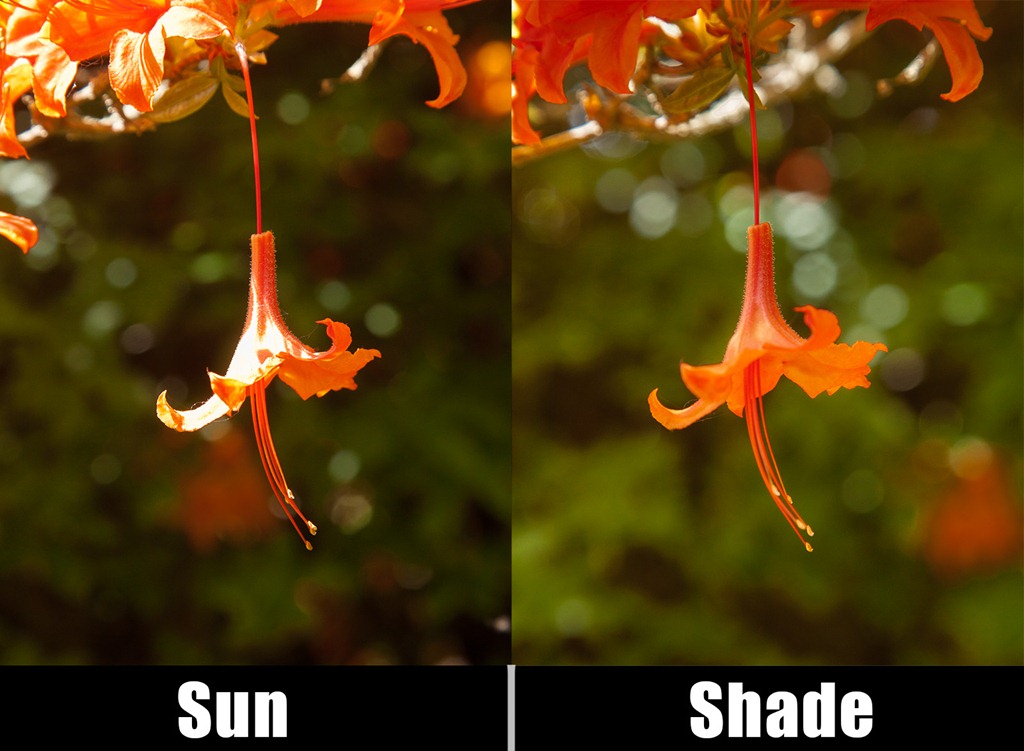
Sun-Shade

The photo above illustrates the problem and a solution.

The image on the left is full sun and trust me, it looked perfect to my eyes. However the camera couldn’t see what I saw and the resulting image is a contrasty mess.

To improve the photo I simply used my hand (just out of shot) to cast a shadow over the flower and the end result is much improved colours and contrast.

So next time you’re out on a sunny day remember to look in the shade for your best photos.

May Photo Challenge

BFor the May photo challenge your theme is…

Something beginning with B

How you decide to interpret that theme is entirely up to you. Perhaps you’ll want to take it literally and enter a photo of a bus, bicycle or blossom. Maybe you’ll try something a little more subtle like a shot from a baseball, basketball or boxing match. Perhaps you’ll think out side the box and shoot a picture of honey (which starts with a bee, right?)

Once you have your photo you’ll then need to do three things…

1. Check your entry meets with the rules at the bottom of this post.
2. Upload your image to the Flickr Group page at
http://www.flickr.com/groups/1909666@N25/
3. Add a description of your “B” thing to the photo eg “B for balloon”

I’m very happy to report that the Photo Challenge is once again being sponsored by Print Yours. They are an independent print lab who specialise in creating small run, high quality prints. Check out their web site for more information http://www.printyours.co.uk/

So what will the winner receive? Well, Print Yours have generously offered to print the winning entry on their 270gsm Photo Satin paper up to a whopping 24”x16”. That’s an £18 print for FREE! If you’re the lucky winner then all you need to do is send a high res version to Print Yours (via email) and they’ll do the rest.

RULES
One entry per person
Entries must be uploaded to the correct Flickr group by 31st May 2012 
Entrants agree to the use of their image on the Gavtrain webpage/facebook page solely for the purpose of announcing the results
The image (including any manipulation or added elements) must be the sole work of the entrant
The winner will be selected by Gavin Hoey and his decision will be final
No alternative prizes are available
Only the winning picture will be printed
The winner will be notified by Flickr direct message.
The winner will be required to email a high res (printable) version of the winning image to Print Yours by 31st July 2012
The winner will be announced on the
Gavtrain Facebook Page during June 2012

Good Luck

Nik Software Webinar UPDATE

My recent webinar with Nik software was an amazing six times over subscribed and as a result I know a lot of you who wanted to watch it live were out of luck. Well I have two pieces of good news.

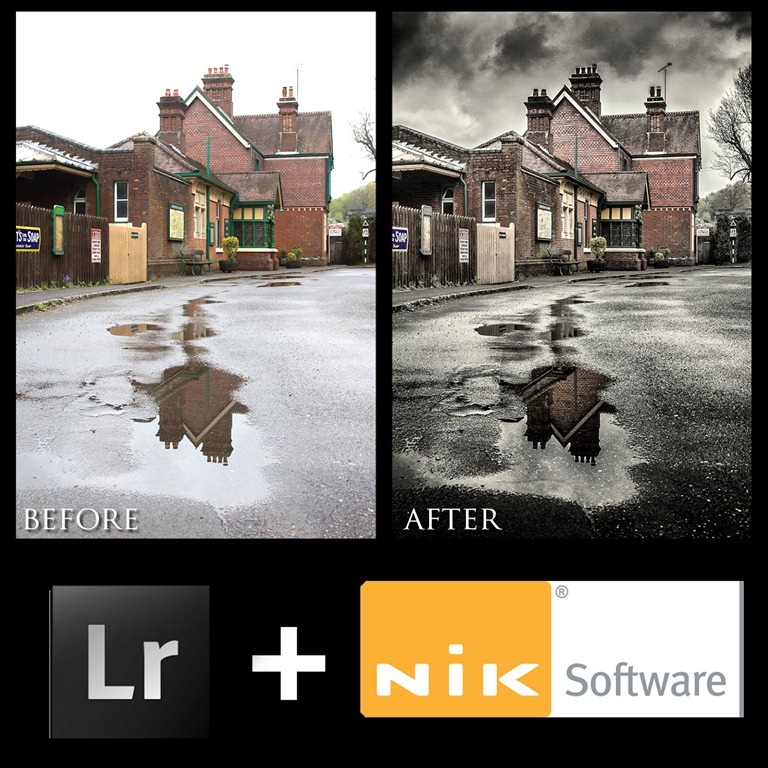
LR NIKThe Recording
First you can watch the recording of the webinar by following this link to download You’ll need to be a register member on the Nik Software site before you can download the video but it’s free to join. Also you’ll need a FLV player like free players from Applian or Wimpy to view the video.

New Webinar
The second bit of good news is that I’ve been asked  by Nik to give a second webinar on the 7th June 2012. As before it’s first come first served so I’d suggest you register today (please note that despite what the description currently says THIS webinar will be exclusively Nik + Photoshop)

Click here to register

April Photo Competition ~ Results

First up I must apologise for the delay in getting the results up and I thank everyone for their patience.

The theme for April photo competition was a little different. This time there was no theme, in fact you could enter any photo you liked as long as it had one important element… the texture on my website.

First up I’d like to thank everyone who got into the spirit of the competition. With 149 entries I think this has been the largest entry to date and as such it’s taken me a while to select a winner.

Once again the standard of the entries was very high, in fact I’d go so far as to say the quality of the photos was the best I’ve seen in these challenges so far. Here’s how I choose the finalists.

I looked at all 149 entries very carefully. Many of the images were excellent photos with a texture over the top and whilst that fitted the theme I was looking for the texture to add another dimension to the image. With that in mind I narrowed it down to around 20 photos and from those I picked my top 10.

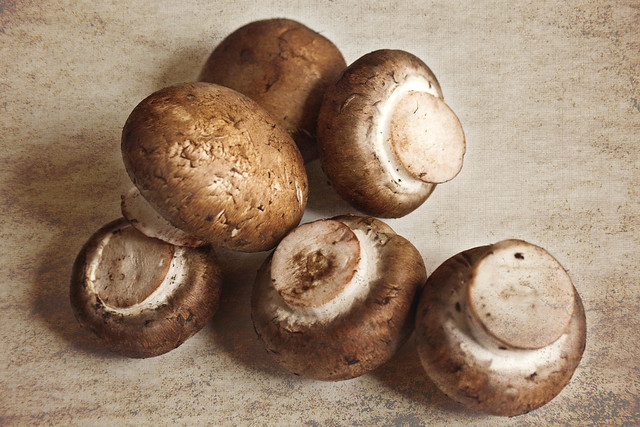
However there can only be one winner and this month the winner is…Mushrooms By Muffet

Mushroomsgav

Muffet will be getting a copy of his print made by my good friends over at Print Yours.

Near Misses…
The runners up in no particular order are below. Click on an image to view it large on Flickr. If you didn’t win this time there will be a new challenge running until the end of May. Details coming very soon.

Cafe Culture (Aged)
Cafe Culture (aged)
By Oh, look…A butterfly!
APRTexture Worthing Pier
APRtexture Worthing Pier
By SheilaH2012
Planets 2012 from Pandorium Design©
Planets 2012
By © PANDORIUM DESIGN | Alex Photography
Seen Better Days
Seen better days
By ilovemegapixels
Out of the Darkness
Out of the darkness
By Michael Deville’s Photography
as time goes passing by...
As time goes passing by…
By rebecca1791
DSC_4993
Untitled By LITRATO 1430
West Pier Texture
West Pier Texture By graham_r_c
For the Gavin Hoey Flickr Group -- April Contest. Texture courtesy Gaving Hoey, www.gavtrain.com/free/APRTexture.jpg
Untitled By Decoupart