I love making actions in Photoshop. OK, so what’s an action, I hear you ask. Well an action is simply a recording of steps you’ve made in Photoshop that can be replayed at a later date on another image to recreate an effect.
So useful are actions that I write them all the time. Sometimes I’ll make actions that record and recreate complex Photoshop effects, but mostly I make actions for mundane tasks such as resizing or colour adjustment.
As anyone who reads my posts will probably have noticed I also love borders, so it’ll come as no surprise that I have quite a lot actions that create various styles of border.
My brand new “Amazing Borders No1 action set” is a collection of my favourite borders. They were all created by me, which means they’re all one click effects which you just won’t find anywhere else. Best of all, they’re ready for instant download at a bargain price.
You’ll find lots more information on the Amazing Actions page on the gavtrain store. You’ll also find a FREE SAMPLE action and examples of every border of which there are more then 30!!!
All actions are compatible with: Photoshop CS5, CS4 & CS3 For US English Photoshop only and are not suitable for Photoshop Elements… sorry.
The theme for March is FOOD FOR THOUGHT and all you need to do is take or make a photo that fits with that theme. How you interpret the theme is up to you. You could take the theme literally and shoot your favourite food, fruit or drink. Alternatively you could come at this in a completely different angle and come up with an image that makes the view stop and think.
Use a bit of imagination and make it eye catching. Click on the apple image for more ideas.
At the end of the month I’ll review all the images but this month the competition will be judged by my wife Sam who runs www.samskitchen.net.
I’m very happy to report that the Photo Challenge is once again being sponsored by Print Yours. They are an independent print lab who specialise is creating small run, high quality prints. Check out their web site for more information http://www.printyours.co.uk/
So what will the winner receive? Well Print Yours have generously offered to print the winning entry on their 270gsm Photo Satin paper up to a whopping 24”x16”. That’s an £18 print for FREE! If you’re the lucky winner then all you need to do is send a high res version to Print Yours (via email) and they’ll do the rest.
RULES One entry per person Entries must be uploaded to the correct Flickr group by 31st March 2012 The images (including any elements or manipulation with in the image) must be the sole work of the entrant The winner will be selected by Sam Hoey No alternative prizes are available and only the winning picture will be printed The winner will be required to email a high res (printable) version of the winning image to Print Yours The winner will be announced on my Facebook Page during April 2012
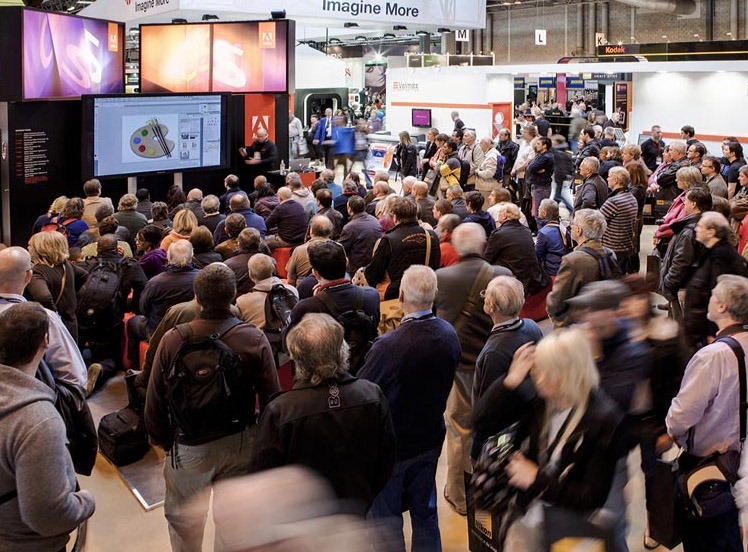
There’s just one week left until the doors to UK biggest photography event swing open once again. Focus on imaging is a four day feast of camera, lenses lighting, albums, software… in fact if it’s connected to photography you’ll probably find it at Focus on Imaging.
The show runs from Sunday 4th to Wednesday 7th March at the NEC in Birmingham. It is primarily a giant trade show with hundreds of smart looking stands and helpful sales staff ready to sell you your dream lens or that “must have” gizmo you’ve never heard of before.
Over recent years I’ve noticed an increasing number of stands offering free training demos which can really make a visit to Focus a great way to gain some free education and inspiration.
This year I’ll be there for the full four days and I’m thrilled to be representing Adobe UK once again. You’ll find me on the stands of various suppliers passing on my Photoshop know how. I hope to give you exact times and places very soon.
So if you’re planning to make a visit to Focus (or any trade show around the world) here’s my top tips.
Register online The queues to get in to Focus can be long, but if you’ve already registered in advanced and have received your show entry badge then you can glide past the queues and walk right in. There’s still time to register (just) if you go here.
Research and budget There really are some bargains to be had at the show. Discounts, offers and free extras are very common, but it makes sense to do your research before you go. If you’re looking for new kit, narrow the choice down by checking internet reviews. Have an idea of the best internet price before going to the show. Once at the show you’ll be able to get your hands on the real thing and make an informed decision.
Choose a day Focus on Imaging starts on a Sunday and it’s not surprising that it’s also the shows busiest day by far. The Wednesday is usually a bit quieter, but by then the exhibitors are exhausted and sometimes they’ve sold out of that one thing you really wanted. The flip side is there are often some great end of show bargains to be had on the Wednesday afternoon.
What to wear. It’s a long day and you’ll be on your feet a lot, so comfortable shoes and clothes are the order of the day. Don’t weigh yourself down with heavy bags either.
Camera or no camera Although it’s a camera show there’s really not much to photograph. Yes some of the stands will have mini studio shoots and models, but they’re always swamped with people and you’re unlikely to get anything more then a grab shot. Unless you need to bring your DSLR for a specific reason (e.g. for a sensor clean or to try a new lens), do yourself a favour and leave it at home.
Eat & Drink Food and drink at any trade show or conference is always going to be pricey and the NEC is no exception. Bring a packed lunch and a drink and spend the money you save on photo goodies. Just remember the car park is huge, so if you leave your lunch in the car you’re in for a long walk.
Arrive early Focus gets busy, really REALLY busy but if you get there as the doors open you’ll find you get to talk to three or four key suppliers in the first hour of the show before the really big crowds arrive.
Listen to the talks For me the very best part of any trade show is the free talks that many exhibitors lay on. Famous and talented photographers are on hand to pass on their knowledge and techniques throughout the day. It’s a great way to pick up new skills and see different styles of photography.
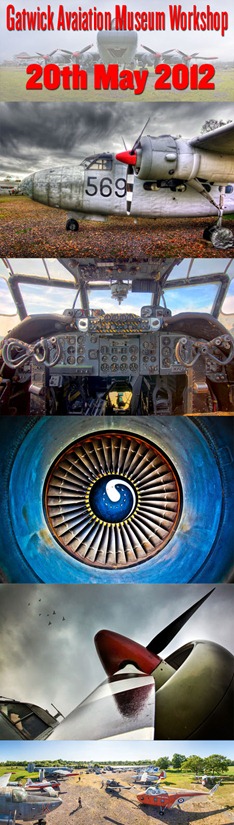
Some of you may know that last year I held a one day photography workshop at the Gatwick Aviation Museum in Surrey. It proved to be very popular, so much so that I’ve been asked if I’ll be repeating the workshop again this year. So I’m very excited to announce that we’ve now secured the exclusive use of the Gatwick Aviation Museum once again.
The all important date is Sunday 20th May 2012 and places will be limited to just 12 Photographers. You can find further details and booking information here
So what can you expect from this years workshop? Well like all my workshops, it’s all about having fun, learning new skills and taking LOTS of photos.
The day is split into several sections which will cover things like learning to spot the best images or even mastering new photo skills. They’ll also be plenty of time for a spot of Photoshop too.
We’ll also arrange access to several of the aircraft during the workshop, so you’ll get a unique opportunity to take lots of amazing photos inside some classic British airplanes.
How much will it cost? It’s just £95.00 per person, which will include all day entry into the museum, access to the planes and tea/coffee during the day. Click here to go to the booking page.
Where is the Gatwick Aviation Museum? The museum is located in Charlwood, Surrey. Link to Google Map If you’re traveling by car it’s a 12 minute drive after leaving the M23 at Junction 9. If you’re traveling by train then go to either Gatwick Airport or Horley train stations and take a taxi from there.
Who will be leading the workshop? That’ll be me (Gavin Hoey) but fortunately I won’t be alone. I’ll be assisted on the day by Steve and Steve (yes two Steve’s) who both know a thing or two about photography and are regular visitors to the Aviation Museum. All three of us will be on hand throughout the day to make sure you get all the help and advice you’ll need. Sam (of Sams Kitchen) will also be there with a selection of tasty treats
What will we be photographing? We have the museum pretty much to ourselves for the day, so we can photograph anything that catches our eye. To get a better idea take a look at this slide show of photos taken by the photographers on last years workshop.
As you’ll see the museum really lends itself to images that have detail and texture… just my cup of tea.
What equipment do I need? Not much really. A Digital SLR camera with a kit lens is ideal. I’d also highly recommend a sturdy tripod and plenty of memory cards/batteries. If you have a wide angle lens, telephoto lens or a macro lens then definitely bring them too. Similarly if you have a laptop and would like to process your own pictures then you’re welcome to do so.
Is the workshop weather dependant? No we’ll be going ahead whatever the weather. Last year is was warm and sunny for the workshop, but I’ve taken great photos at the museum is all weathers.
What camera skills will I learn? If you’ve never taken a panoramic image before then trust me, you’ll be a pano master by the time you finish the workshop . If you’ve always fancied trying your hand at HDR but have never perfected it, then this is the place to get it right. If you’ve ever been somewhere new and couldn’t figure out how to take eye catching photos, then I’ll point you in the right direction.
Will I get any free time during the day? Yes you will. Much of the day will be planned, but they’ll be plenty of time in the afternoon for you to wonder off, do your own thing or ask questions away from the group.
Will we get to go inside the aircraft? Most of the planes interiors are not accessible, but we can usually get inside the Sea Prince and both helicopters. The stars of the show are the two Shackleton’s, one of which has a fully fitted out interior. Space inside is very tight, so we’ll be allocating time slots so everyone can get their photos.
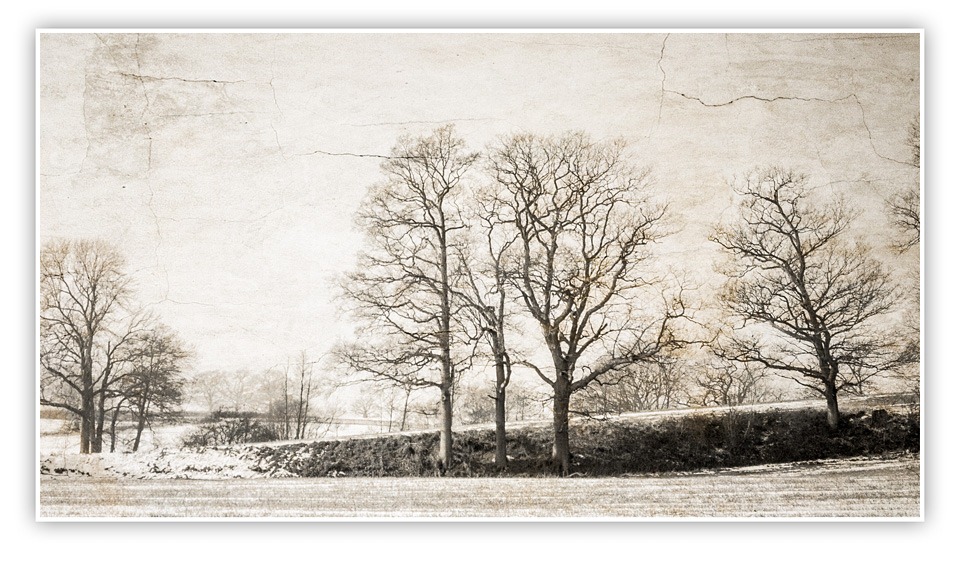
It doesn’t happen very often but sometimes I know exactly how I want a photograph to look even before I’ve pressed the shutter, which is exactly what happened with this photo. I took the photo of the trees as part of one of my one to one training courses. I was out with David, who is a great technical photographer but was looking for help with “seeing the photos”.
To be honest I’m not totally sure David believed me when I said could visualise the final image, especially as the original image of the trees wasn’t blessed with much excitement. I mean there was no foreground interest, no lead in lines and the lighting wasn’t that interesting either. But it was the sky that caught my eye. A blank sky is an ideal candidate for a spot of texture blending and I have a whole folder full of texture images just waiting to find the perfect partner.
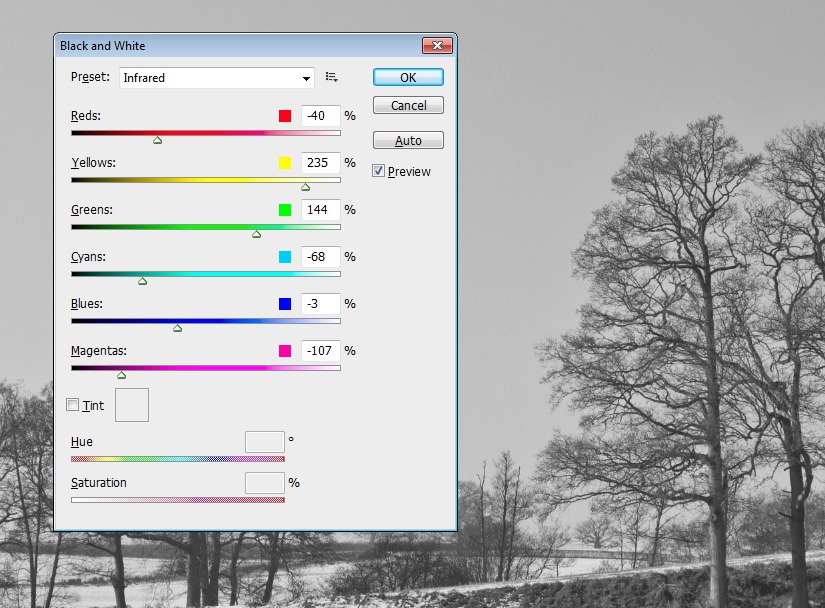
Make a mono The first step was to remove the colour from the image. There are many ways to do this and I’ll often use HSL/Greyscale in RAW. Alternatively you can use Image – Adjustments – Black and White, which what I used here. In this case I used the Infrared preset.
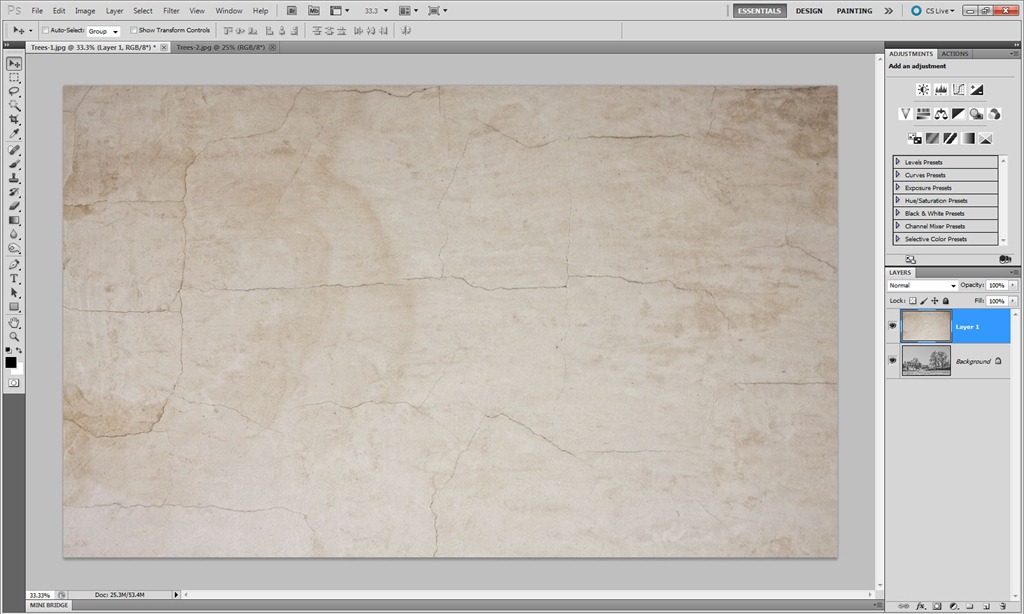
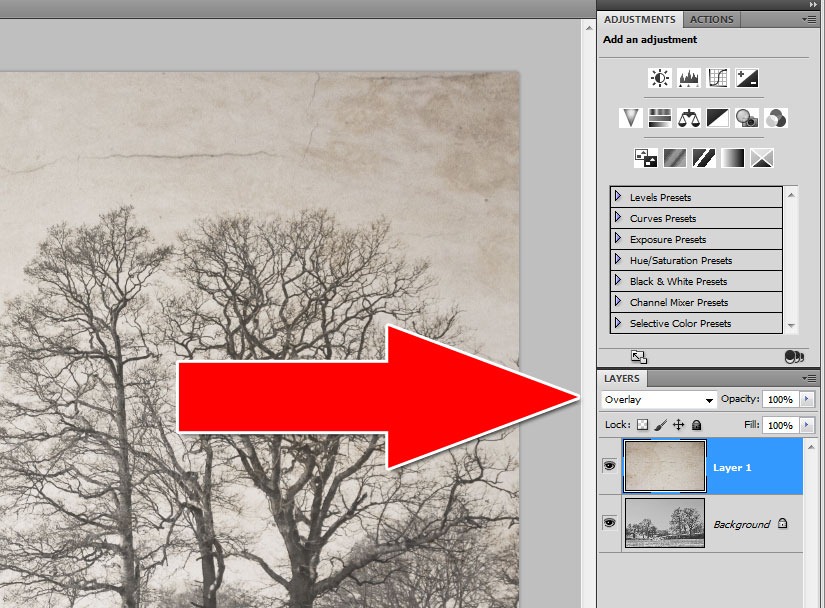
Add a texture Although I have a large selection of textures I often find the best ones to use are the smoother textures. In this case it’s an image of dried and cracked plaster and paint. I copied the image and pasted it onto the main photo. The two images are different sizes so I used Free Transform (CTRL+T) to resize the texture to fit over the trees.
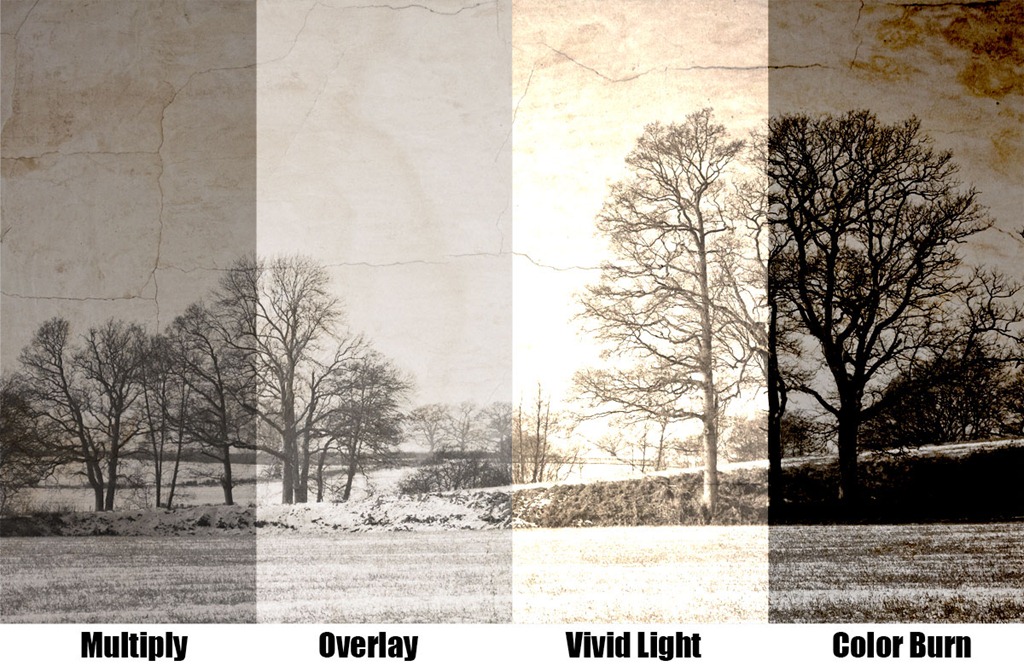
Blend them together The last step is to choose a blending mode. Normally I’d use Multiply, but this time Overlay seemed to be more fitting to the final image. It’s amazing how many different looks you can get simply by altering the blend mode.
Back at the beginning of January I set a photo challenge. All you had to do was take or make a picture of something new and upload it to the Flickr Group page. What constituted “new” I left up to you and there were many interpretations of that theme.
I was blown away by the number of excellent entries and I’d like to thank everyone who got into the spirit of the competition. If you went out and took a photo just for this challenge then you should be proud of your achievement.
Choosing a winner was really, really hard, so I started by narrowing the entries down by selecting the photos that made me think ”… I wished I’d taken that”. From that list I narrowed it down even further to images that were “new” in my opinion. That left me with a short list of 10 amazing photos.
Paul will be getting a copy of his print made by my good friends over at Print Yours. I really loved the colours in this shot. It’s taken at the perfect time of day and cropped to perfection. By the way the “new” bit in this photo is a new ND grad filter Paul used to darken the sky. Well done Paul.
Near Misses… The runners up in no particular order are below. Click on an image to view it large on Flickr. If you didn’t win this time there’s a new challenge running until the end of February. Details are here
Glenoe Waterfall by David.Bladon
Happy New Year by Lucy Davey75
New Toy by .e.mage
ISO Check on New Camera by D.J.Flynn
New Years Day Sun Rise by rsjdad
First attempt in Steel Wool Photography by teddybearwithatowel
You probably don’t remember what you were doing on 30th March 2011, but I do.
That was the first day of Photoshop World Florida 2011 and I had front row seats to the keynote speech. After that it was off for a private lunch with the Photoshop product managers including Bryan O’Neil Hughes and Zorana Gee. In the afternoon I was giving a Photoshop presentation on the Adobe expo stand along side some of my heros like Russell Preston Brown. Then in the evening I was relaxing with members of the Photoshop team at BB Kings blues club enjoying live music from Scott Kelby’s band.
That’s what happens when you win Adobe’s Next Photoshop Evangelist competition and the fantastic news is they’re doing it all over again.
The rules are simple. All you have to do is record a video tutorial using Photoshop CS5 that demonstrates a hidden gem feature and has you saying the words “Hidden Gem”. Upload it the the Next Photoshop Evangelist Facebook page and cross your fingers.
So what’s a hidden gem? It’s a feature that’s brand new to Photoshop CS5 that you’ve found a new, unusual or original way of using.
This time round I’m not allowed to enter, but if I could I would. There are other restrictions as well so please read the terms of entry
Let me know if you enter and if you win remember to say hi to the Photoshop World team from me.
The theme for February is ELEMENTS and all you need to do is take or make a photo that fits with that theme. How you interpret the theme is up to you. It could be a close up shot of the detail within an object or it could be a shot of water or one of the other three elements (be careful with fire) Use a bit of imagination and make it eye catching. Click on the hand image for more ideas.
At the end of the month I’ll review all the images and pick my favourite.
I’m very happy to report that the Photo Challenge is once again being sponsored by Print Yours. They are an independent print lab who specialise is creating small run, high quality prints. Check out their web site for more information http://www.printyours.co.uk/
So what will the winner receive? Well Print Yours have generously offered to print the winning entry on their 270gsm Photo Satin paper up to a whopping 24”x16”. That’s an £18 print for FREE! If you’re the lucky winner then all you need to do is send a high res version to Print Yours (via email) and they’ll do the rest.
RULES One entry per person Entries must be uploaded to the correct Flickr group by 29th Feb 2012 The images (including any elements or manipulation with in the image) must be the sole work of the entrant The winner will be selected by Gavin Hoey No alternative prizes are available and only the winning picture will be printed The winner will be required to email a high res (printable) version of the winning image to Print Yours The winner will be announced on my Facebook Page during March 2012
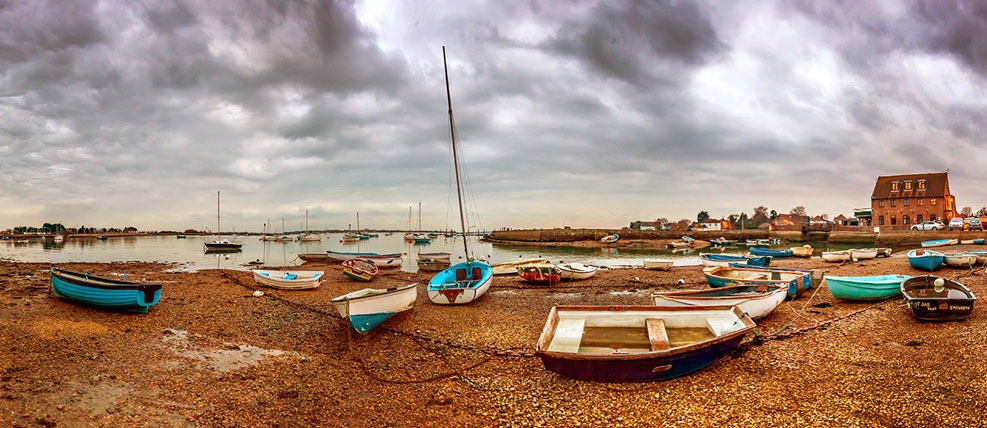
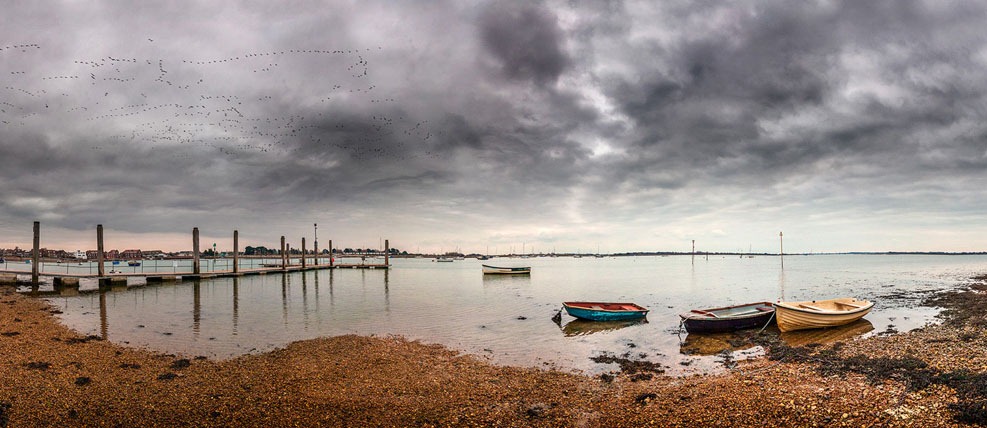
A few days back I was booked to give a talk to Hayling Island Camera club on England’s south coast. On the way I stopped off to meet up with fellow photographer Will from Whole Life Photography who had arranged to record a podcast whilst we were on a short photo shoot.
By the time we arrived at the village of Emsworth in Hampshire the sun had set or to be more specific it had disappeared from view. But I wasn’t going to let a little thing like that stop the photography.
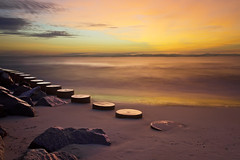
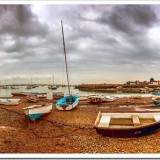
Both of these images were taken with my Canon 5D Mark2 without the use of a tripod. To be honest a tripod would have been a good idea, but one of the things that never ceases to amaze me is just how good DSLR’s are at shooting quality images as high ISO. Each pano is made up of 7 overlapping images. In their full resolution each image has just over 99 million pixels which means they could be printed 1.7 meters long without any Photoshop resampling,
A few weeks back I set a Photo Challenge for the month of January. The theme was “Something New” and all you had to do was upload a photo to the Flickr group before the end of the month.
Well the response has be amazing with over 90 photos added already. But there’s still plenty of time to enter and now there’s a very good reason to do so.
We have a sponsor! Yes you read that right, the Photo Challenge is being sponsored by Print Yours an independent print lab who specialise is creating small run, high quality prints. Check out their web site for more information http://www.printyours.co.uk/
So what will the winner receive? Well Print Yours have generously offered to print the winning entry on their 270gsm Photo Satin paper up to a whopping 24”x16”. That’s an £18 print for FREE! If you’re the lucky winner then all you need to do is send a high res version to Print Yours (via email) and they’ll do the rest.
The rules of entry haven’t changed and you can change your entered picture up to the closing date if you wish.
Good Luck.
RULES One entry per person Entry must be uploaded to the correct Flickr group by 31st Jan 2012 Winner will be selected by Gavin Hoey No alternative prizes are available Winner will be announced on my Facebook Page during Feb 2012

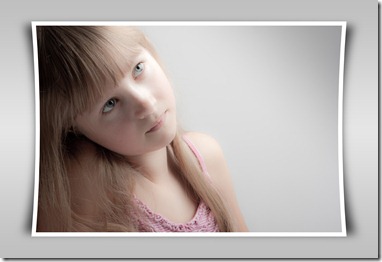 I love making actions in Photoshop. OK, so what’s an action, I hear you ask. Well an action is simply a recording of steps you’ve made in Photoshop that can be replayed at a later date on another image to recreate an effect.