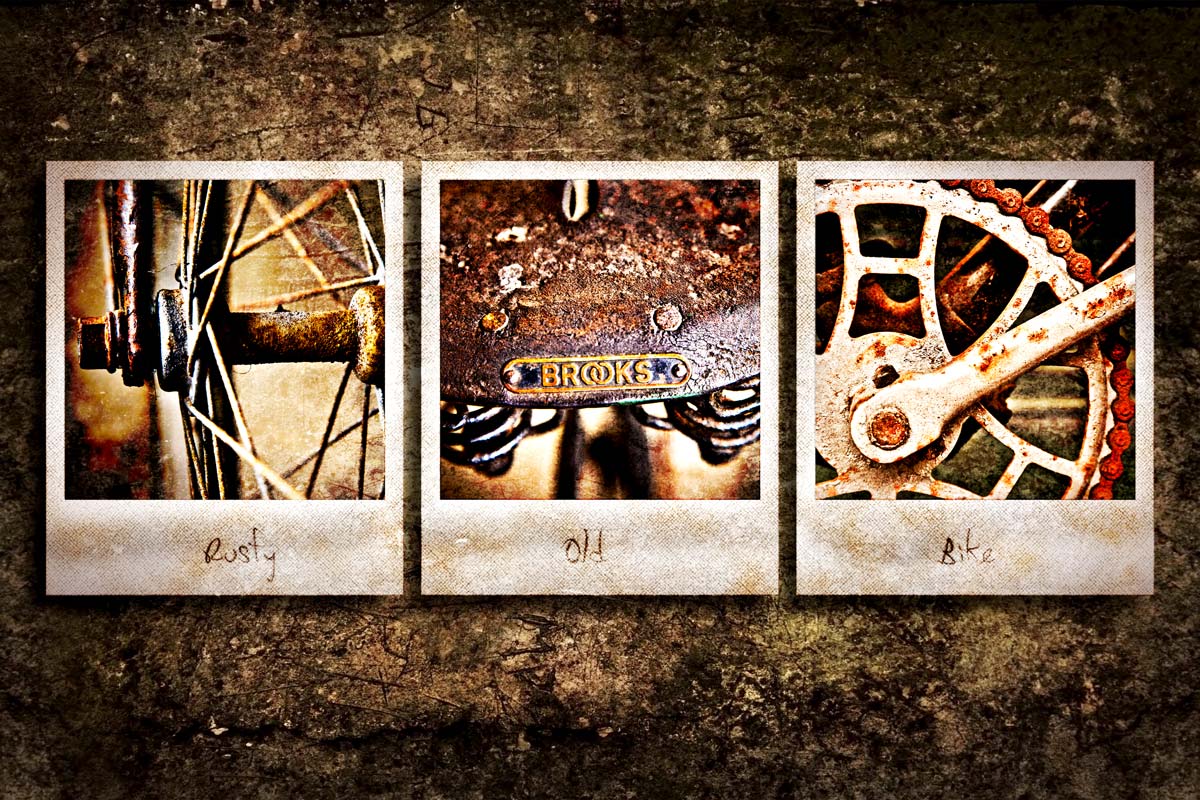
 As you take more photos, you’ll need to find more ways to display them. So todays Friday Freebie is a triptych template that uses up three of your photos in one go,
As you can see from the example here, the template has three spaces into which you’ll need to add your own images. An alternative would be to use one image but break it into three pieces. Download instructions are below and once again I’m sharing the JPG file through my Adobe Creative Cloud page. No sign up is required to get a copy of the template so you’re free to jump in and make your own triptych images.
Download the Grungy triptych template by clicking here
Download instructions
Click the link https://drive.google.com/file/d/0B_Mmmm3K1utNNzZPMHNQX0VVUG8/view?usp=sharing
1. Click the Download button 
2. The download should start automatically
How to use the template
To add your own photo, first select and copy the photo you want to add. Then jump over to the template, Click inside one of the black squares with the magic wand tool and choose Edit – Paste Into (Edit – Paste Special – Paste Into in Photoshop CS5 & CS6)
You can then resize the photo before pressing enter to committing to the change.
Usage rules
Usual rules apply. The action is copyright Gavin Hoey 2013. You may use it for personal, non-commercial purposes only and please do not redistribute without permission. Thank you and enjoy 
That is a really cool grungy templet, thanks for sharing
Thank you very much Mr.Hoey, i really enjoy all your hard work in sharing your creations and knowledge about photography and photoshop (although i use a simpel digital camera and work with ps elements, it’ s fun to learn this way)
kindest regards
carine
I just did a triptych for my AS Level Visual Media final piece! Now you’re releasing a template to do it in a smaller scale! Brilliant, thanks Gavin!
Ps. My final piece was three 20″ x 30″ prints!
Thanks Gavin. Great template.
Again a top notch freebie from Sir Gavin…outstanding.
thank you very much!
Thank You Sir!!!!!!!!
You Always Rock!!!!!!
ive ready your usage rules. I’m new to photography and love your friday freebies. Am i allowed to use these freebies to show of my photos on my personal facebook page and my digitalrev profile?
That’s 100% allowed Les. I hope you Facebook fans like it 🙂
Thanks Gavin
Very nice. Thanks Gavin.
Love the site. Love the accent. Love the content.
Where can you get the font it seems to really add to the photo?
I get my fonts from http://www.dafont.com
I modified your template and used it as my facebook cover with photos I took on vacation in London. Always love your freebies and tutorials, Gavin!
https://www.facebook.com/stephanie.greer
Many thanks Gavin
is very inspiring going after you
here my version your template 🙂
http://www.facebook.com/photo.php?fbid=601807946512053&set=a.564102150282633.148696.100000485599807&type=3&theater
An another try with this background.
Thanks to sharing Gavin
A link to the pictture
http://www.photos-lys.fr/freebees/Obturatix_02.jpg
For the life of me, I can’t figure out how to get this thing to work. I have Adobe CC 2018 and I need help. Please?
Hello ,
sorry for the delay but I only come from time to time on the Gavin site. Sorry for my translated English too.
It’s very simple to put pictures
Download the file, open it with PSCS2018- with the magic eraser (tick continuous) erase the black parts you can put your images below the rusty-triptych layer
crop your photos to appear in all 3 parts.
Good luck and show us your result.
Obturatix