To download your copy of Photoshop CS6 Beta, follow this link http://labs.adobe.com/technologies/photoshopcs6
 Please remember this is a BETA which means it’s still a work in progress which may contain bugs, be unstable and may not have a full range of tools. For that reason it is not recommended that you use this software for vital projects.
Photoshop CS5 has been with us for the best part of two years now, so with the launch of Photoshop CS6 Beta we finally get a chance to see what they’ve been up to all that time. Well, the good news is Adobe hasn’t been sitting idle for two years but have made a whole raft of improvements and snazzy new features for us to enjoy.
Dark Interface
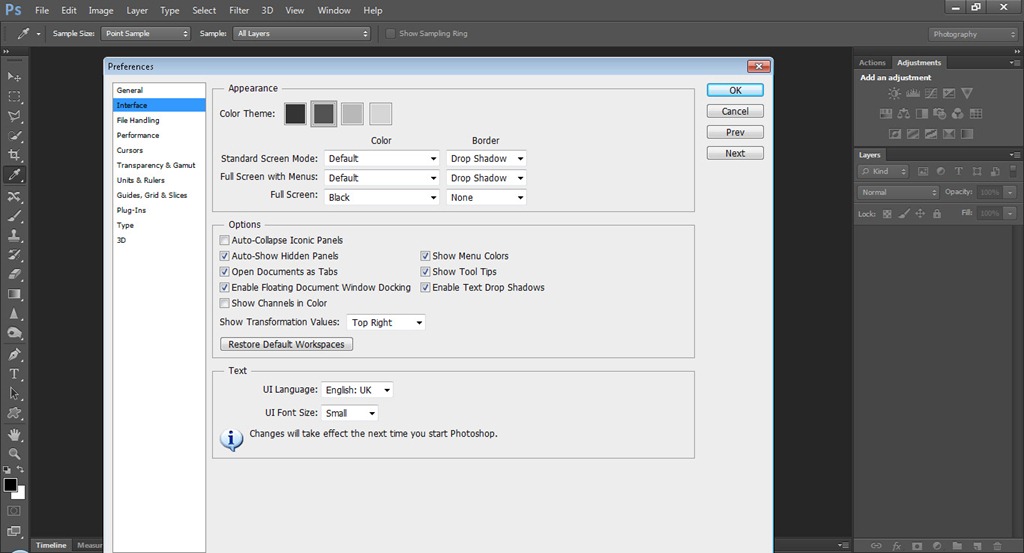
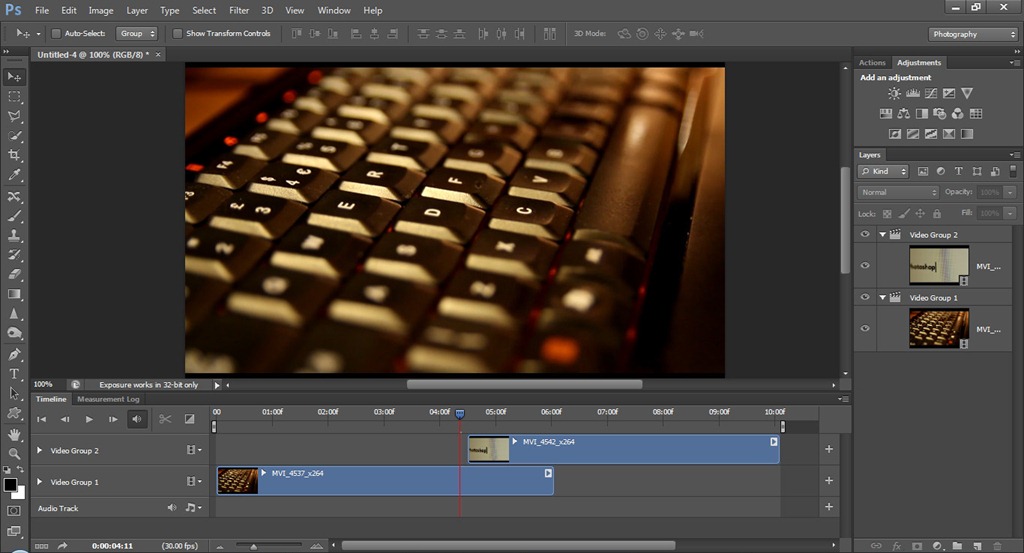
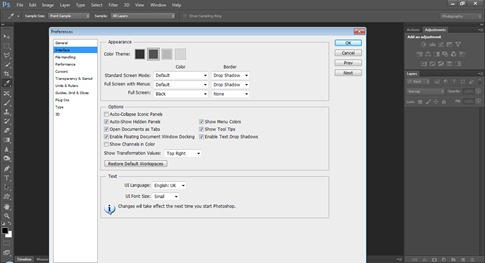 So the first thing you’re going to notice is that Photoshop CS6 Beta sports a new dark and moody interface. Lightroom and Photoshop Elements users will be familiar with this look, but this a big departure for regular Photoshoppers.
In the preferences it’s possible to alter the colour of the interface by selecting one of four looks, so if you’re pining for the old look it’s an easy job to switch back. Personally I prefer the dark look and I’m sure with use it will grow on you too.
Content Aware
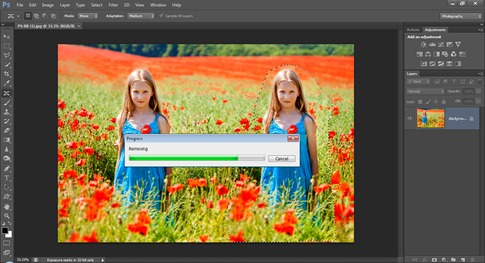 The content aware features of Photoshop CS5 were a revolution of me, in fact the spot healing brush is my “go to” tool for cloning. The main problem with the tool is its total lack of control when it comes to selecting where to sample from. The end result is often not quite what you’d have expected.
Photoshop CS6 Beta now has that problem covered by adding content aware abilities to the Patch Tool. Using the Patch Tool allows you to be very specific about which part of an image you sample from and the result is absolutely brilliant!
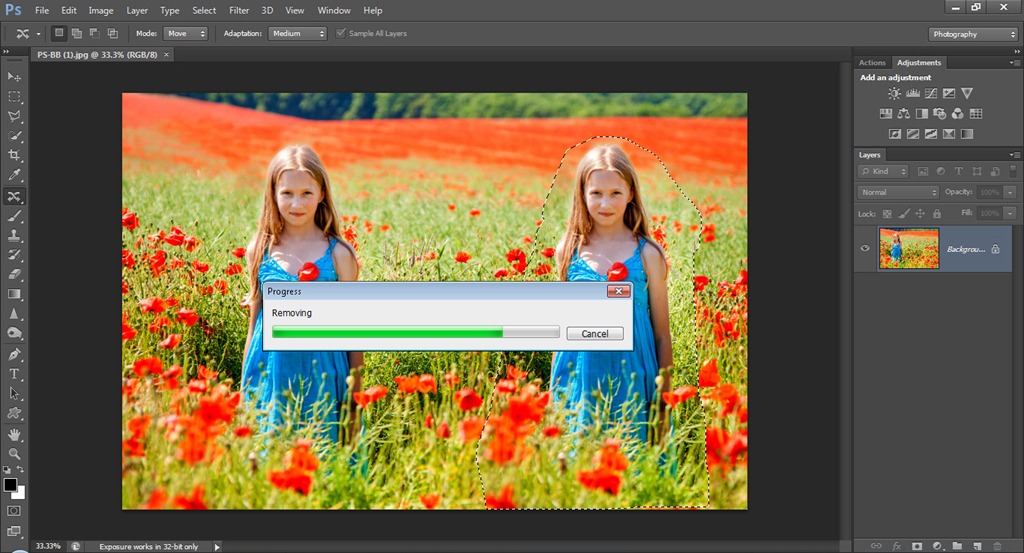
Not only that but there’s a new tool called Content Aware Move Tool. It has two settings which have a slightly different way of working. Move allows you to reposition objects within the photo and extend allows you to grow objects. With the right images it works like magic.
Crop Tool
The crop tool is one of those things that most of us use without thinking. Well the people at Adobe aren’t your average user and they’re taken a long hard look at the crop tool and given it a complete redesign.
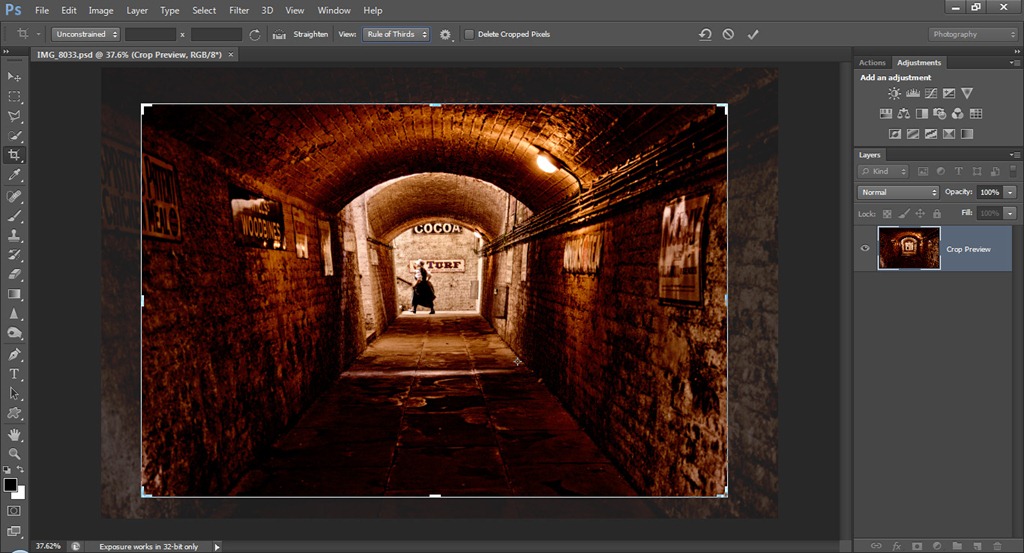
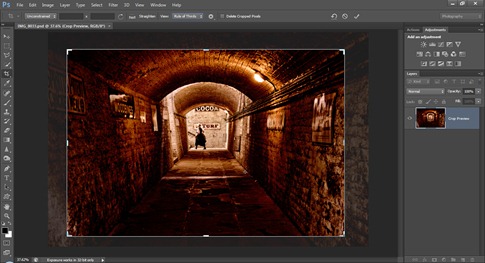 The first thing you’ll notice is that the crop tool is always live. In other words simply selecting the crop tool will automatically place a crop on the image. It’s still possible to drag out a crop and you can also choose from the list of preset crop sizes.
The main advantage of the crop tool is the fact that it is now non-destructive. Basically you now have the ability to recrop your image and regain the lost (cropped) areas at any point in the editing process.
Perspective cropping has also changed. Until now the perspective crop was a small check box only visible after cropping but not anymore. Now it’s been promoted and is a tool in its own right.
The crop tool is something you’ll love or hate. Lightroom users will be at home with it, but die hard Photoshop users may need a little longer to learn its new functions. Adobe seems to have realised not everyone likes change, so they’ve also added an option to revert the Crop tool back to its traditional function.
New filters
That’s right filters (plural). There are four new filters in Photoshop CS6 Beta. My favourite is the oil paint filter which is a hand me down from Pixel Bender. There are also three new blur filters.
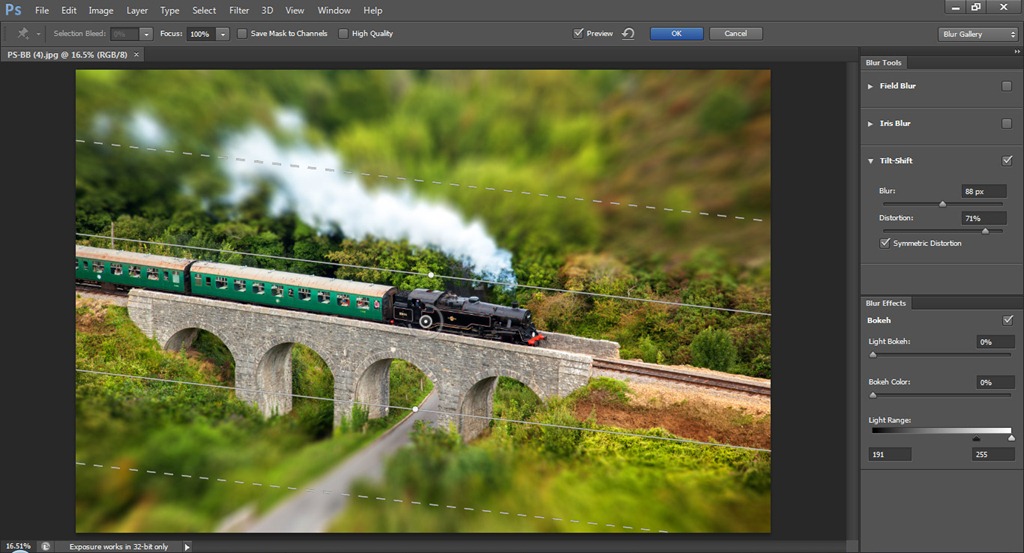
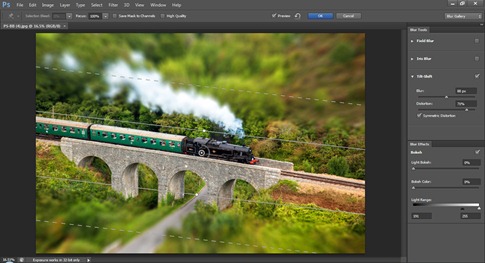 Field blur is an alternative to the classic Gaussian blur filter and gives a very nice photo real blurring. Iris Blur is the same as field blur but adds the ability to cut holes in the blur. It reminds me of the classic Cokin centre spot clear filters from my past. Finally Tilt-Shift uses the field blur but this time it slices through the blur to give a very convincing tilt & shift effect.
All the blur filters can be fine-tuned to a high degree and there’s even an option to add some digital “Bokeh”. It takes practice to find the right settings but could be very useful indeed.
All four blur filters are GPU powered which means you’ll need a newish graphics card to get the most out of them. No problem for desktop users, but I can imagine some older laptops struggling a bit.
Video Editing
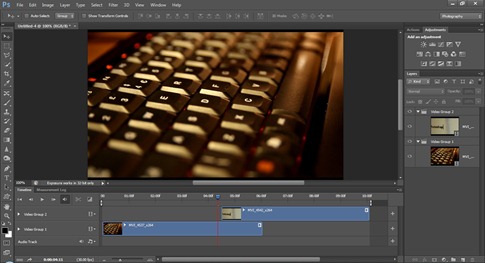 OK I know you’re a still photographer, but video is here to stay and increasing numbers of photographers are experimenting with video. If you have Photoshop extended than you may know that it’s already able to handle video files. But in Photoshop CS6 Beta that video capability has been completely reworked.
Now I can edit my video content using the familiar and powerful tools of Photoshop just like I can with still images. I can add cuts, video layers, audio, transitions and fades. Basically Photoshop is becoming a very nifty video editor.
Adobe Camera RAW 7
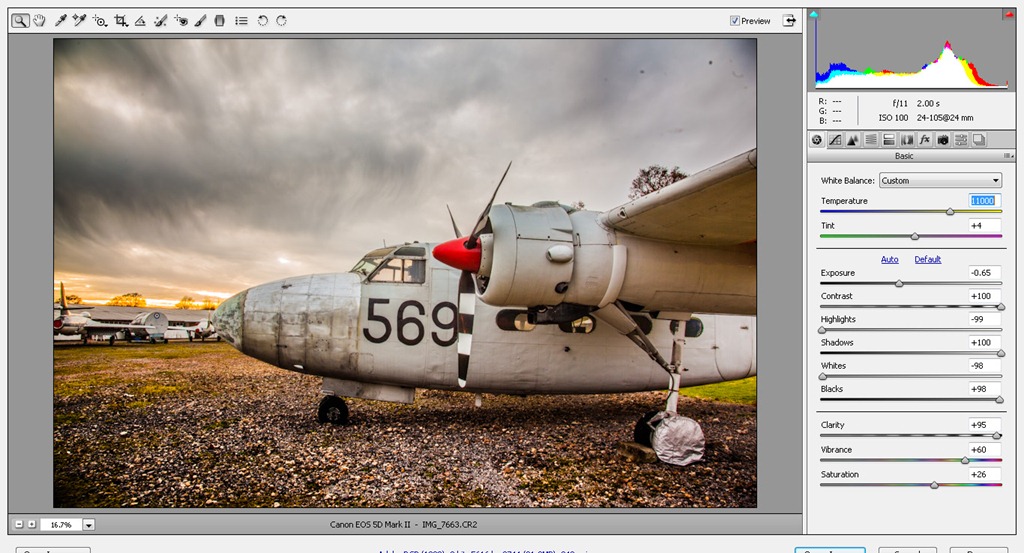
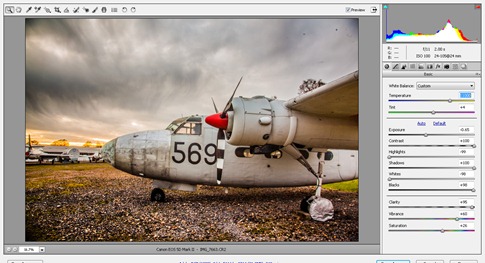 Finally (for now) we come to the all-new ACR7 and to be honest I’ve saved the best till last. As someone who spends a lot of my time in Adobe Camera RAW (ACR) I know it’s a hugely powerful photo editing tool and it’s also not perfect. It seems that Adobe agree with me because they’ve dumped many of the old sliders in the basic panel and replaced them with some new ones that work magic on my photos. Let’s just take one example, Clarity. I’m a self-confessed clarity junkie but I always had to rein myself in to avoid getting halos when using it on images with contrast. No more, as you’ll discover when you try the new clarity slider for yourself.
The new tools in ACR7 also extend to the adjustment brush and graduated filter too, so those already powerful tools are better than ever.
That wraps up this first look at what’s new in Photoshop CS6 Beta. I’ve only covered the tip of the iceberg when it comes to new features, so be sure to download it for yourself and see what’s new. There’s plenty of other features like new 3D options, improved HDR, tool recording actions, enhanced mixer brushes, properties panel… the list goes on.
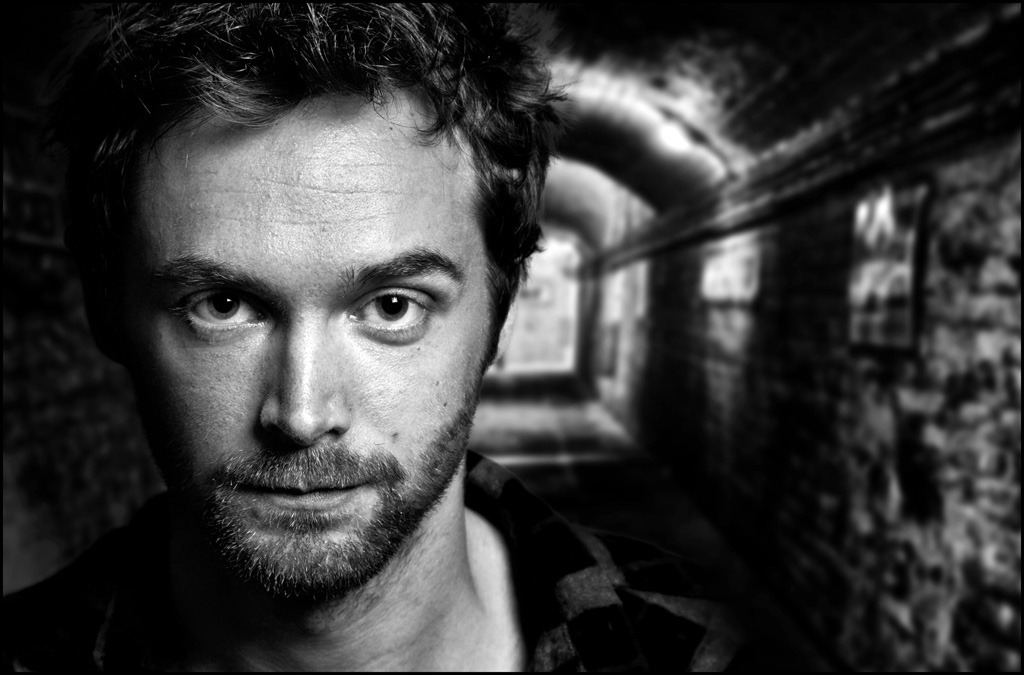
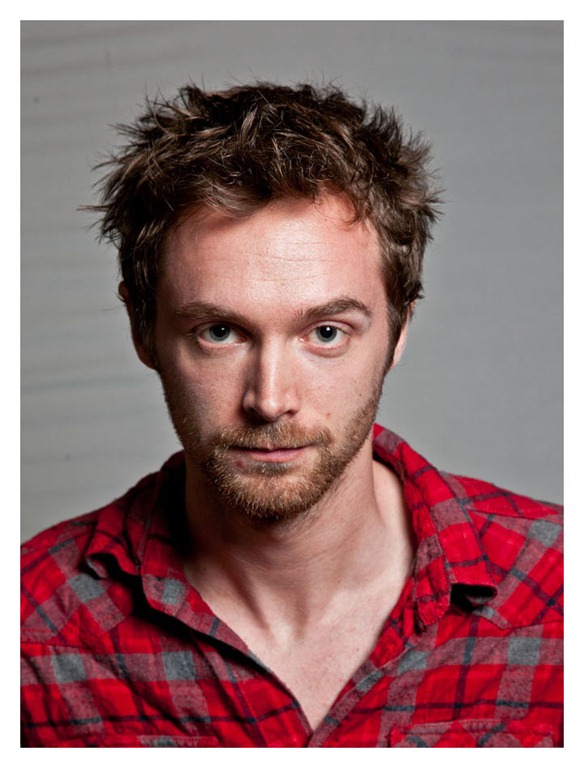 So how did I get to the final image? Well it’s a combination of two image. The shot of Luke was taken during the workshop. He’s lit with a single speedlite fired through a small softbox from Smick. The background is also from Smick is a black/white reversible popup. Without a light to brighten the background it appears grey in the photo instead of white.
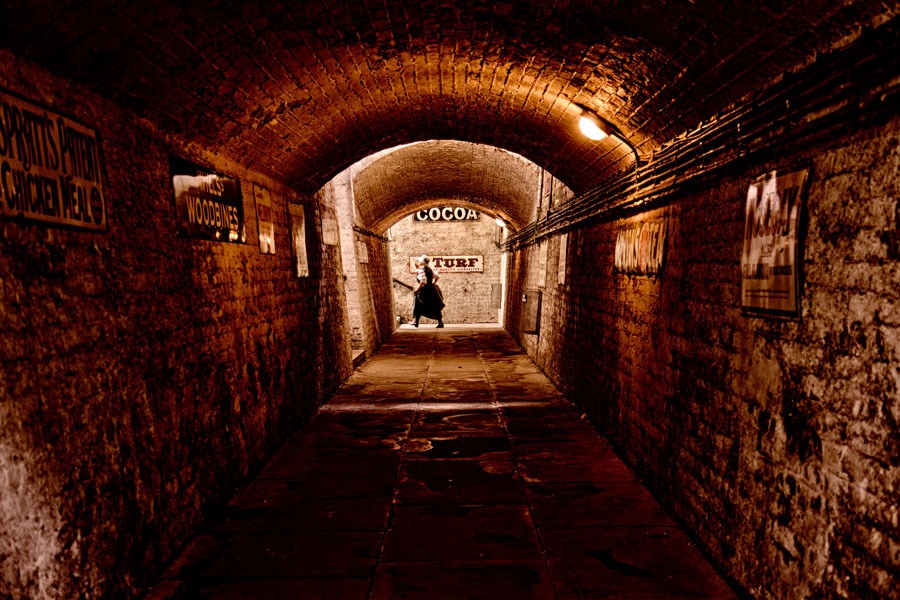 For the workshop I did a live demo on how to effectively cut out hair. To be honest its a job that’s been made incredibly simple thanks to the amazing Edge Detection found in Photoshop CS5’s Refine Edge. After Luke had been removed from the original background, it was a simple job to paste him onto the new background and apply a Black/White adjustment layer to hide the colour difference. Cop out? Yeah a bit, but hey. it was all done LIVE!