Photo Realistic HDR

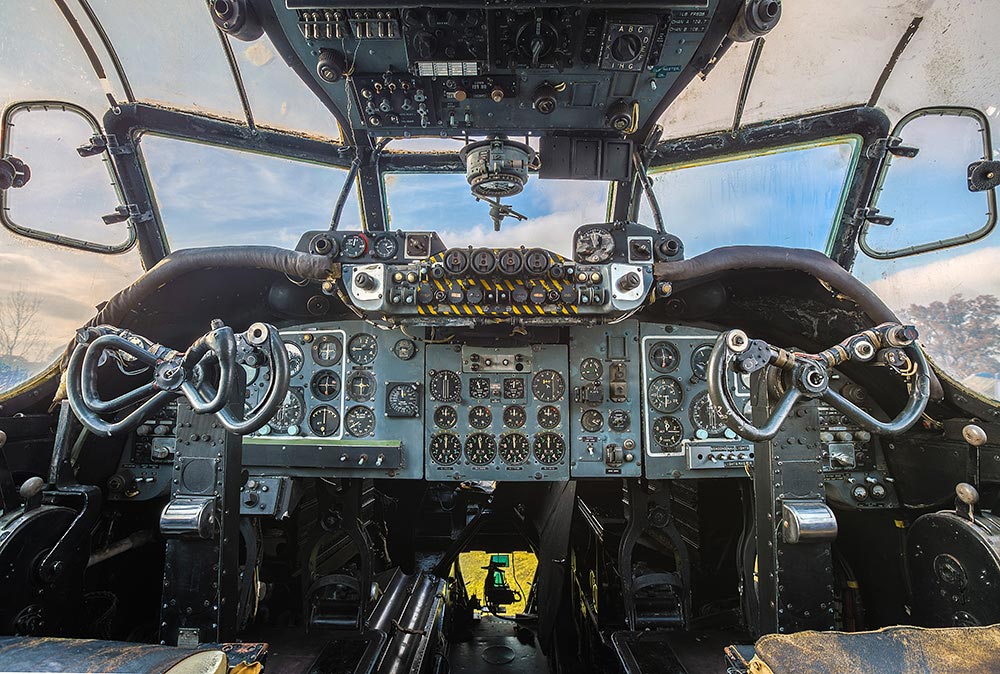
HDR-Gatwick AviationOver the past couple of years the letters HDR have become synonymous with heavily processed images, garish colours and unreal contrast. Don’t get me wrong, when done with skill that kind of processing can look amazing… on the right subject. The trouble is, of course, that it’s very easy to get carried away with the effect and go too far.

As a result many photographers now hear HDR and instantly dismiss it as gimmicky when in fact HDR (High Dynamic Range) is a technique that’s as old as photography itself. Dodging and burning in the darkroom, pulling out the highlight and shadow detail in RAW processing are all forms of HDR.

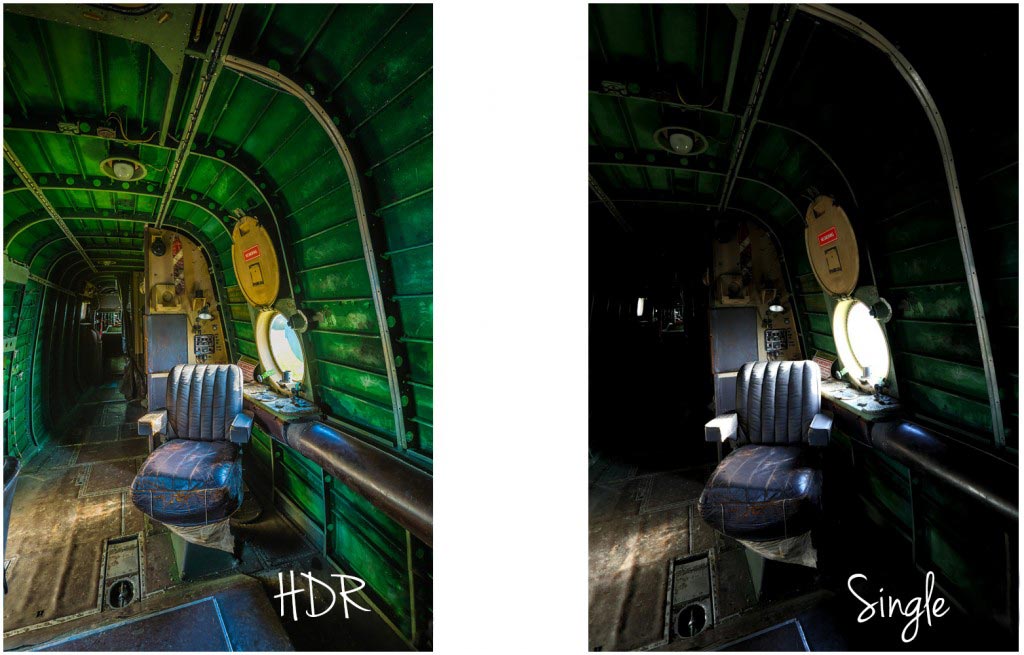
However, there are plenty of times when a single image doesn’t have all the detail you want in the highlights and shadows, no matter how much processing you do to it. That’s when multi photo HDR’s come in to their own.

In the video below I’ll show you a couple of ways to shoot multi image HDR photos and then I’ll skip over to Photoshop CS6 to make a photo real HDR image. Photo real means my goal is to make the photo look like a photo… not a painting.
[youtube]https://www.youtube.com/watch?v=hOLh76QhZkY[/youtube]
If you can’t see the video click here

It’s worth pointing out that you must have Photoshop CS6 and have updated its RAW processor to at least 7.1. An alternative work flow would be Photoshop CS4 or CS5 and Lightroom 4

The bigger the difference between the lightest and darkest part of you scene the more photos you’ll need to take. Often three photos are enough to make a good HDR, such as in the image below but it’s always better to have more photos even if you don’t end up using them.HDR1
Gear used in this video:

Canon 5D Mark 3 http://www.adorama.com/ICA5DM3.html?KBID=67338

Canon 16-35mm f/2.8 Mk2 http://www.adoramacom/CA2470.html?KBID=67338

Adobe Photoshop CS6 http://www.adorama.com/ABPSCS6M.html?KBID=67338

Manfrotto 055 Pro Tripod http://www.adorama.com/BG055XPROB.html?KBID=67338

Canon RS-80N3 cable release http://www.adorama.com/CARS80N3.html?KBID=67338

Many thanks to the Gatwick Avaiation Museum for allowing me to film in their Shackleton aircraft.
http://www.gatwick-aviation-museum.co.uk

Best of 2010

With 2010 drawing to a close I though it might be a good time to look back at some of the videos I’ve made this year. I’m not 100% sure exactly how many Photoshop tutorials and photography tips videos I made this year but for the purposes of this posy I’ll stick to the publicly available content on my YouTube Channel.

So from the 28 videos I uploaded to you tube here are the top videos in various categories…

Longest video – The 10 minute Emergency Christmas Card Photoshop Technique

Made for my friends at tip squirrel.com I originally planned to call this the 5 minute Christmas card technique, but I quickly realised it was going to take much longer then I had planned hence the name


Shortest video – Star Rotation Effect – Photoshop CS5 New Action.

This was a video I made for the Next Photoshop Evangelist competition. Part of the entry requirements was the video had to be less then 2 minutes long and feature the concept of twenty. See if you can spot it!

Most Commented – Grey background lighting tips and tricks — Quick Shots 08

Another studio/portrait tutorial but this time I demonstrated three lighting tricks with one grey background cloth.

Most Viewed – How to shoot an unusual self portrait.

Me, myself and I get together to make a very strange self portrait. The opening minute was great fun to make and was a learning curve on how to use Adobe Premiere Elements to creatively edit videos.

And finally my favourite video of 2010

To be honest I’ really happy with almost all of my videos, but there are a few that stand out.

Of the 15 minute challenges my last video of the year, filmed at Winchester Cathedral, is high on my favourites list. It produced some of the best images I’ve taken this year and was a location I intend to return to later in the year. The 15 minute challenge in Kens Field was a real tough challenge photographically, so coming back with anything worth showing is a success.

Teaming up with Jared Polin from Fro Knows Photo was a fun thing to try and may be repeated again in 2011 either with Jared or other photographers / Photoshop experts.

But if I had to pick just one video it would be Long exposure technique. It combines some useful photography tips with a bit of fun and produced a stunning photo. Incidentally there is an extended version of this video on the Photo Beach Teach DVD which includes the part where my cable release fell into the water!

So that’s it for 2010. Look out for more Photoshop videos, more Photography tips videos, more review videos and more 15 minute photo challenges videos in 2011.

15 Minute Photo Challenge – Winchester Cathedral

It’s time for another 15 Minute Photo Challenge. In a change from my previous outdoor locations I decided to do this challenge inside the amazing cathedral in Winchester. Why inside? Well partly because it’s an excellent location brimming with photographic potential but mostly because it was cold, grey and snowy outside.

As always I had just 15 minutes to take the photos, however if I’m honest the timing went out the window slightly. Not my fault, honest.

As I was wondering around taking photos I was approached by one of the Cathedral staff. I was really expecting to hear the usual “no photos allowed here” comment, but instead the very understanding gentleman offered us a quick tour round the Crypt. How could I refuse…
 
Click the images to enlarge…
Winchester Crypt(2)

The statue (Silence II) is by Anthony Gormley and when the crypt floods, which if often does, the statue and its reflection look stunning. Fortunately or unfortunately, depending on your perspective the crypt was dry so we were able to walk inside.
Winchester Crypt(1)
At the back of the crypt was an early first world war grave marker. Most of these have been lost, destroyed later in the war or rotted away.