
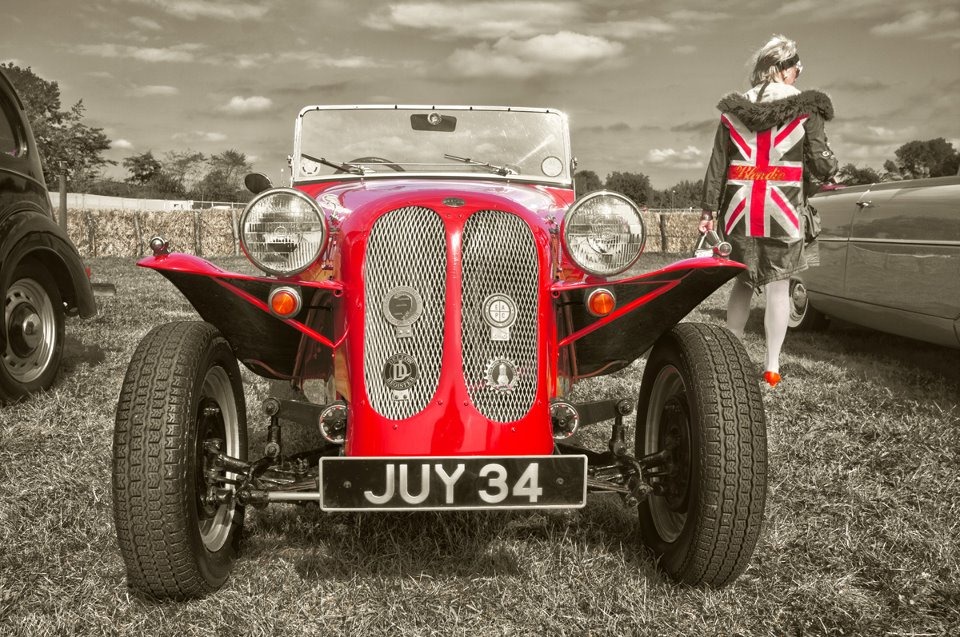
 There are many ways to turn a colour photo into a mono masterpiece in Photoshop, but in this tutorial I aim to keep some of the original colour and bring back through the black and white effect.
To achieve the final image I’ll be using the Color Range, which is an often overlooked selection tool that’s been around in Photoshop for a very long time. So if you’ve never tried it before, now’s a great time to give it a whirl.
great tutorial again gavin,many thx
just tried it on pse7,but there is no heading for it in SELECT ,i have looked through but to no avail,unless i am blind,so how does it work elements 7, many thx again.
Rod, check out this link for a tutorial on color range in Elements: http://www.elementsvillage.com/forums/showthread.php?t=42756
I like it. Can’t wait to get the right project to try it out myself. Thanks.
ok thx steve,just come on to site now , i will check it out.
Gavin, you’re the man in Tutorial. We always learn from you. Thanks man.
Great tutorial Gavin. I am using your website a lot, and are learning a lot too – so please do not stop 🙂
/Jens
Hi,
I’m belgium gy who have pleasure to learn photoshop with your videos.
Many thanks to you